
The AG is healthy and replicating (verified in Part 6). The whole point of building this is failover — so we exercise it now. Three tests in this part:
- Manual failover via the Start Failover Wizard — SQL-NODE-01 to SQL-NODE-02, then back. Zero-data-loss role swap.
- Restart the primary VM — watch the cluster auto-promote the secondary. Verify the role does NOT swing back when the original primary returns.
- Hard shutdown the primary VM — same automatic promote, faster, more abrupt.
Failover testing is the only way to know your AG actually works. Don’t skip it — finding out at 3am that automatic failover never worked is a bad day.
Test 1: manual failover SQL-NODE-01 → SQL-NODE-02
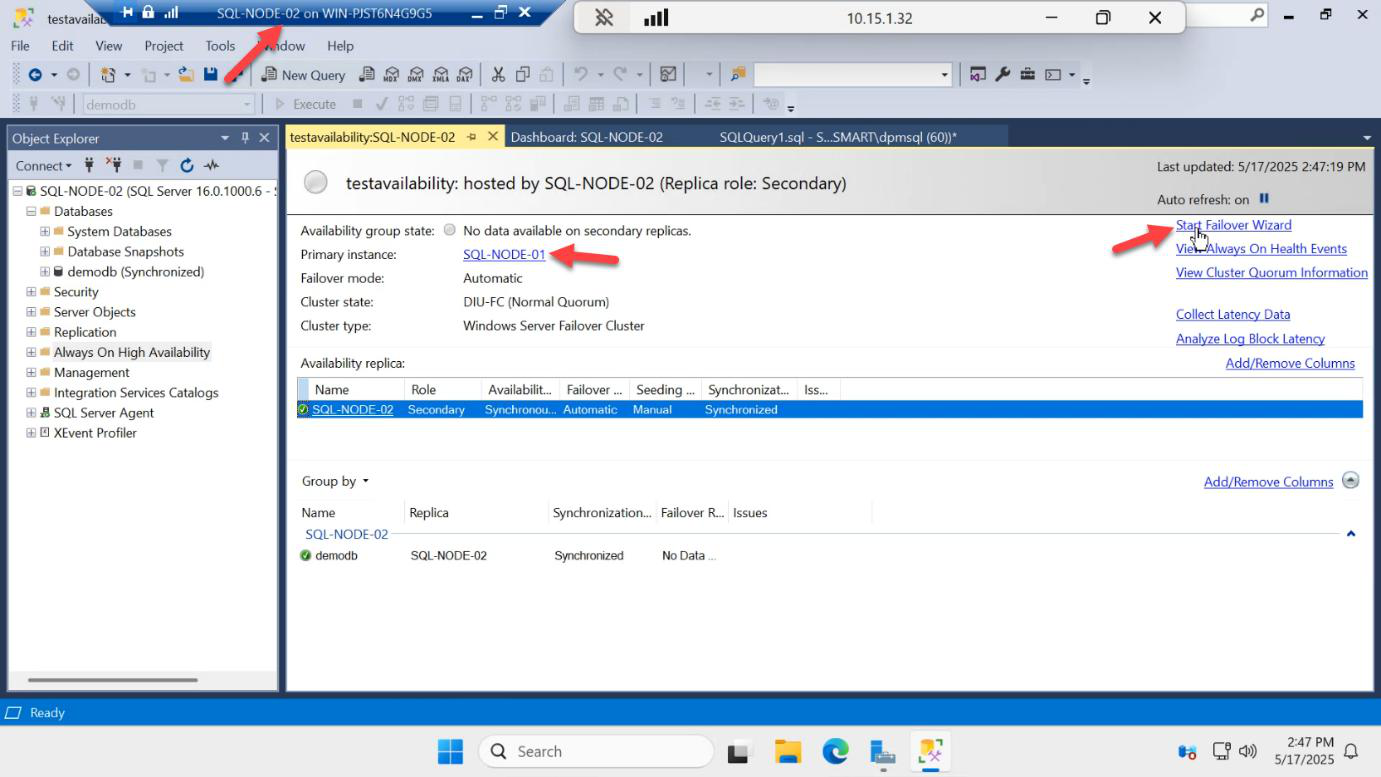
On SQL-NODE-02, in SSMS Object Explorer expand AG-DEMO > right-click > Failover…
Why run the wizard from the target side? You can run it from either node, but starting from the node you want to BECOME primary makes the wizard simpler — it pre-selects that node.
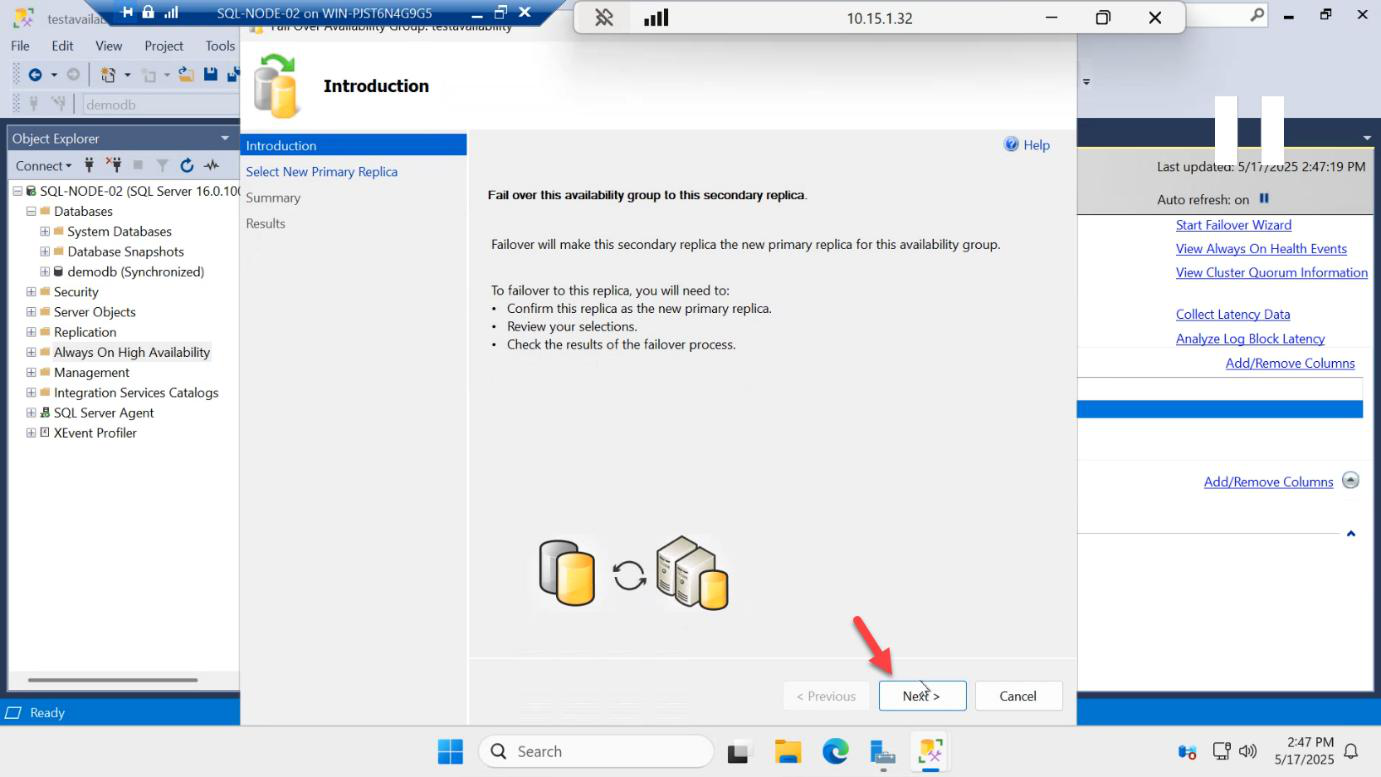
Welcome > Next.
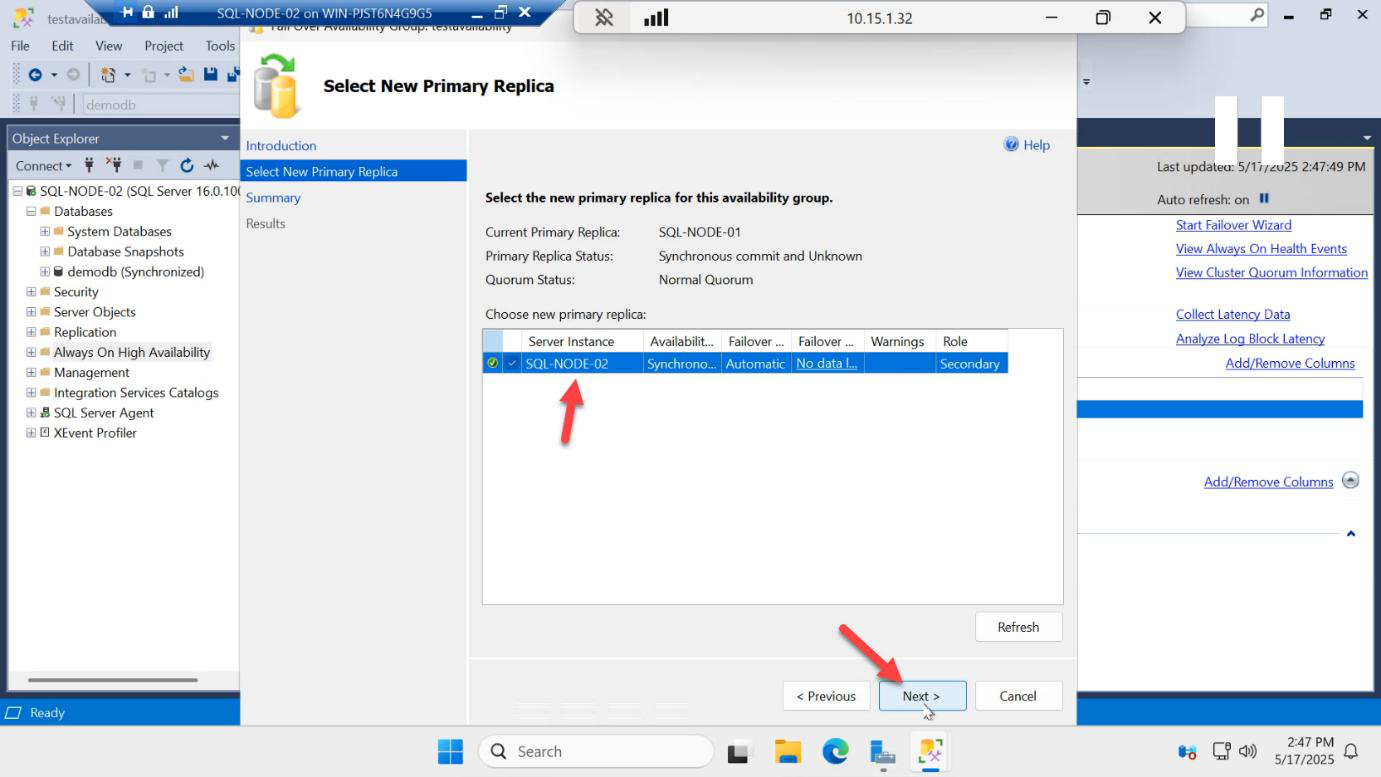
Select New Primary Replica: pick SQL-NODE-02. Status should say No data loss. This is because we’re in synchronous commit mode — the secondary has every transaction the primary has committed.
If you see Data loss or Synchronizing, do NOT failover. The secondary is behind on log records and a failover would lose data. Wait for sync to catch up first.
Connect to Replica: Connect. The wizard verifies it can authenticate to the target replica.
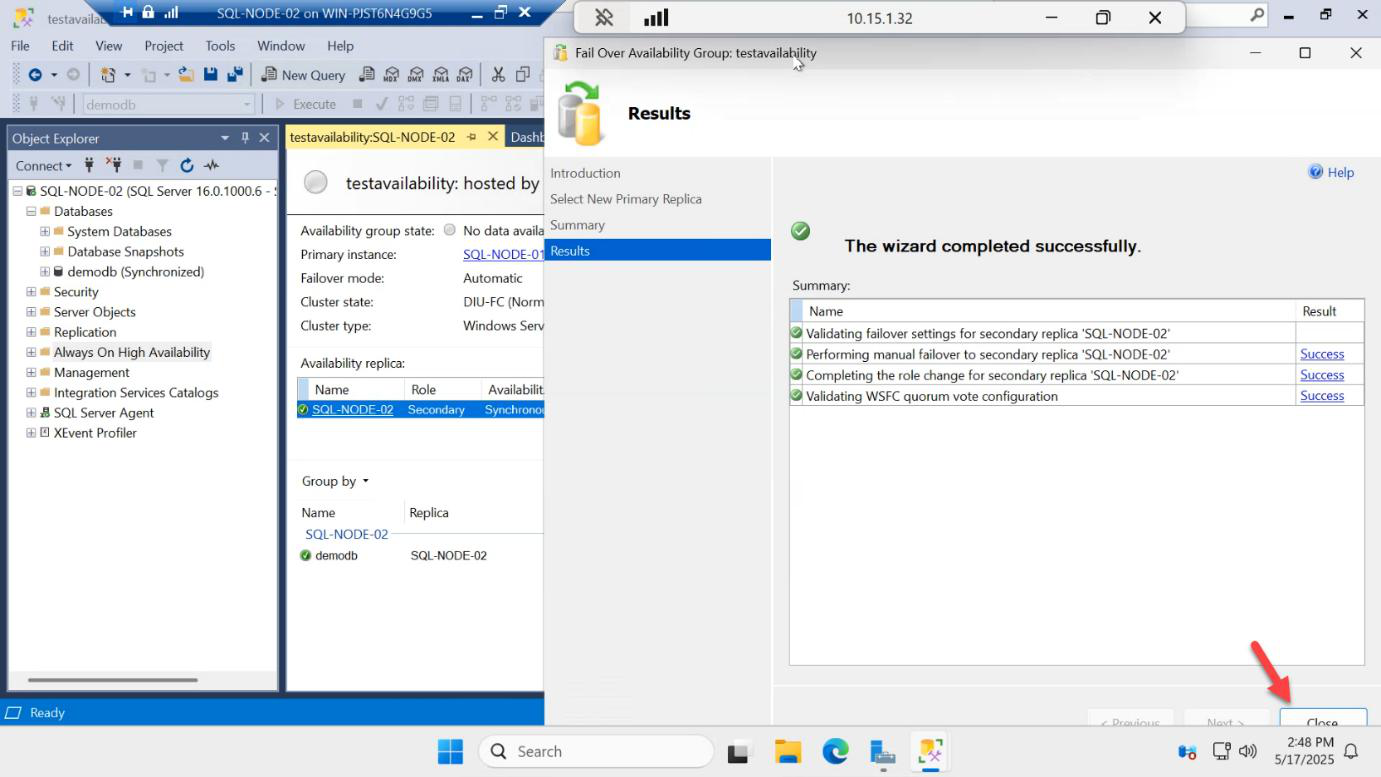
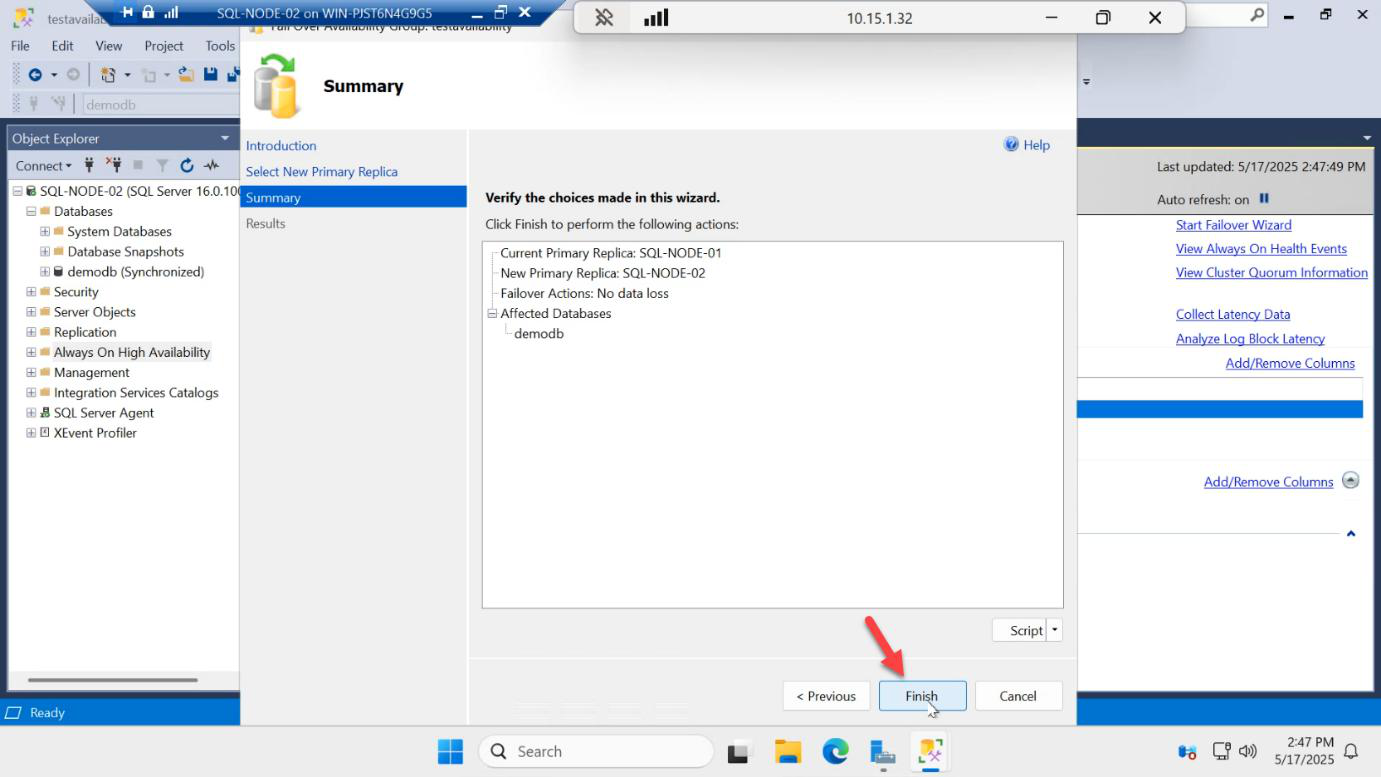
Summary > Finish.
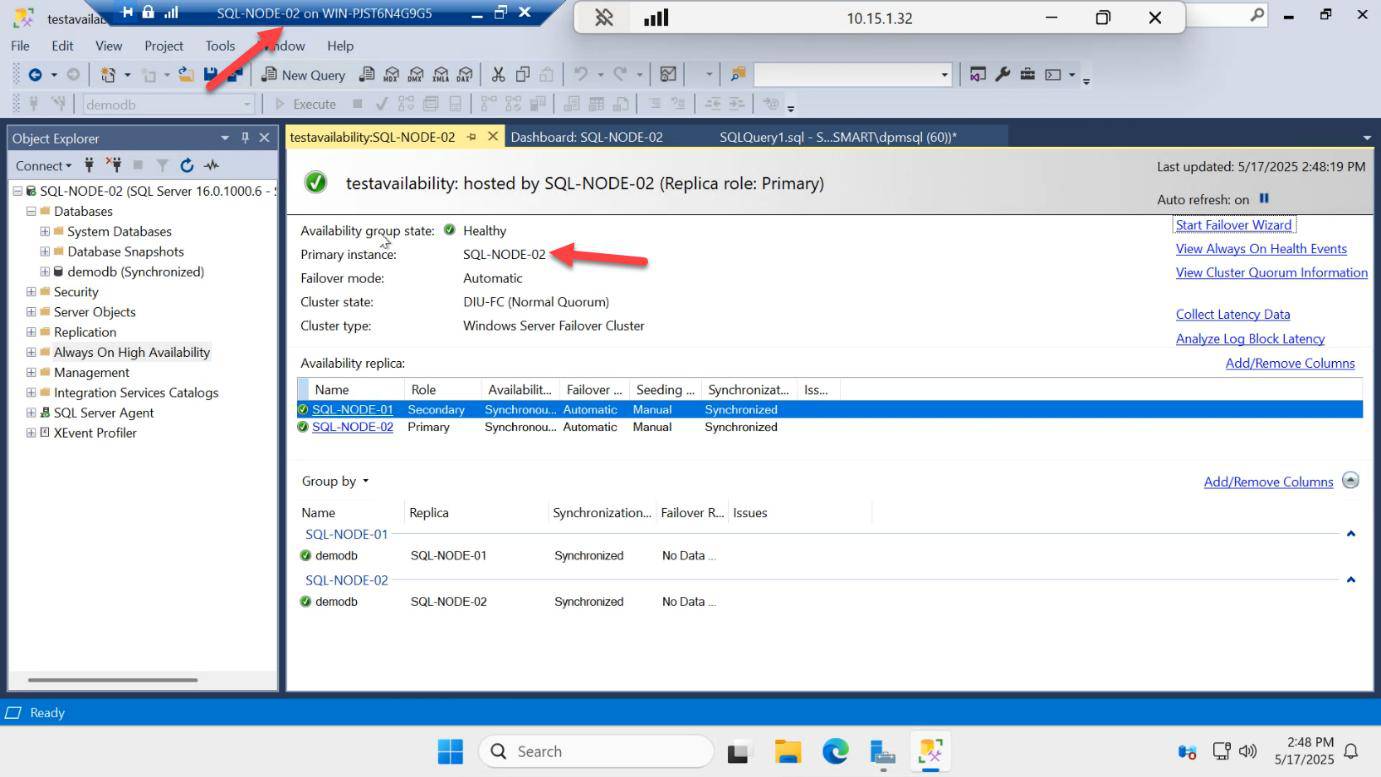
Results: success. SQL-NODE-02 is now PRIMARY. The listener IP moved with it — any apps connected via AG-LISTENER,1433 are now talking to SQL-NODE-02 transparently.
Swap back: manual failover SQL-NODE-02 → SQL-NODE-01
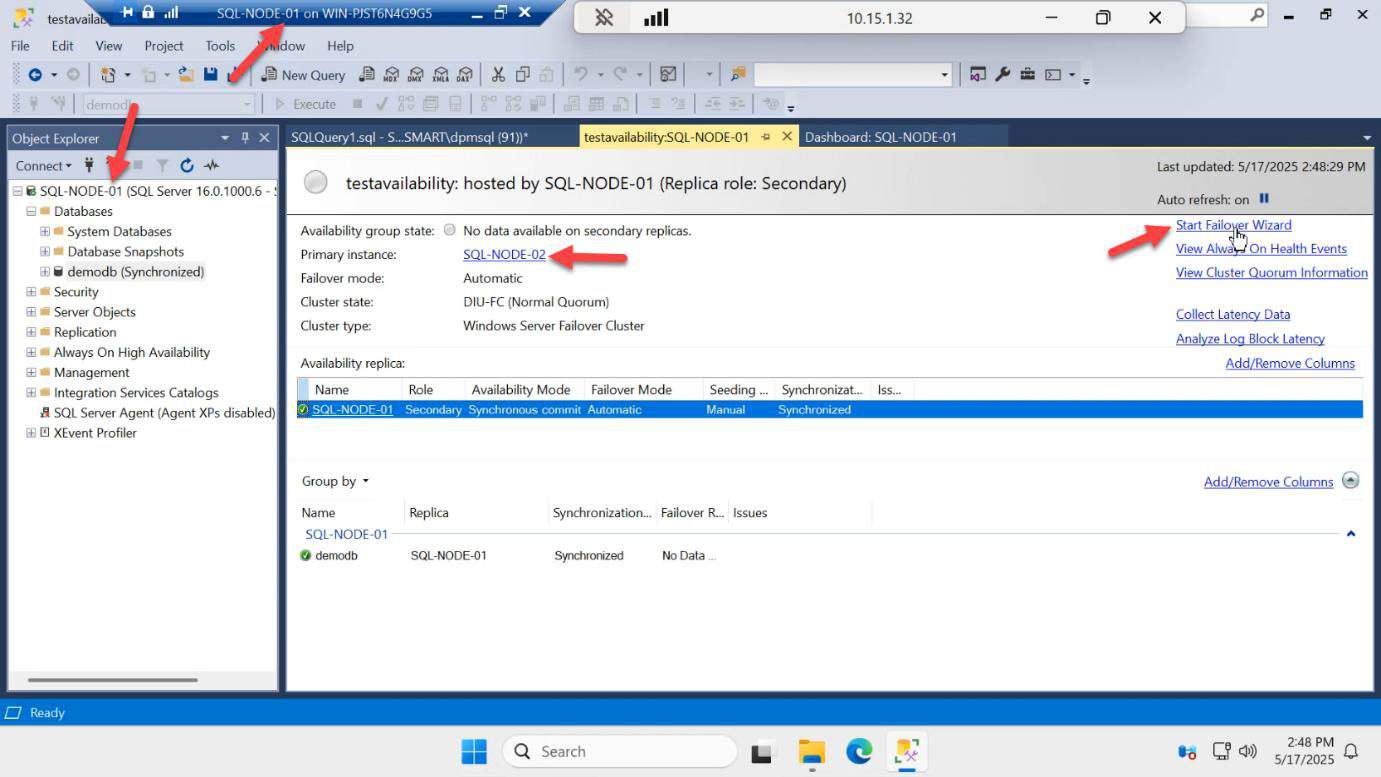
On SQL-NODE-01, run the same wizard to swap back: AG-DEMO > Failover…
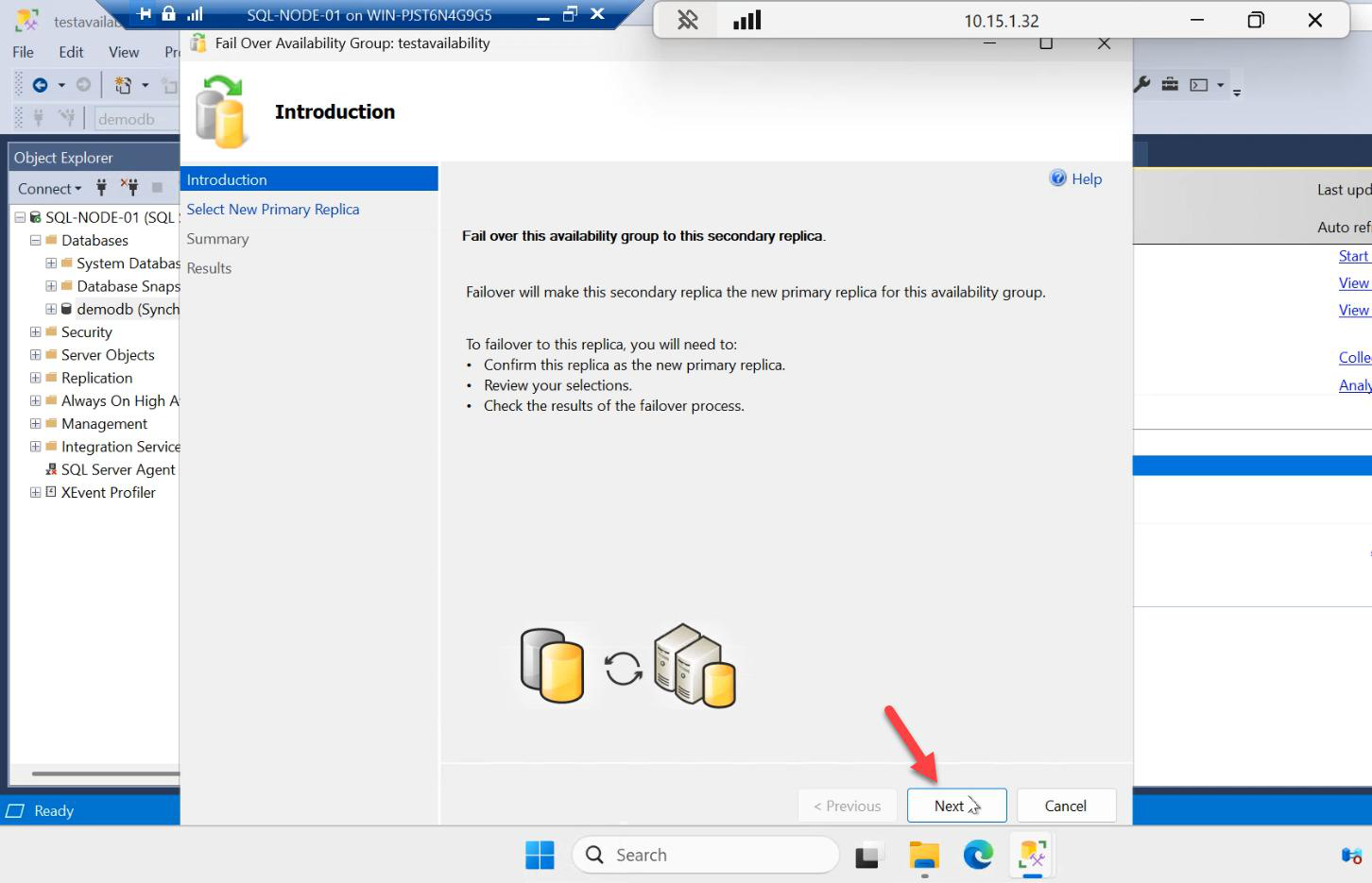
Welcome > Next.
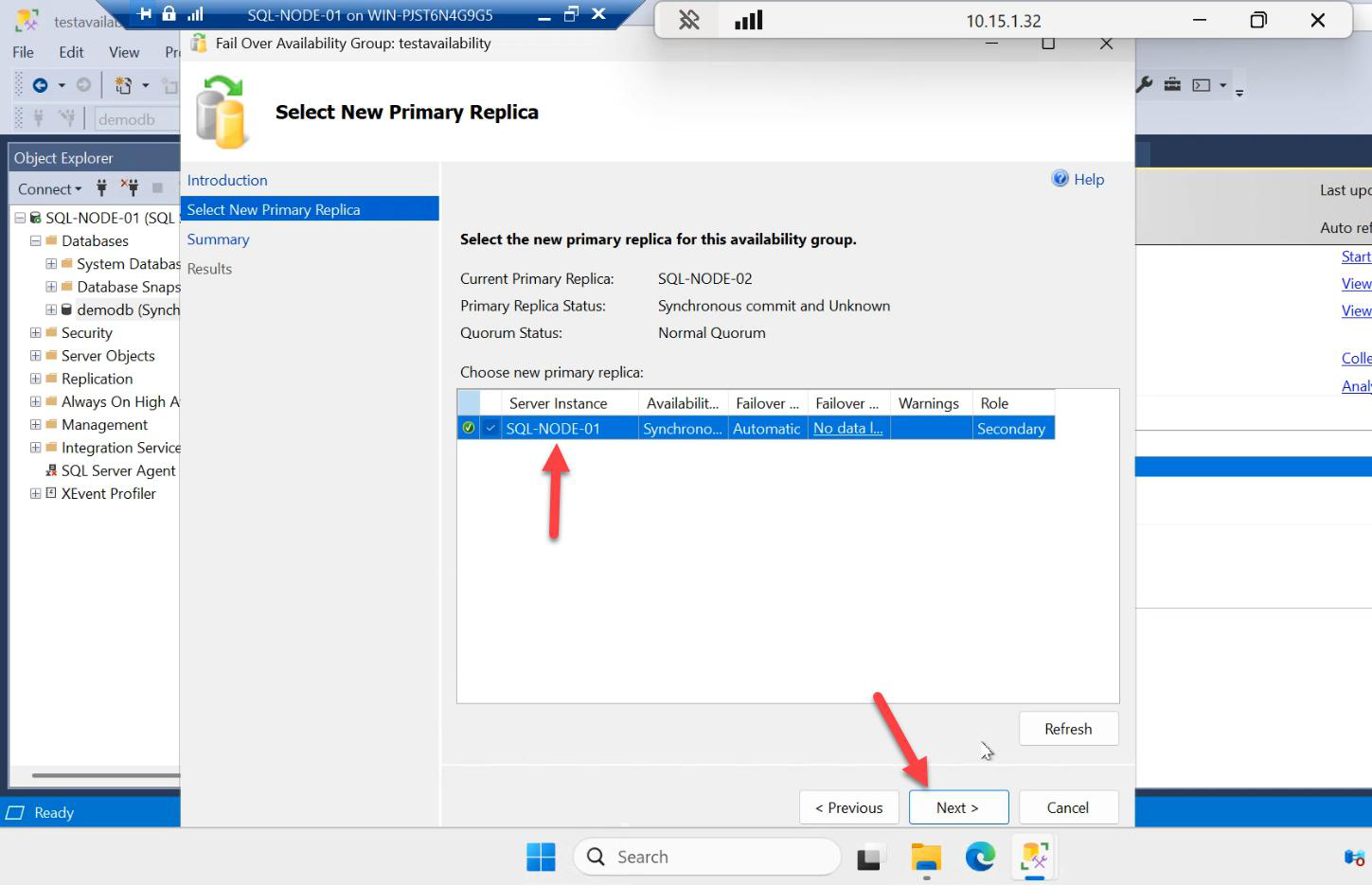
Select New Primary Replica: SQL-NODE-01. Next.
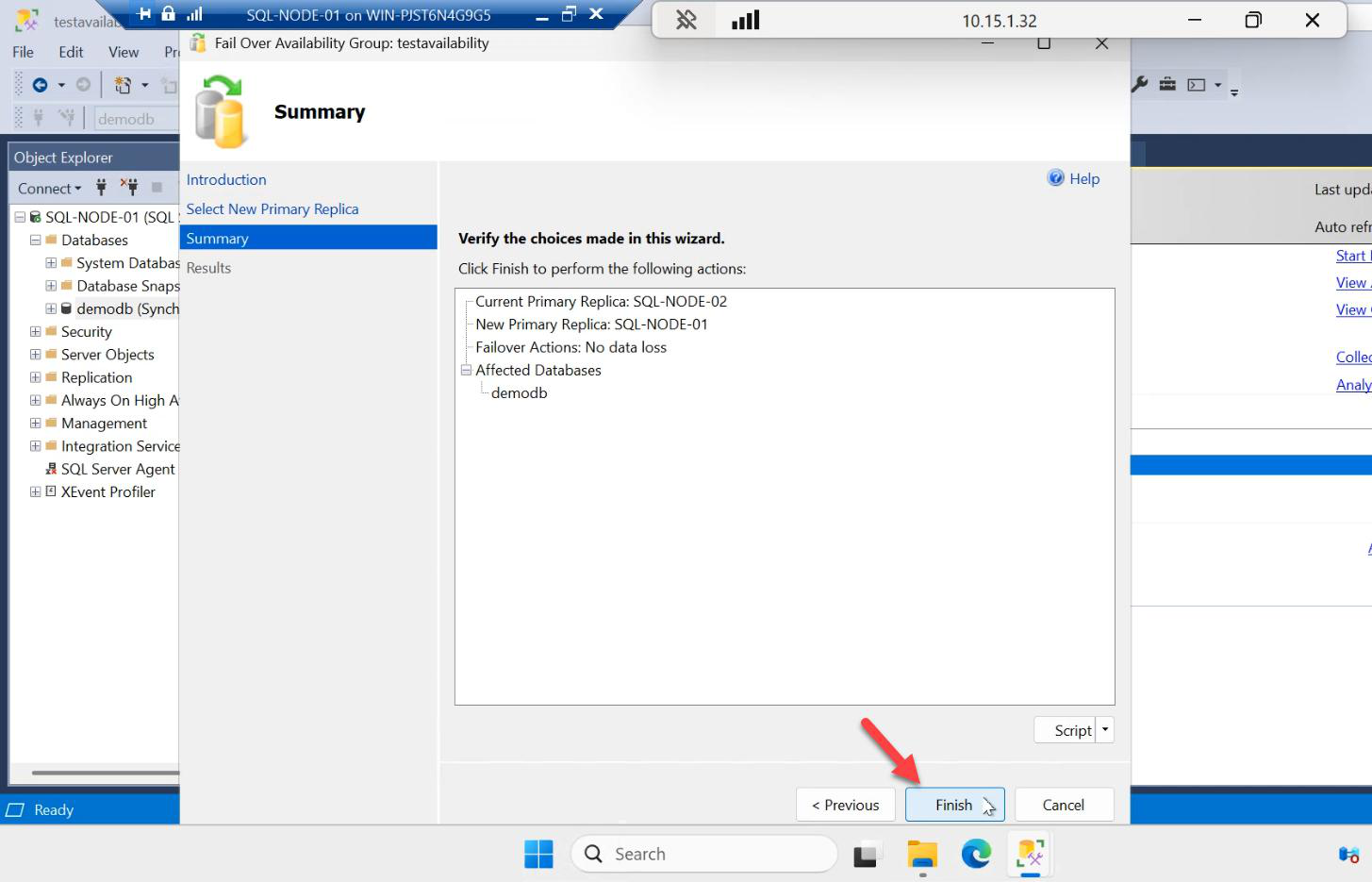
Summary > Finish.
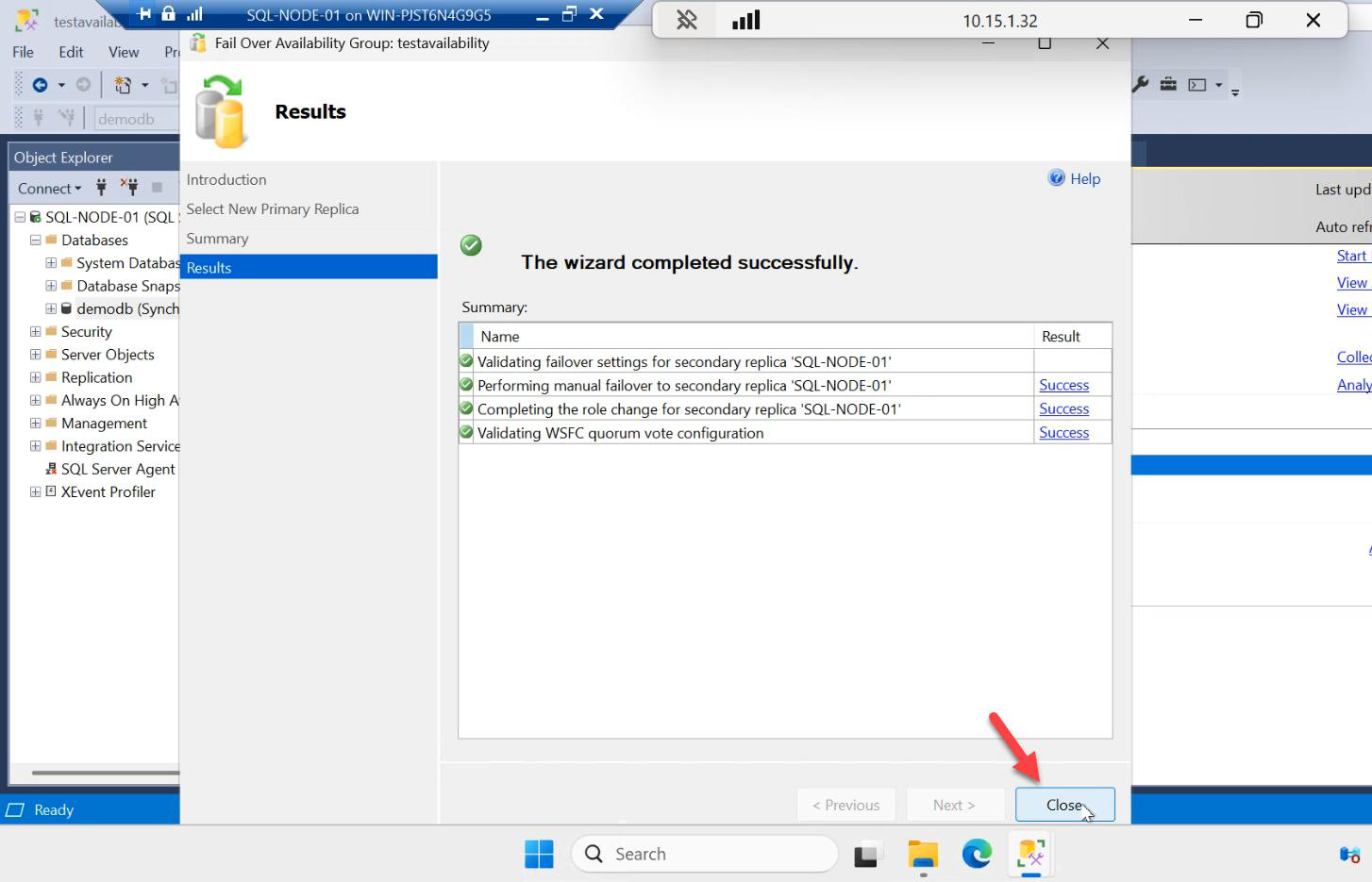
Success. SQL-NODE-01 is primary again. Bidirectional manual failover confirmed.
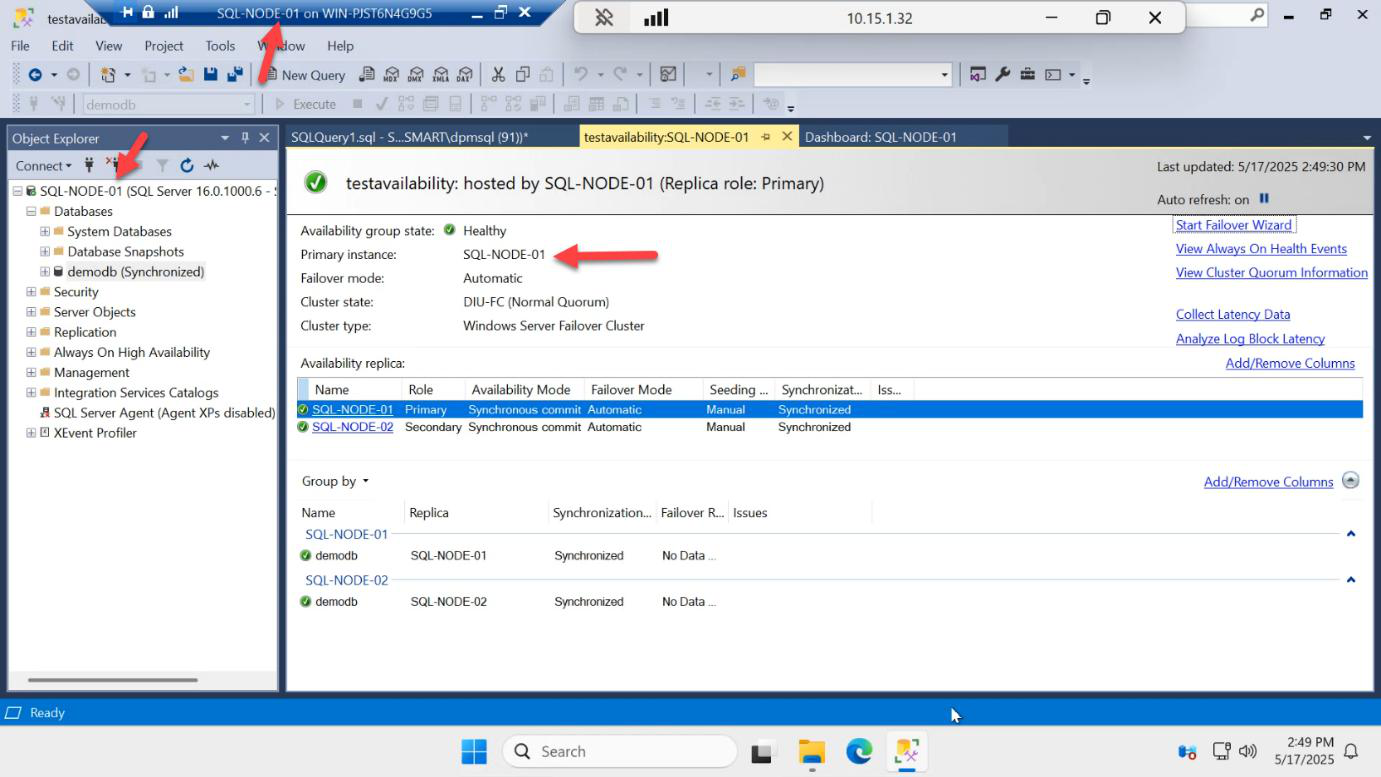
The dashboard from SQL-NODE-01 confirms.
Confirm writes work after failover
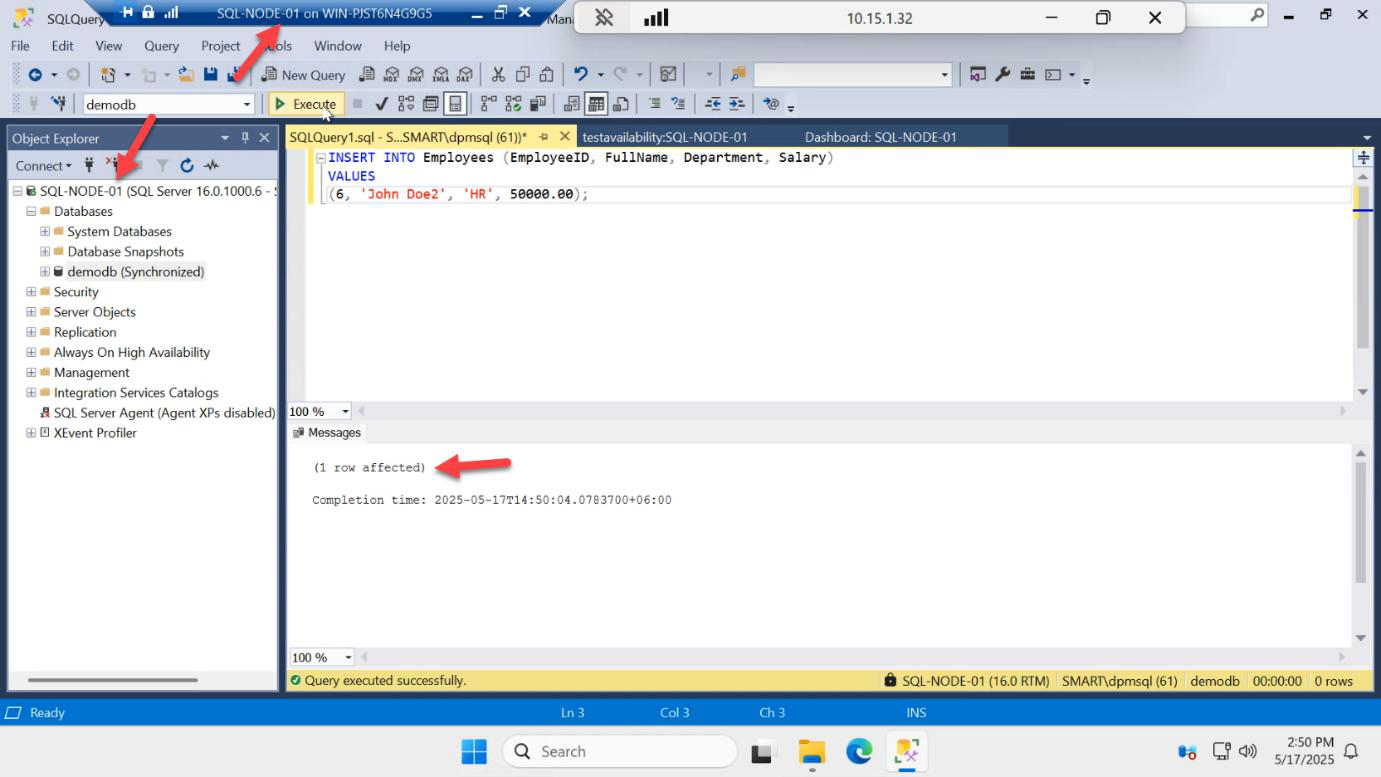
INSERT INTO dbo.Employees VALUES (5, 'Frank', 'Cloud');On the now-primary SQL-NODE-01:
USE demodb;
INSERT INTO dbo.Employees VALUES (5, 'Frank', 'Cloud');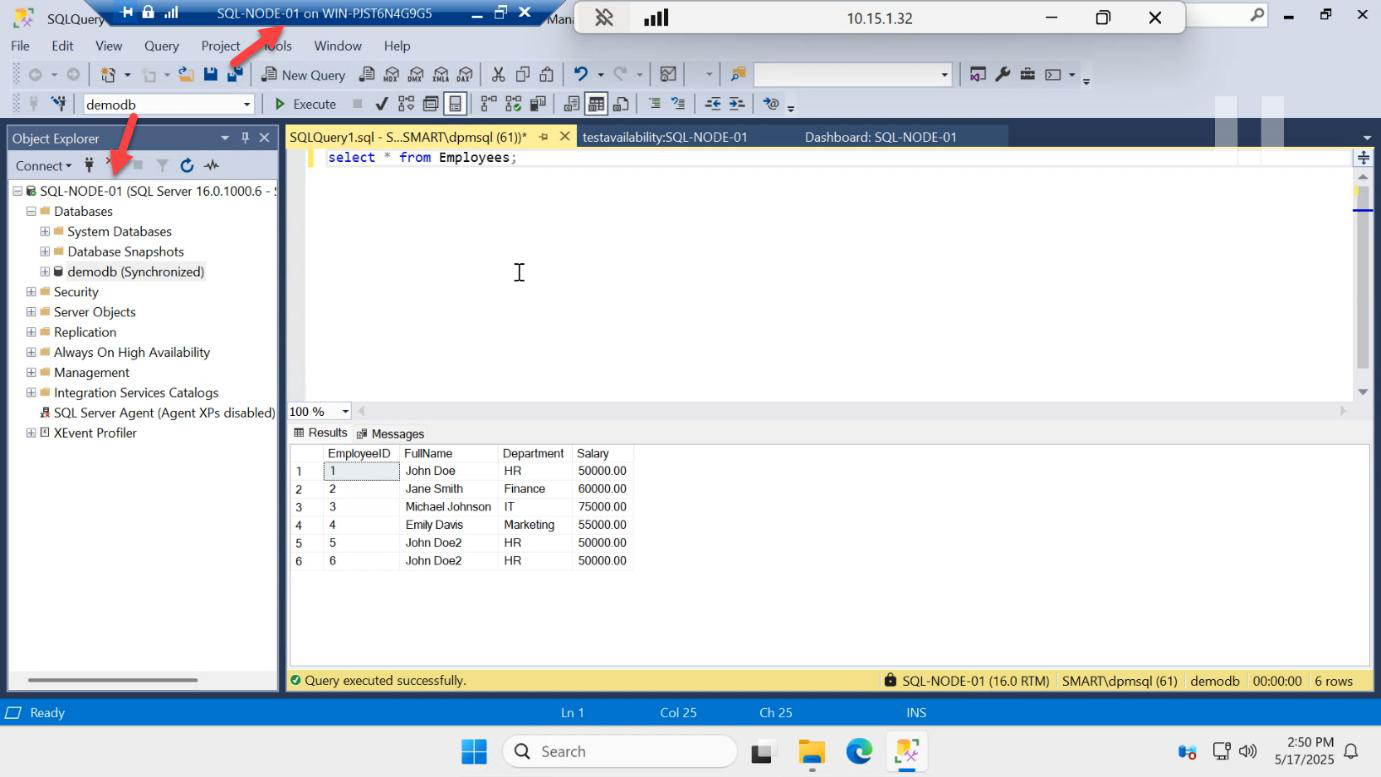
SELECT confirms the row landed.
Test 2: restart the primary VM
Now we test the automatic failover path — what happens when the primary disappears unexpectedly.
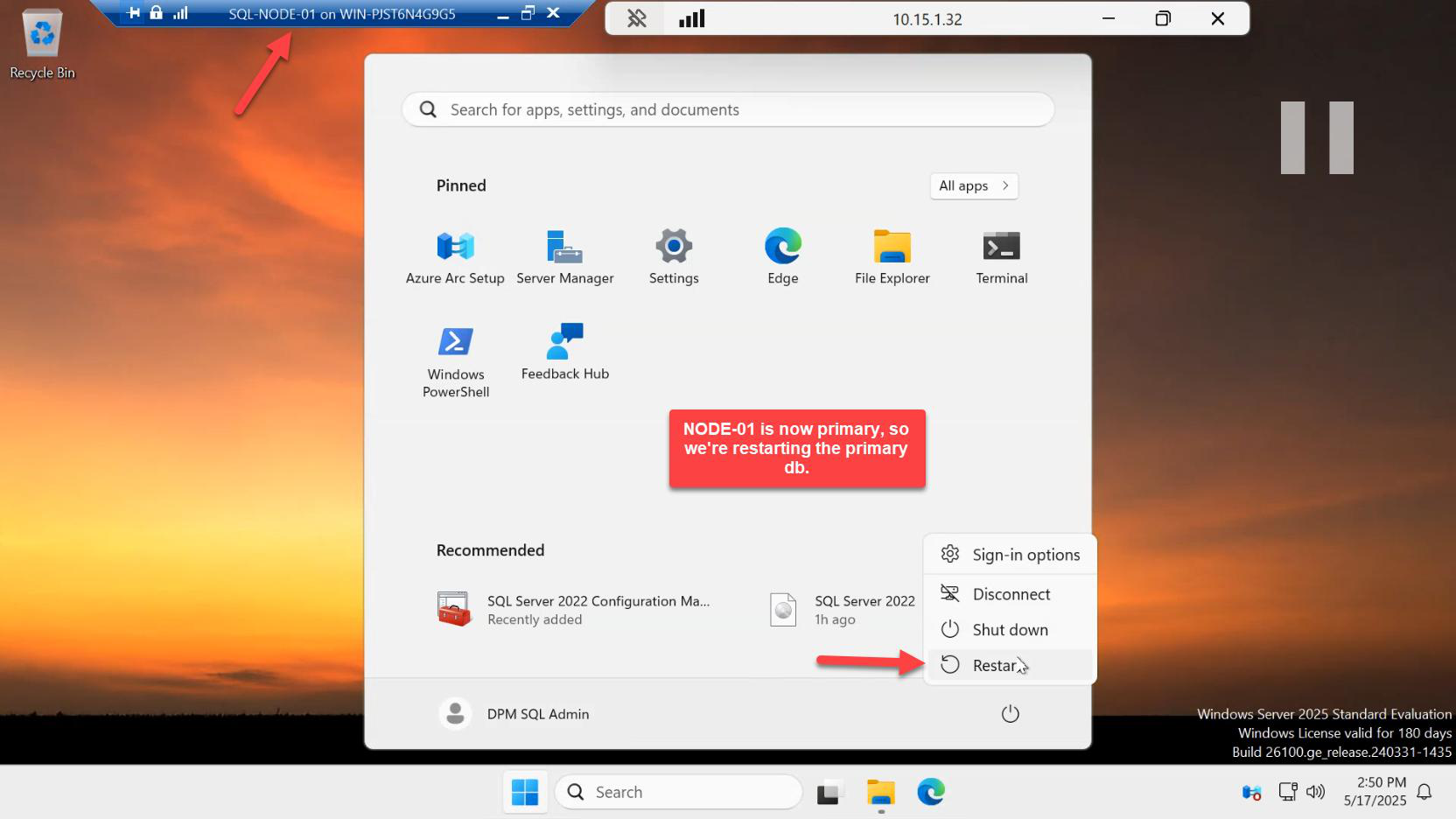
In Hyper-V Manager on the host, right-click SQL-NODE-01 > Restart. This sends an OS-level restart command (graceful shutdown + boot back).
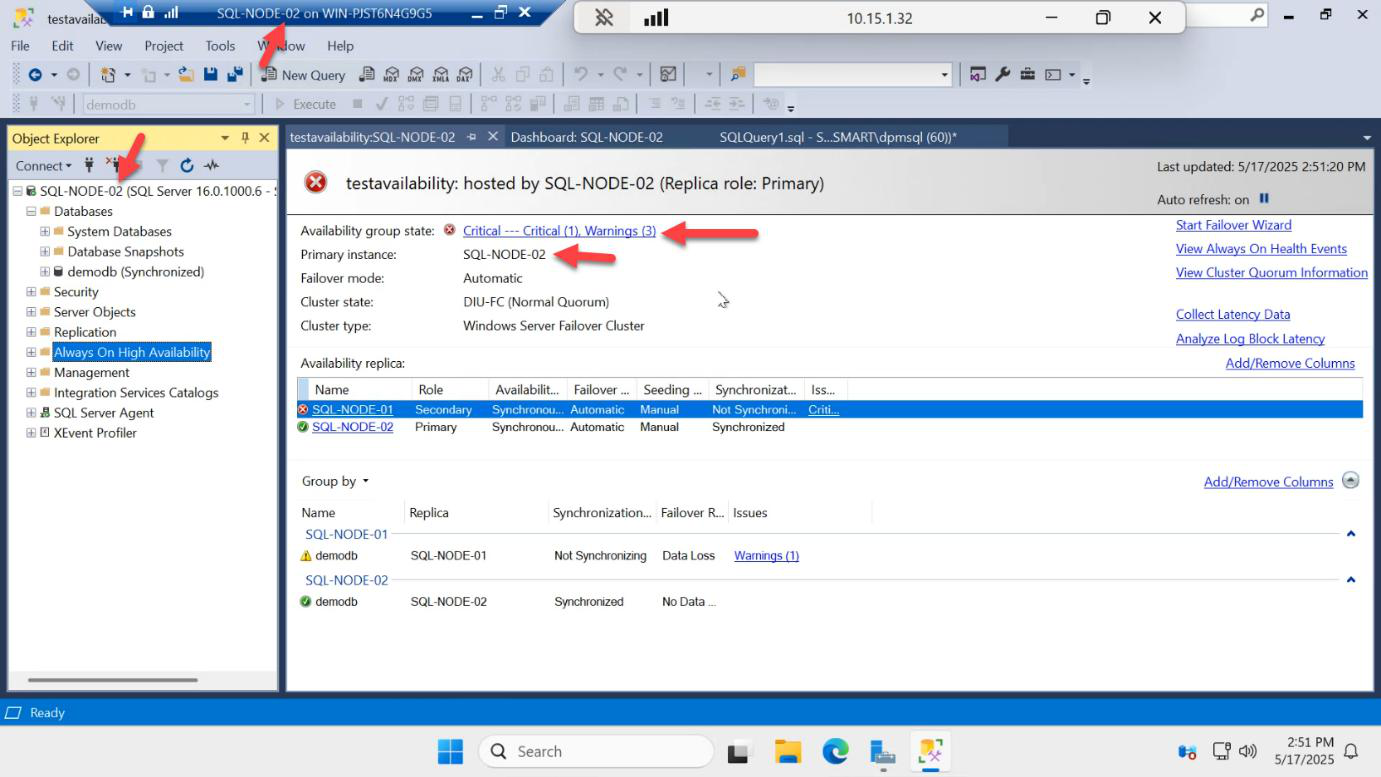
Switch to SQL-NODE-02’s SSMS. Within ~10 seconds:
- Connection to SQL-NODE-01 fails
- The cluster detects the primary node is unreachable
- SQL-NODE-02 is auto-promoted to primary
- The listener IP moves to SQL-NODE-02
You may see a brief popup error in SSMS as it loses its current connection — reconnect.
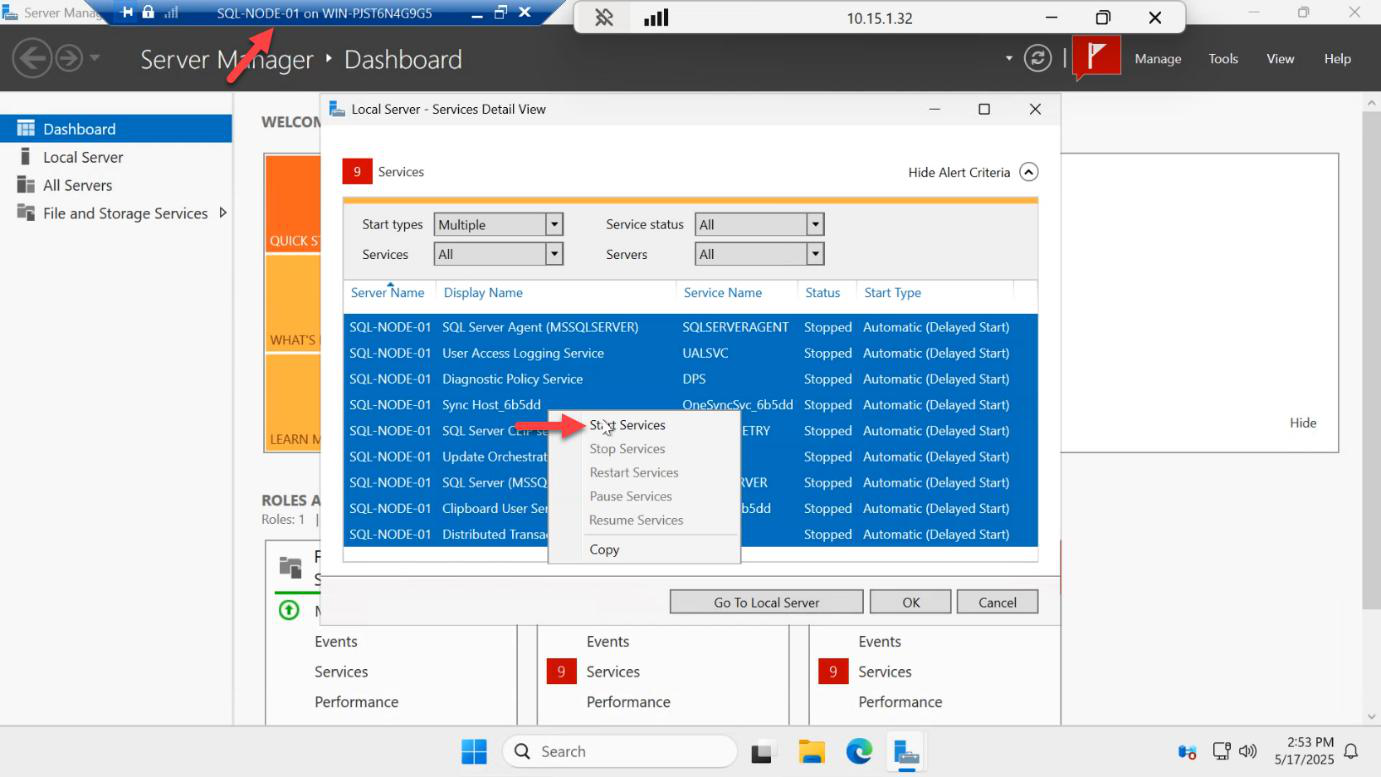
Eventually SQL-NODE-01 finishes its restart cycle. All its SQL services come back up.
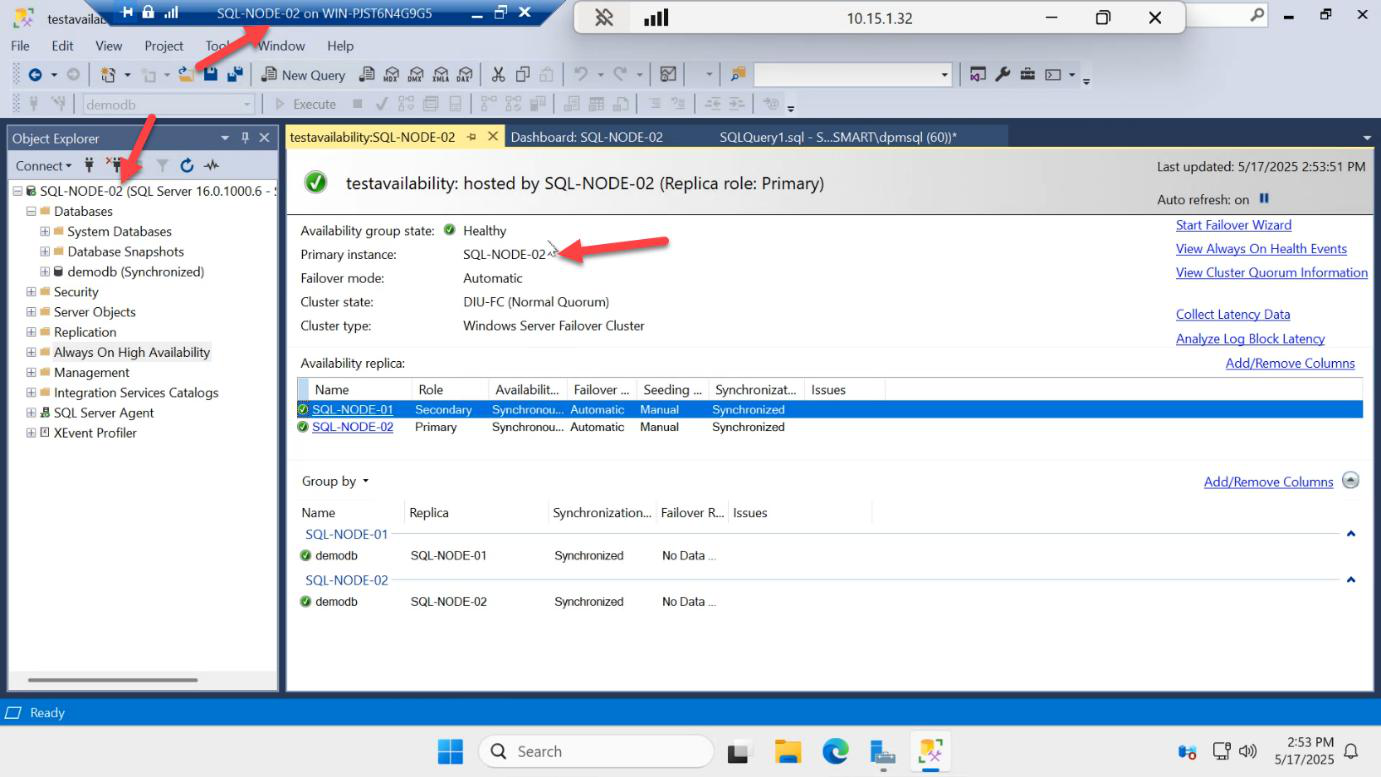
Important behaviour: SQL-NODE-02 stays primary. The role does NOT auto-swing back to SQL-NODE-01. SQL-NODE-01 rejoins the AG as a secondary.
This is by design. AG won’t fail back automatically because doing so would cause an immediate second outage as soon as the original primary recovers. If you want to return SQL-NODE-01 to primary, you do it manually with the Failover Wizard.
Verify replication continues across the failover
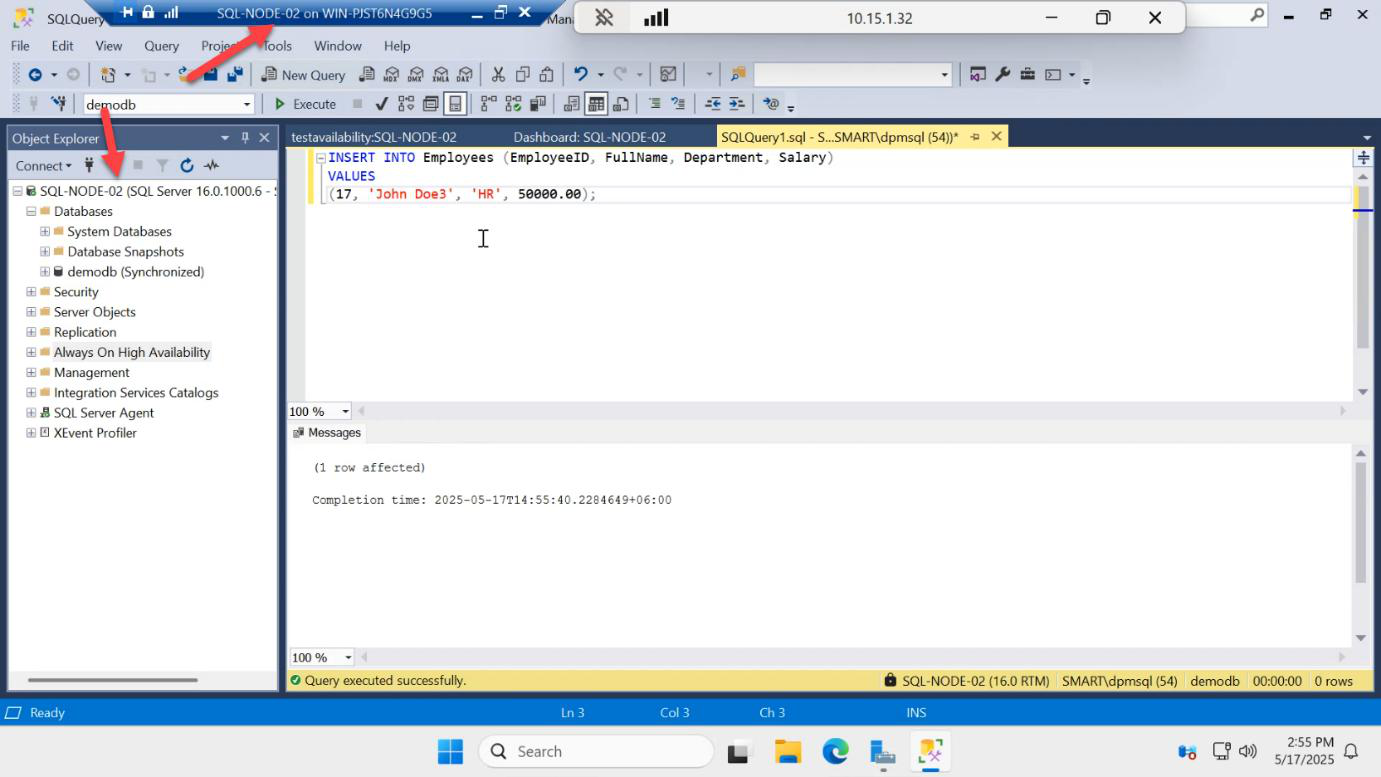
INSERT INTO dbo.Employees VALUES (6, 'Grace', 'Sec');INSERT on the new primary (SQL-NODE-02) succeeds:
INSERT INTO dbo.Employees VALUES (6, 'Grace', 'Sec');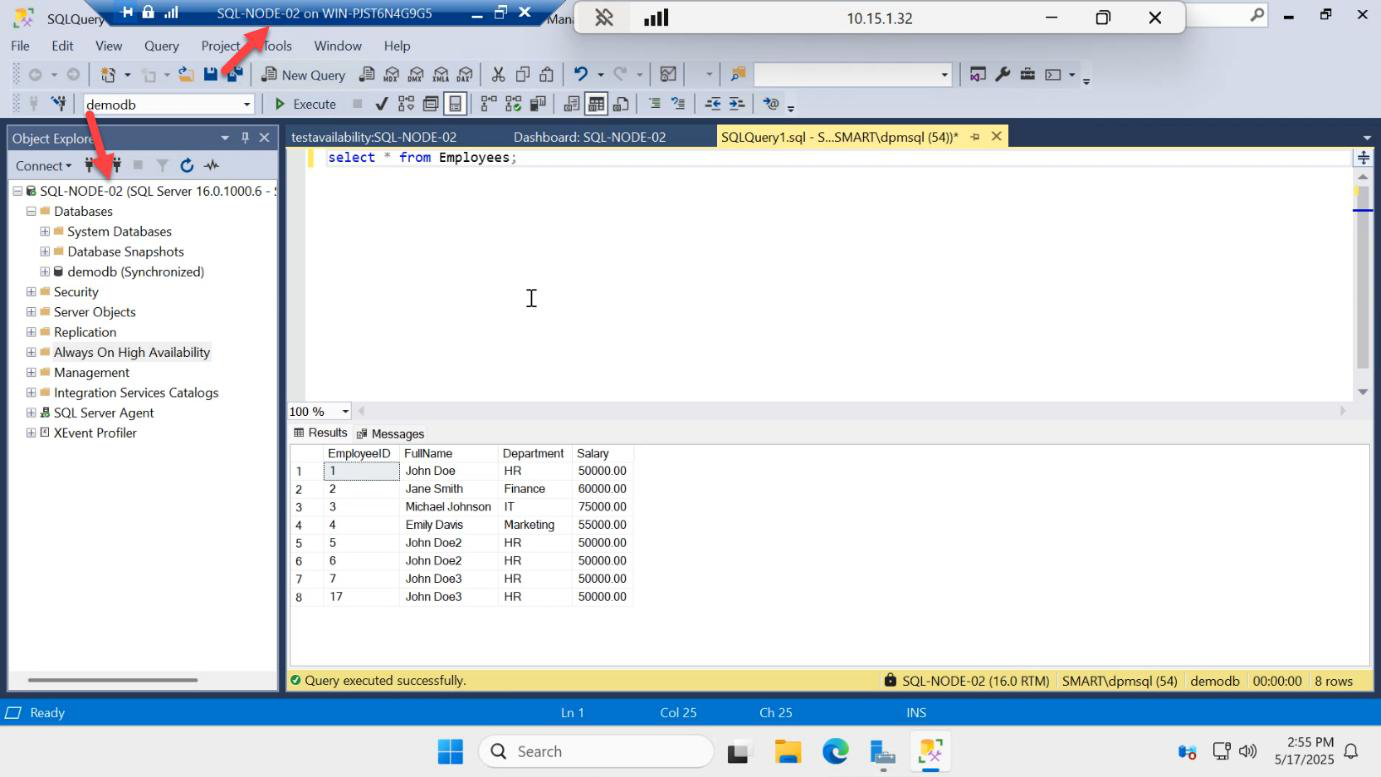
SELECT on SQL-NODE-02 confirms.
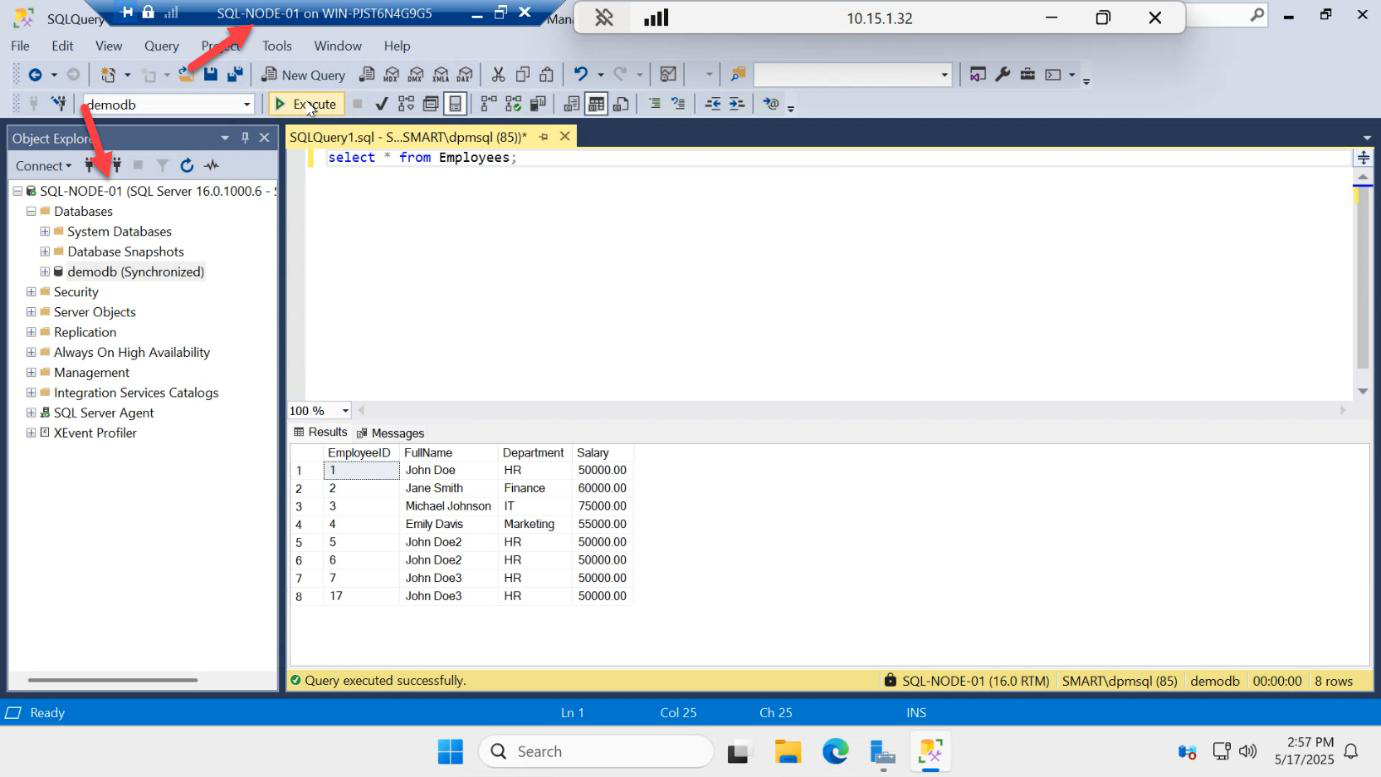
On SQL-NODE-01 (now secondary), SELECT returns the new row too — replication continued seamlessly through the failover and is now flowing the other direction.
Test 3: hard shutdown the primary VM
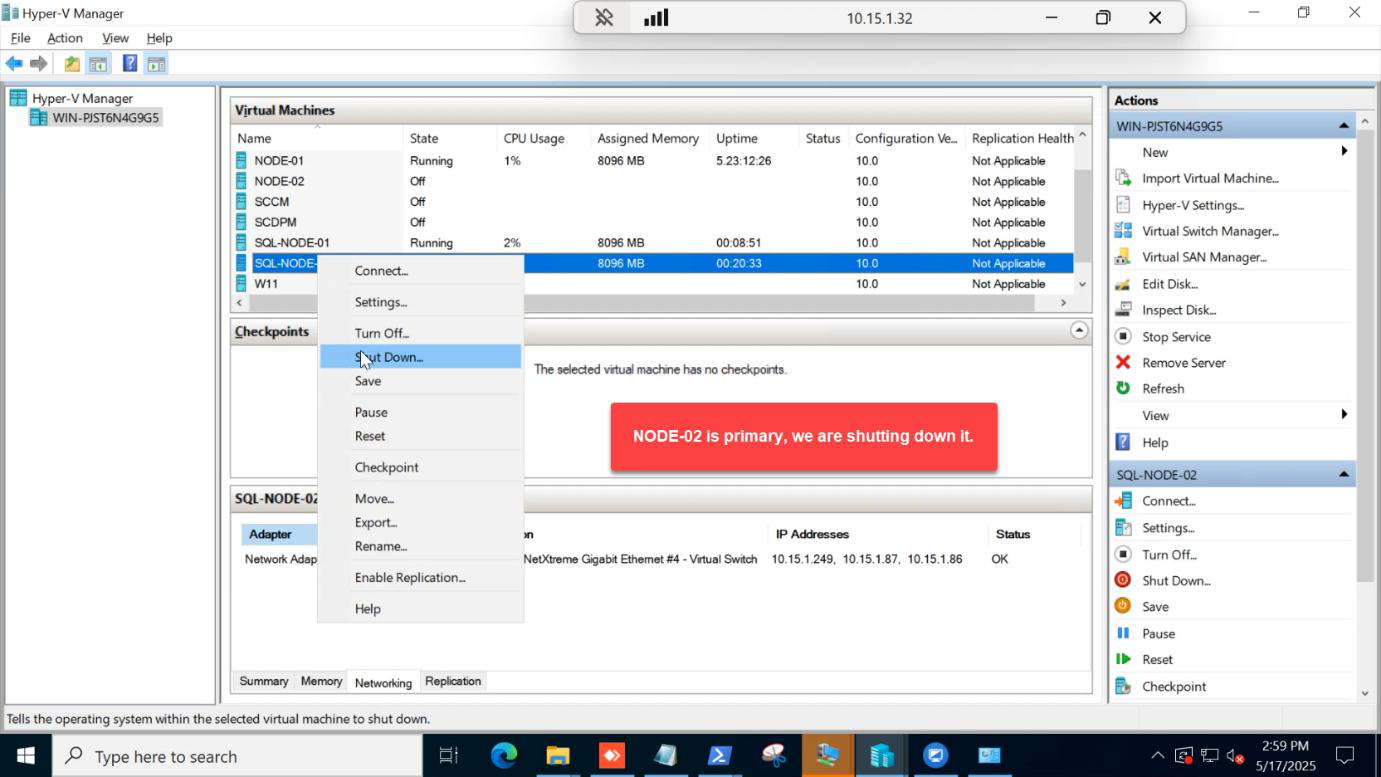
Hyper-V Manager > right-click SQL-NODE-02 > Shut Down (not Restart). This is a more abrupt loss event — the OS gets a shutdown signal but the VM is going down for real, not coming back on its own.
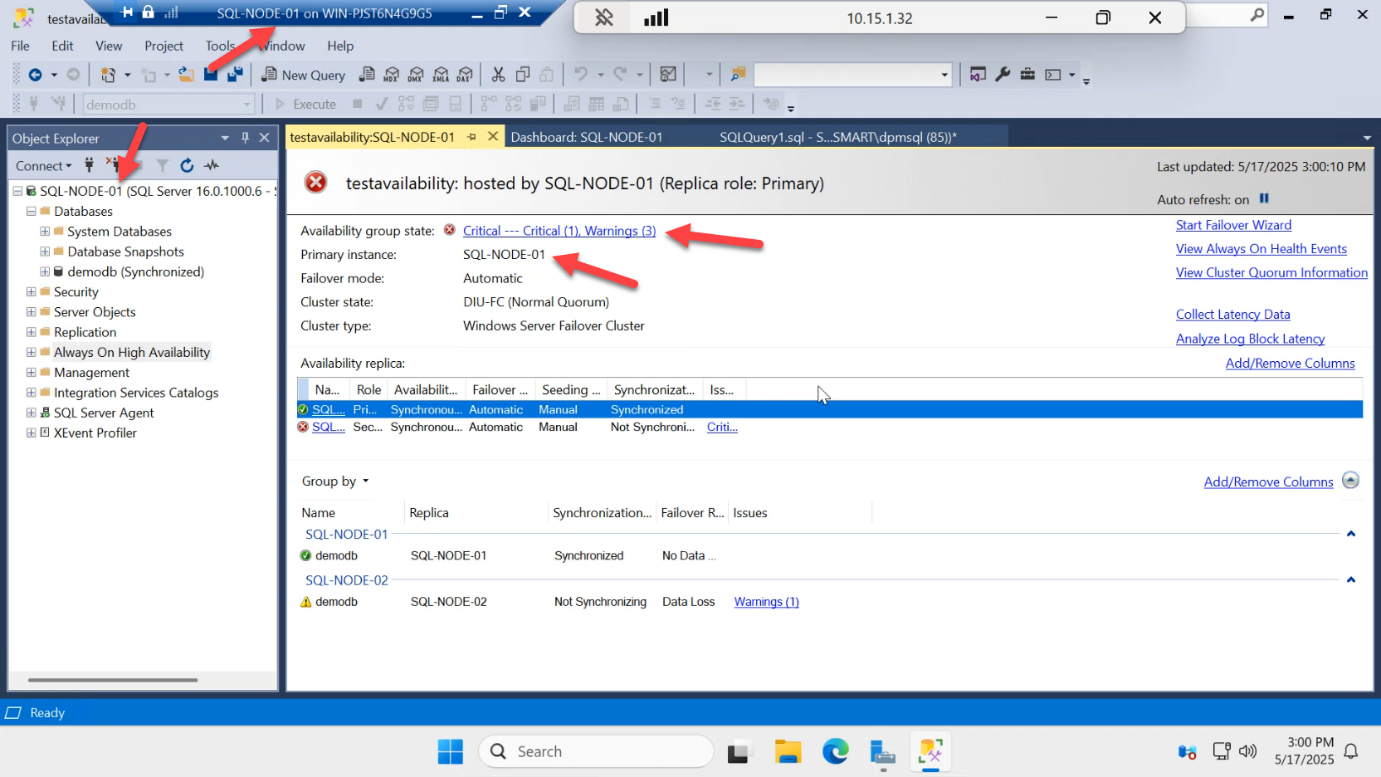
Cluster detects loss faster than restart (no graceful shutdown wait). SQL-NODE-01 auto-promotes back to primary.
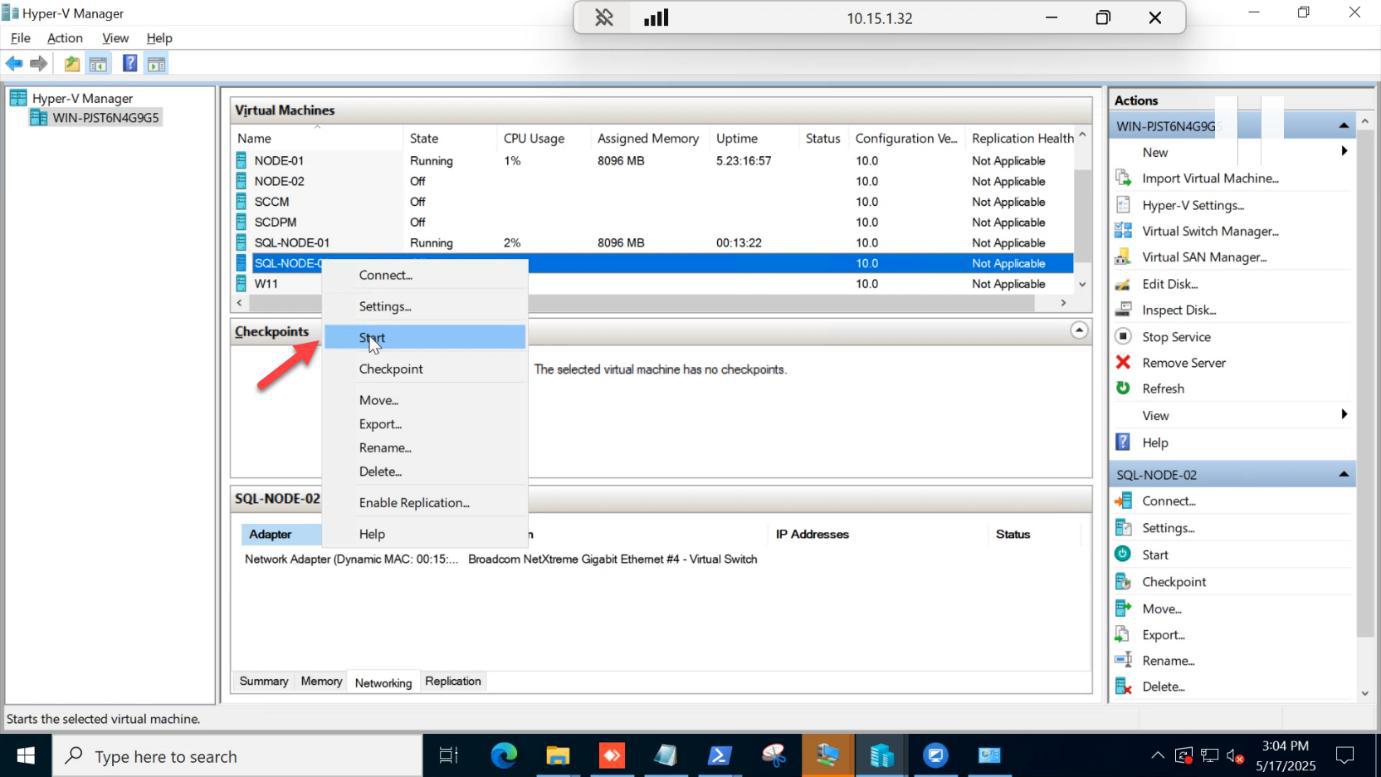
Manually start the SQL-NODE-02 VM in Hyper-V Manager.
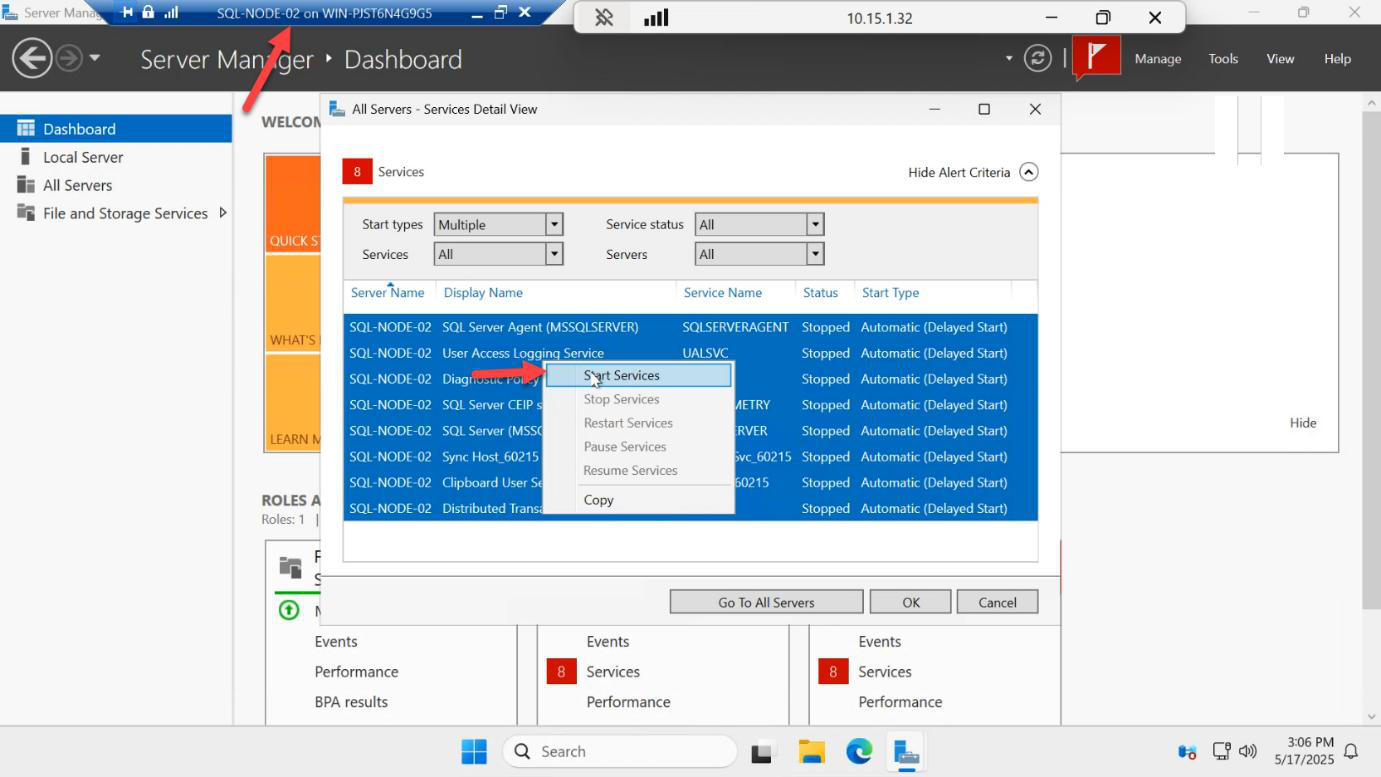
SQL services start up automatically as the OS boots.
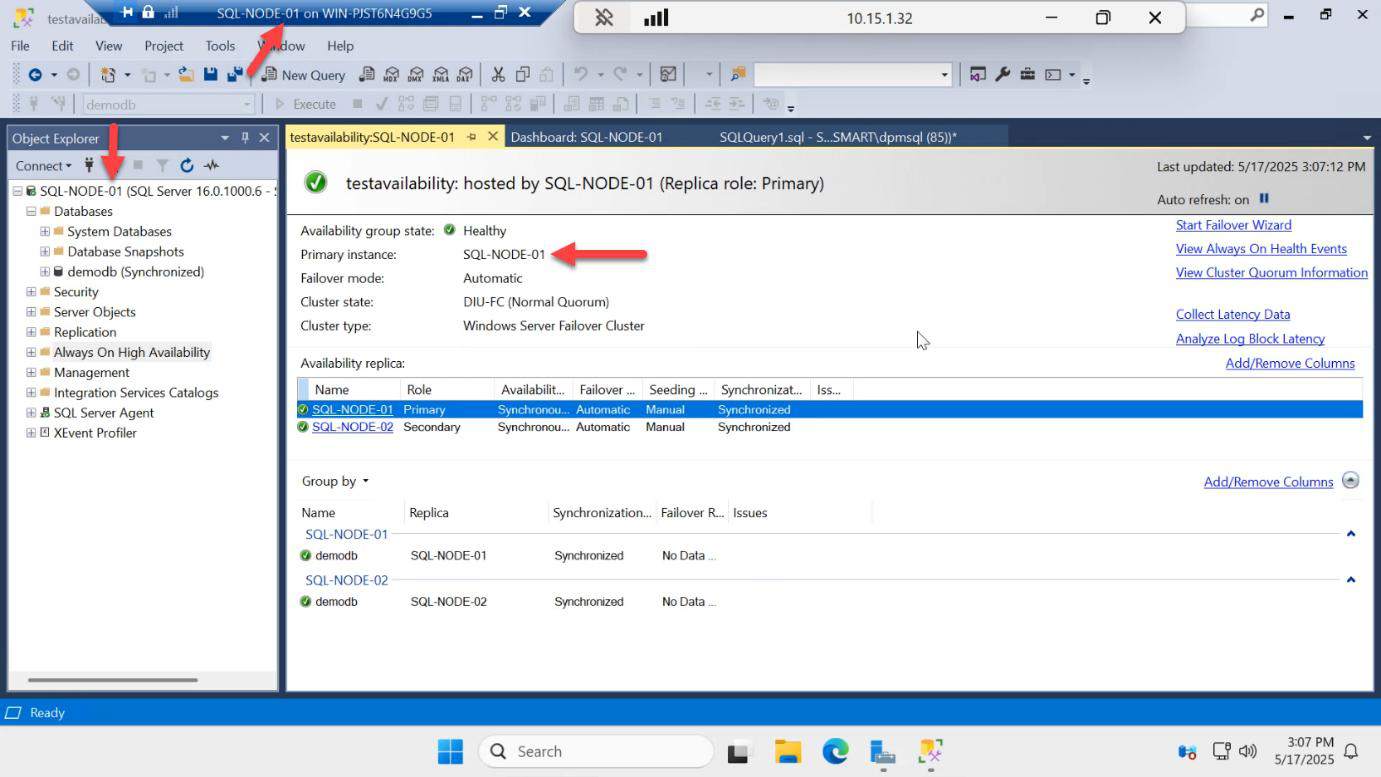
AG dashboard: SQL-NODE-01 stays primary. SQL-NODE-02 rejoins as secondary and catches up on the log records that accumulated during its absence. Sync state goes from Synchronizing back to Synchronized within seconds.
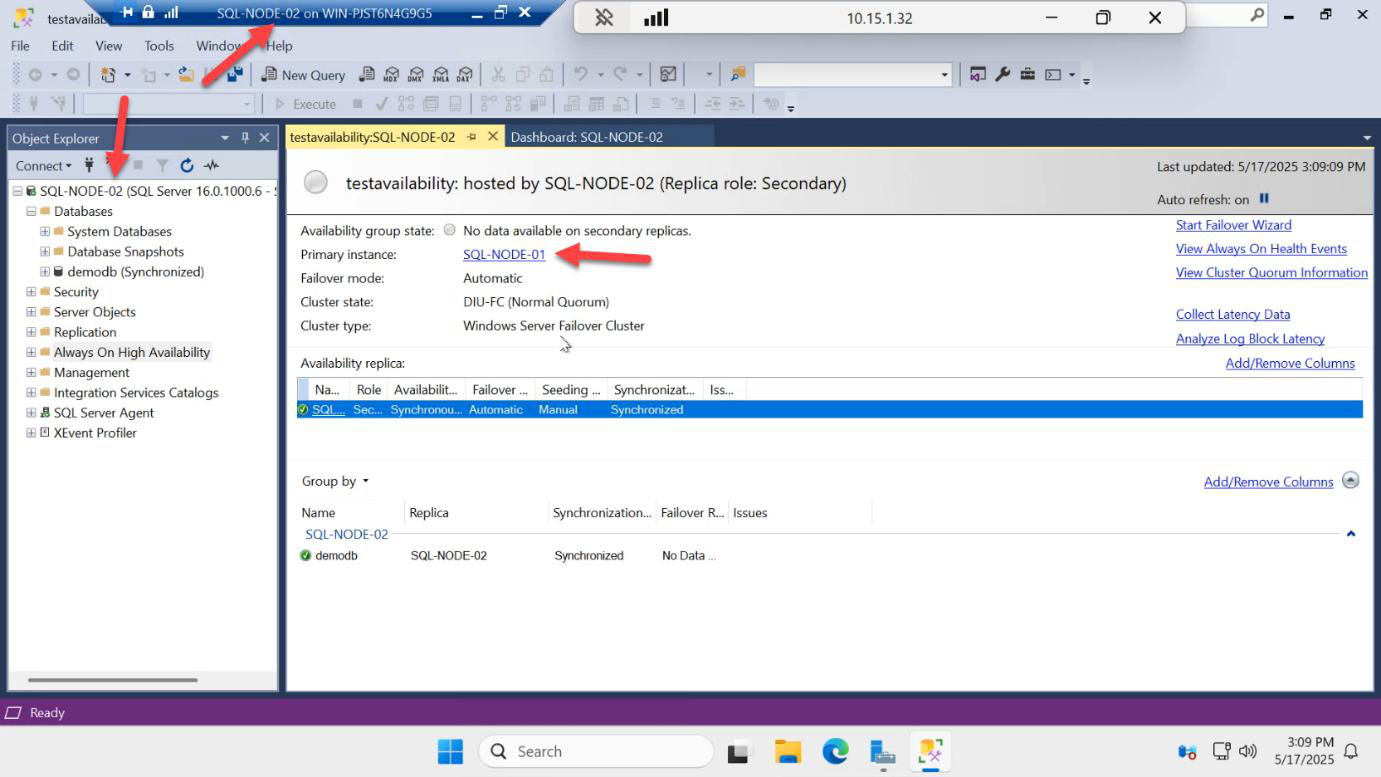
On SQL-NODE-02 (now secondary again), the dashboard confirms the topology. Three failover tests passed: manual round-trip, restart auto-failover, shutdown auto-failover.
Things that bite people
Failover wizard greys out “No data loss” option
The secondary is behind on log records. Wait for synchronization to catch up. If it never catches up, the network or the secondary disk is too slow — investigate.
Automatic failover doesn’t happen on primary loss
Replica is configured with Failover Mode = Manual, not Automatic. Or the secondary is in asynchronous commit mode (auto failover requires sync mode). Or both nodes lost quorum (e.g. the witness died at the same time). Check Failover Cluster Manager > cluster events.
Failover triggers but listener doesn’t move
Cluster network resource for the listener is misconfigured, or the secondary node can’t bind to the listener IP (subnet mismatch). Check the Listener resource in FCM.
Apps don’t pick up the new primary
Apps are connecting to SQL-NODE-01 directly instead of AG-LISTENER. Or the connection string is missing MultiSubnetFailover=True (required for cross-subnet AGs). Always use the listener.
Manual failover causes Synchronizing forever
You manually failed over before sync caught up. SQL allows manual failover with data loss but warns you. If you proceed, the new primary’s log diverges from the old primary’s and reseeding may be needed.
Tested failover in production with real workload
Don’t test failover for the first time on Friday afternoon with users on the system. Build the lab (this series), test failover here. When you replicate to production, schedule a maintenance window for the first failover test.
You’ve got a working AG — now what?
You now have a fully functional SQL Always On Availability Group, end-to-end:
- Two SQL Server 2022 nodes on Windows Server 2025
- Backed by a Windows Failover Cluster with file share witness
- One database (demodb) replicating synchronously between both nodes
- Readable secondary (Enterprise / Evaluation feature)
- Listener for transparent application connectivity
- Manual + automatic failover both verified working
From here, the things to learn next:
- Backup strategy — AG changes how backups work; you can offload to the secondary
- Multi-database AGs — group related databases together so they fail over as a unit
- Distributed AGs — AG of AGs, for cross-region DR
- Read-only routing — route reporting connections to the secondary automatically via connection-string ApplicationIntent
- Monitoring —
sys.dm_hadr_*DMVs, Extended Events, alerting on dashboard yellow/red
The full pathway is at SQL Availability Groups. Thanks for following along.