
When you put Active Directory clients on one side of a firewall and a domain controller on the other, only a handful of ports actually need to be open for things like logon, Group Policy, and replication to work. Knowing exactly which ports those are — and which ones can be locked down with a fixed range — saves hours of guesswork the first time a remote site stops authenticating.
This post is a quick reference for the five essential ports that have to traverse the firewall between a domain member and a domain controller, plus the one port group that is dynamic by default (RPC) and how to constrain it.
The five essential ports
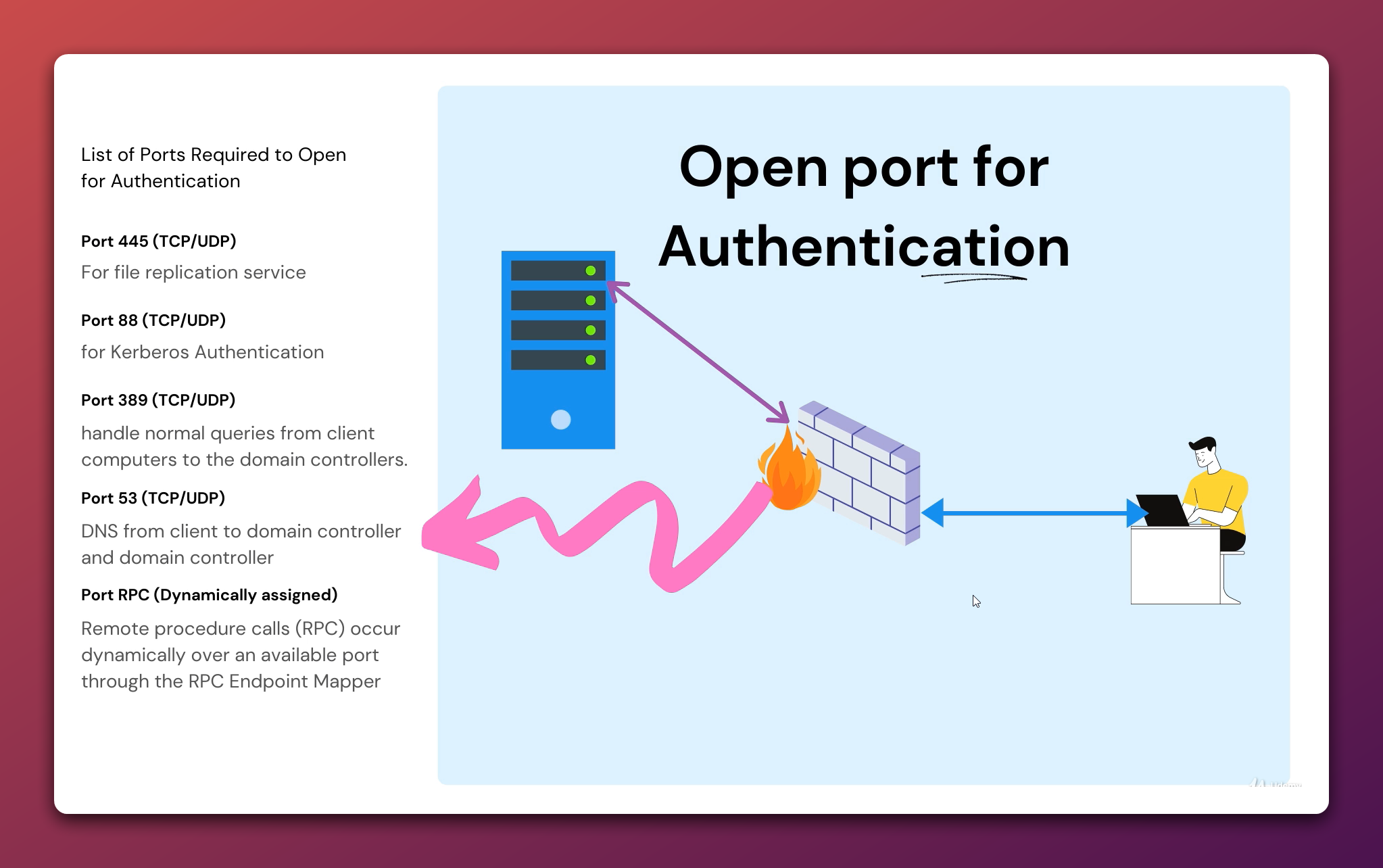
| Port | Protocol | Used for |
|---|---|---|
88 |
TCP / UDP | Kerberos authentication (TGT and service-ticket exchange) |
389 |
TCP / UDP | LDAP — directory queries, Group Policy reads |
445 |
TCP | SMB — SYSVOL, NETLOGON, FRS / DFS-R replication |
53 |
TCP / UDP | DNS — SRV record lookups (_ldap._tcp, _kerberos._tcp) and host resolution |
RPC |
Dynamic | RPC over the Endpoint Mapper (port 135) plus a high-port range |
Port 88 — Kerberos
Kerberos is the default authentication protocol for AD. When a domain-joined workstation logs a user in or accesses a network resource, it talks to a domain controller on port 88 to get a Ticket-Granting Ticket (TGT) and then service tickets for whichever resource it’s reaching. Block 88 and clients fall back to NTLM for some operations and fail outright for others (for example, anything that requires Kerberos delegation).
Port 389 — LDAP
LDAP is how clients and servers query the directory. Group Policy clients read the Default Domain Policy from a DC over LDAP; Get-ADUser and friends use it; ADUC uses it. Most environments also serve LDAPS on 636 for encrypted binds, and Global Catalog on 3268 / 3269 — if your design needs cross-domain searches, those need to be open too. Plain 389, however, is the minimum.
Port 445 — SMB / SYSVOL / FRS / DFS-R
SMB on 445 carries the SYSVOL share — the source of every Group Policy template and login script — plus the NETLOGON share and the file-replication traffic between domain controllers (FRS on older domains, DFS-R on newer ones). If 445 is closed, GPO clients silently stop receiving policy updates, which is one of the more frustrating “everything looks fine but nothing applies” symptoms in AD.
Port 53 — DNS
AD is built on DNS. Before a client can ever reach a DC on 88 or 389, it has to look up the SRV records that tell it which DC to talk to (_ldap._tcp.dc._msdcs.<domain>, _kerberos._tcp.<domain>). Those queries land on UDP 53 for normal lookups, and TCP 53 for zone transfers and any reply too large for UDP. Both must be open to whichever DNS server the client is configured to use — usually the DC itself in a Microsoft-DNS deployment.
RPC — the moving target
The trickiest entry on this list. Many AD operations — replication between DCs, MMC consoles like Active Directory Users and Computers, the Net Logon service — use RPC. RPC works in two stages:
- The client connects to the Endpoint Mapper on TCP
135and asks “which port is service X listening on?” - The Endpoint Mapper returns a port from the dynamic high range (Windows Server 2008+ uses
49152–65535; older versions used1024–5000). - The client then connects to that port for the actual RPC traffic.
If your firewall is permissive on the high range that’s fine. If it’s not — and most enterprise firewalls are not — you need to either open the entire dynamic range or pin specific RPC services to fixed ports.
Pinning RPC to a fixed port
For replication between domain controllers, the official Microsoft pattern is to set a fixed port via the registry on every DC and then open just that one port (plus 135) on the firewall.
# On every domain controller. Replace 50000 with whatever port your firewall team gave you.
New-ItemProperty -Path 'HKLM:\SYSTEM\CurrentControlSet\Services\NTDS\Parameters' `
                 -Name 'TCP/IP Port' -Value 50000 -PropertyType DWord -Force

# Restart Active Directory Domain Services for it to take effect.
Restart-Service NTDS -Force
After this, replication uses 50000/TCP instead of a random high port. The same pattern exists for the Net Logon service (HKLM:\SYSTEM\CurrentControlSet\Services\Netlogon\Parameters\DCTcpipPort), the FRS service, and DFSR.
Test connectivity from a client
Before you ask the firewall team to open anything, verify what is and isn’t already reachable. Test-NetConnection is the one-liner you want.
# Replace DC01.infotechninja.local with the FQDN of your domain controller.
$dc = 'DC01.infotechninja.local'
foreach ($p in 53, 88, 135, 389, 445) {
    $r = Test-NetConnection -ComputerName $dc -Port $p -WarningAction SilentlyContinue
    '{0,5} : {1}' -f $p, $r.TcpTestSucceeded
}
Output:
   53 : True
   88 : True
  135 : True
  389 : True
  445 : True
Any False there is your firewall change. For UDP ports (DNS UDP, Kerberos UDP), Test-NetConnection only checks TCP — use nltest /sc_query:<domain> or run dcdiag /test:dns from a domain-joined client to sanity-check the UDP path.
Common firewall pitfalls
- Asymmetric routing. Stateful firewalls drop the return traffic if it comes back through a different appliance. Replication looks “sometimes works” until you watch
repadmin /showreplover a few hours. - NAT timeout on idle connections. Long-running RPC connections (replication, MMC) get cut by short NAT idle timers. Increase the firewall’s TCP idle timeout for traffic to DCs (15 minutes is a common safe default).
- UDP DNS only. Some firewalls open
53/UDPbut not53/TCP. Big DNS responses (DNSSEC, zone transfers) silently truncate — you’ll see intermittent name-resolution failures rather than a clean error. - SMB blocked outbound from clients. Many security policies block outbound
445from workstations. That’s usually correct for the public internet but breaks SYSVOL access; allow it specifically to the DC IP range. - Dynamic RPC range left wide open. If you’re going to allow
49152–65535, scope it tightly — only between DC subnets, not from arbitrary clients.
Conclusion
The five essential ports — 53, 88, 389, 445, and the RPC group — are the minimum surface area for a working AD environment behind a firewall. Pin RPC to a known port, open 53/TCP as well as 53/UDP, and verify with Test-NetConnection before declaring the firewall change done. Skip any one of them and you’ll see authentication failures, missing GPOs, or replication that mysteriously works on Tuesdays.