
Networks done in Part 6; now we build the SAN. Install iSCSI Target Server on the iSCSI VM, bind it to the Storage NIC ONLY, and carve two LUNs — 300 GB Data and 2 GB Quorum — on a single target so they present together to both cluster nodes. Initiator ACL by IP, CHAP auth on for the lab.
Step 1 — install iSCSI Target Server role
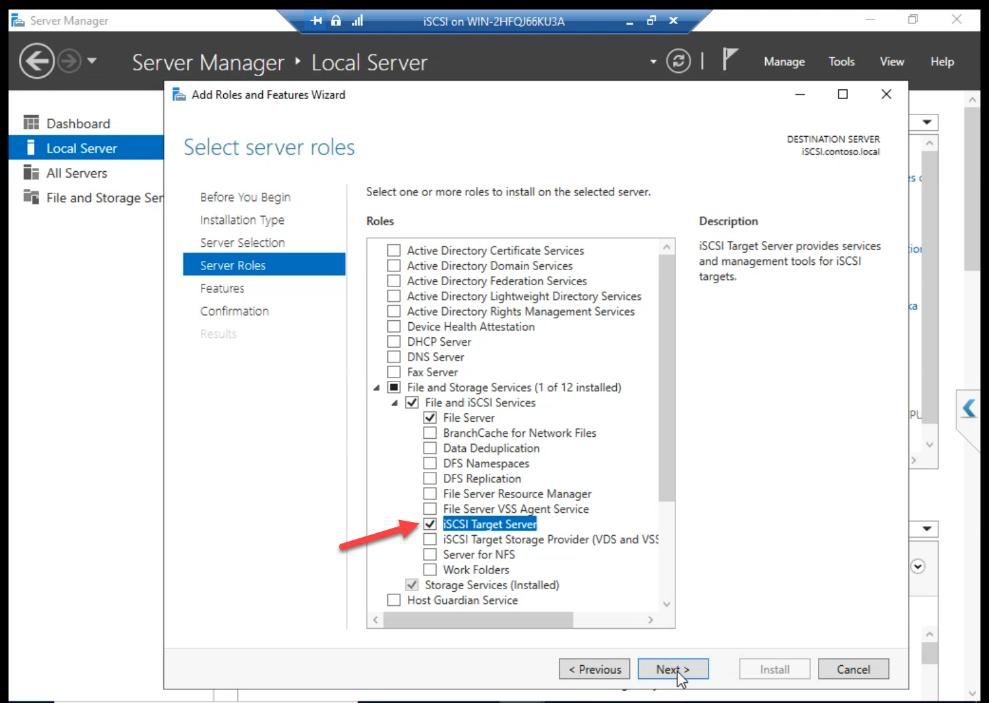
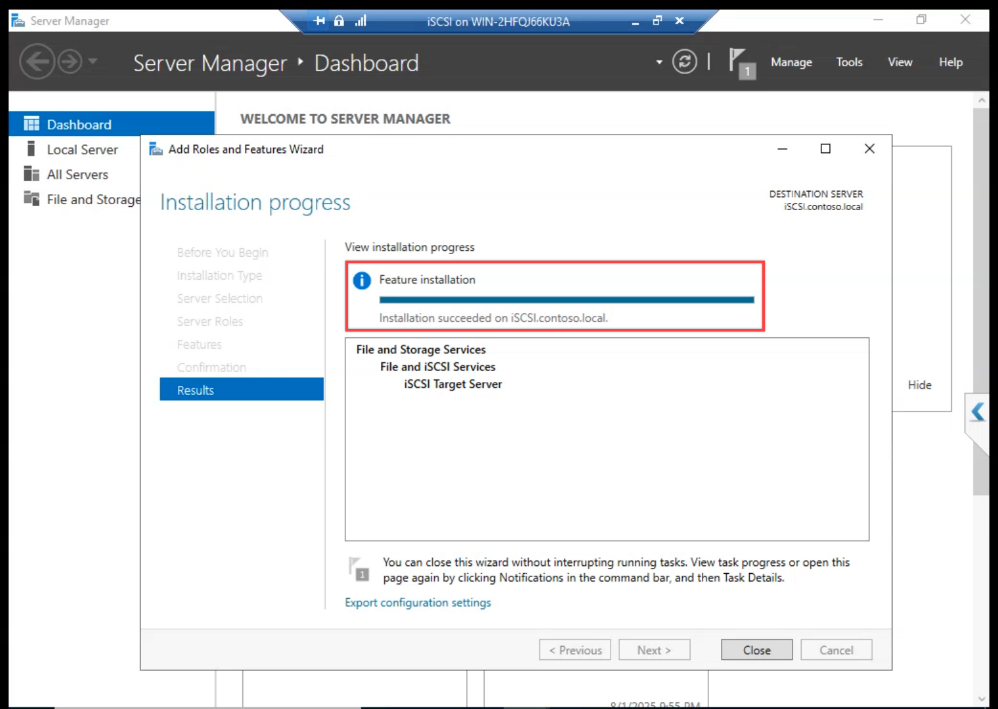
Done.
Step 2 — bind iSCSI to Storage NIC ONLY
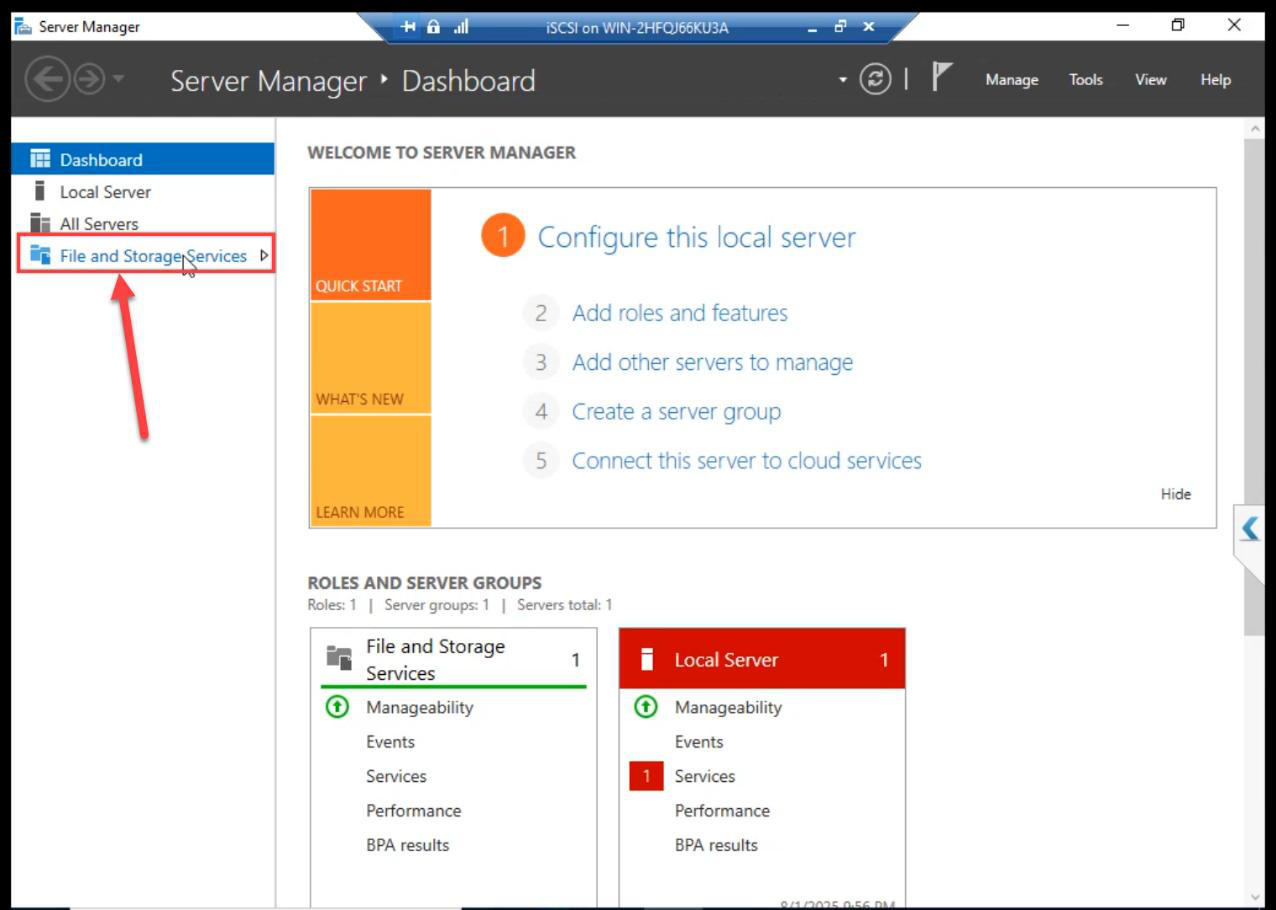
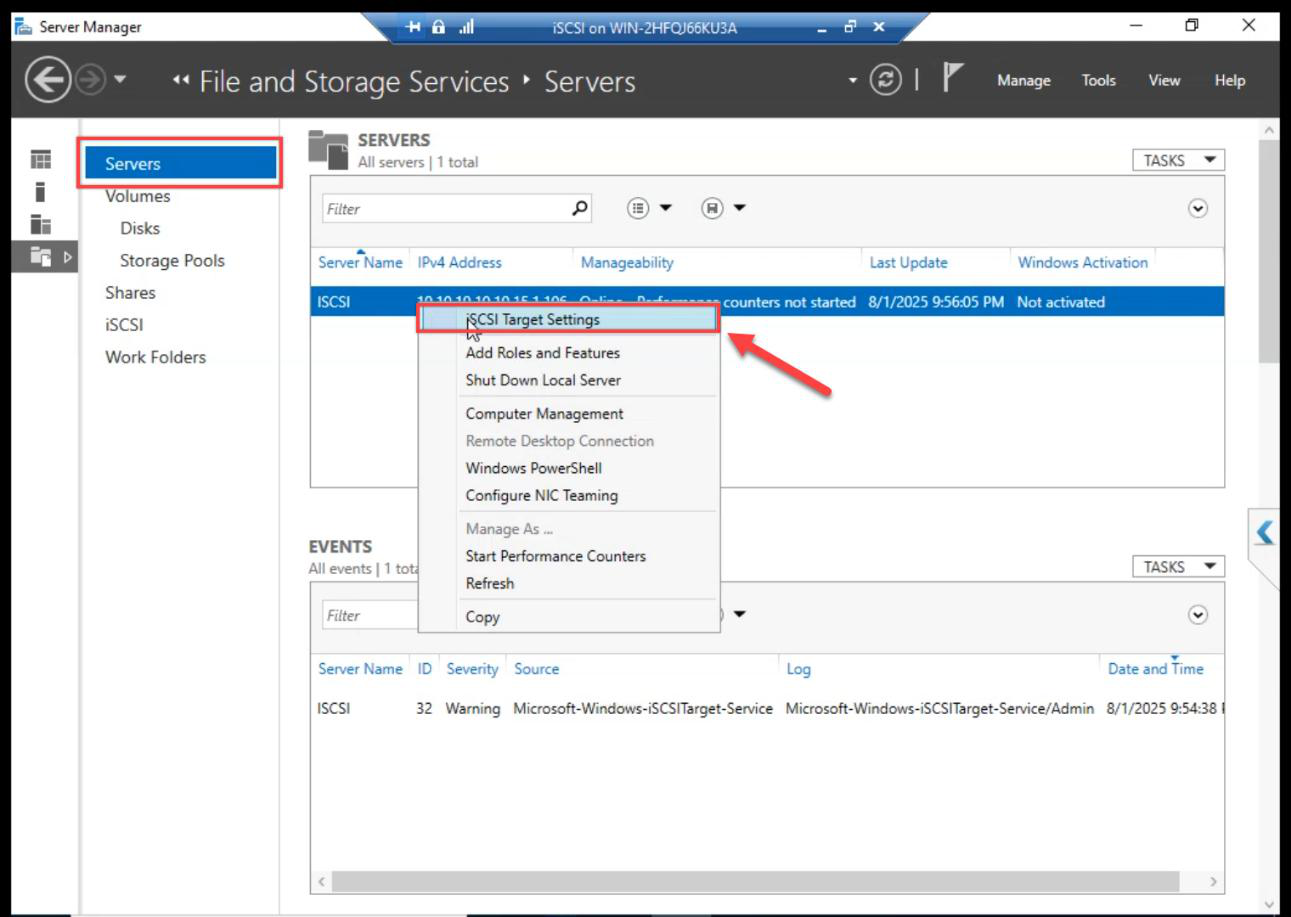
FSS > Servers > right-click iSCSI VM > iSCSI Target Settings.
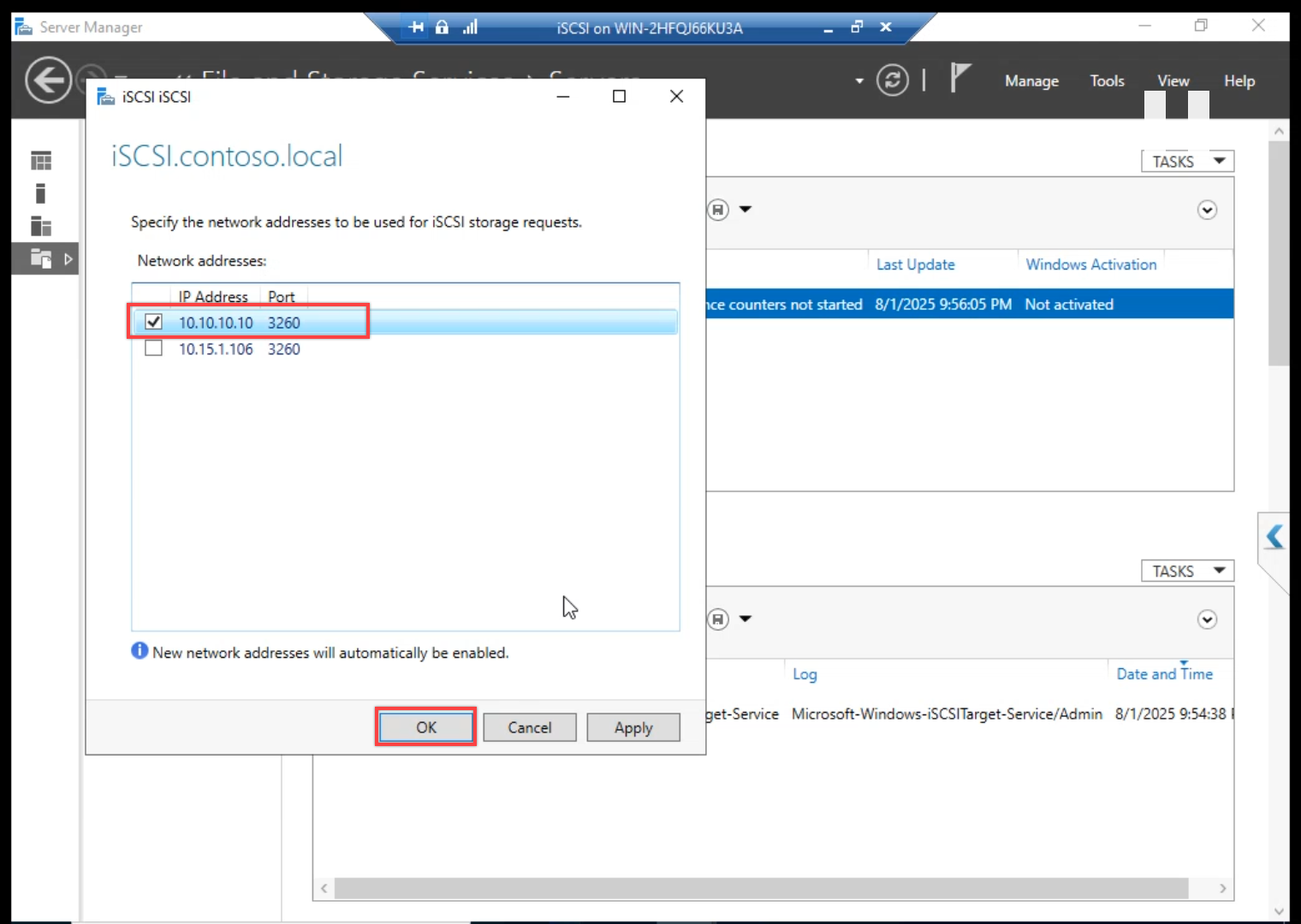
10.10.10.10. Untick the public IP. iSCSI must NOT answer on the public NIC — otherwise storage and client traffic share the same wire and both suffer.Tick storage IP 10.10.10.10. Untick the public IP. Without this, iSCSI listens on every NIC including the public one — storage traffic ends up on the same wire as client traffic and AD replication. Latency variance follows.
Step 3 — create the Data LUN (300 GB)
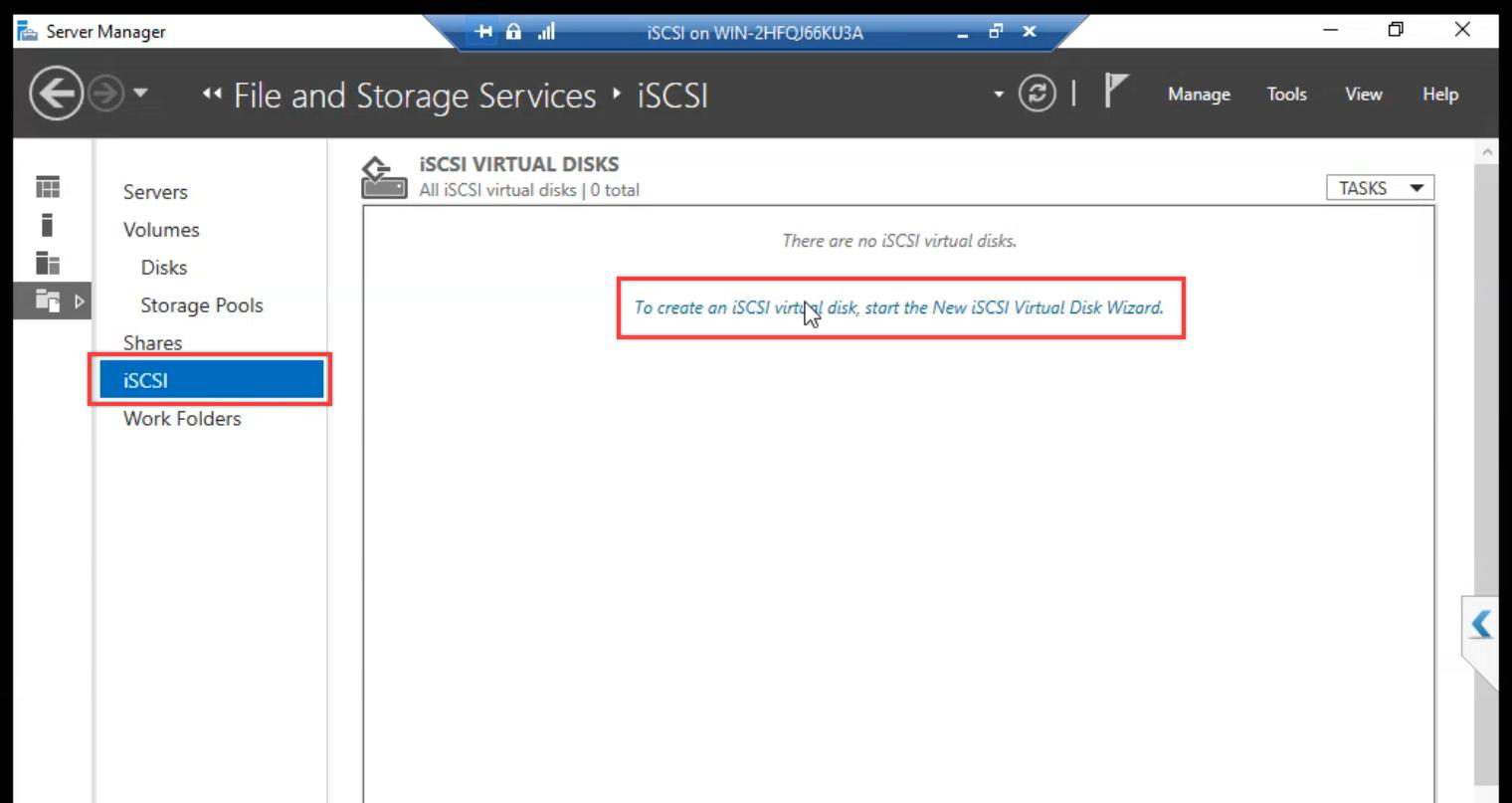
iSCSI section > Tasks > New iSCSI Virtual Disk.
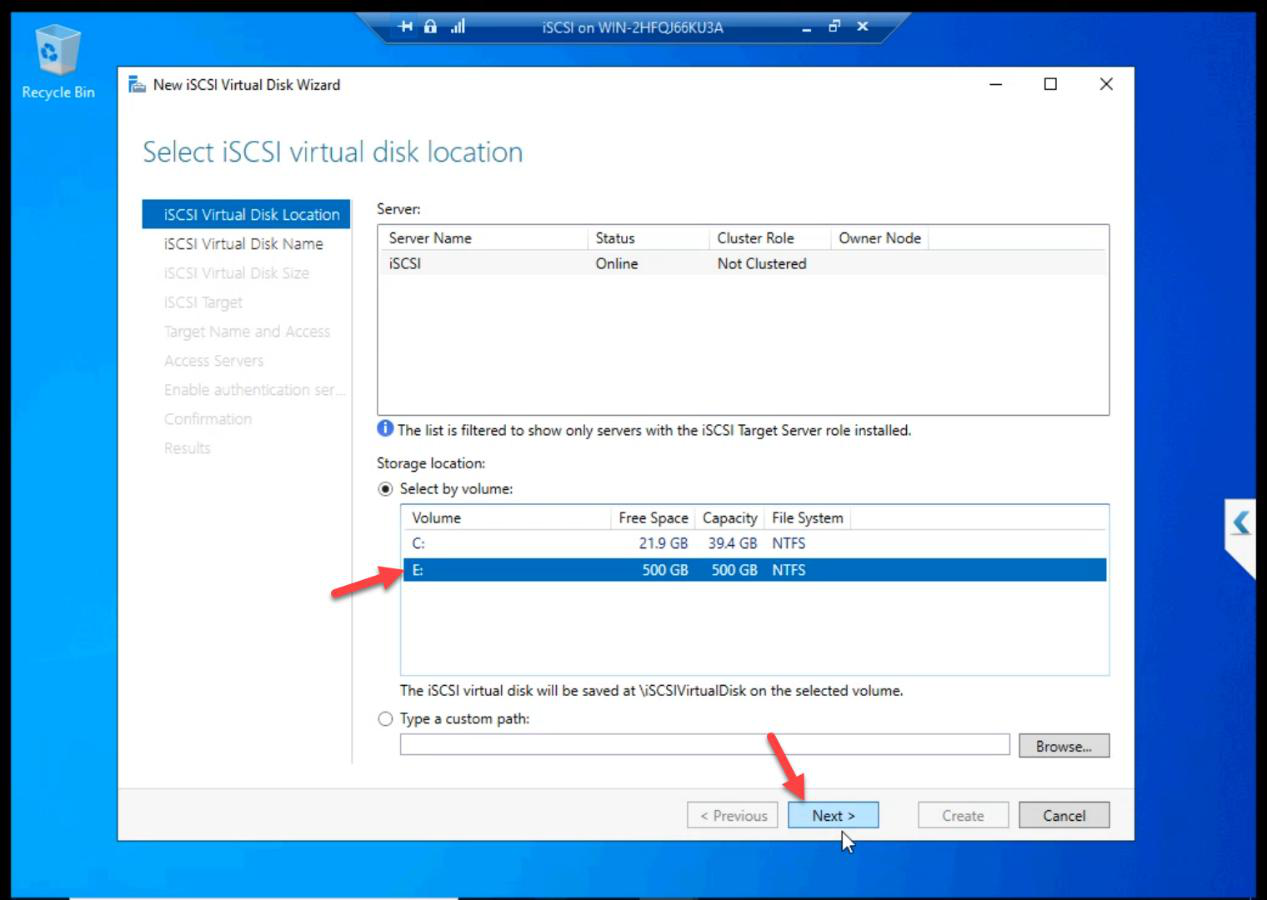
E: drive (the 500 GB disk from Part 5).Location: E: drive (the 500 GB disk from Part 5).
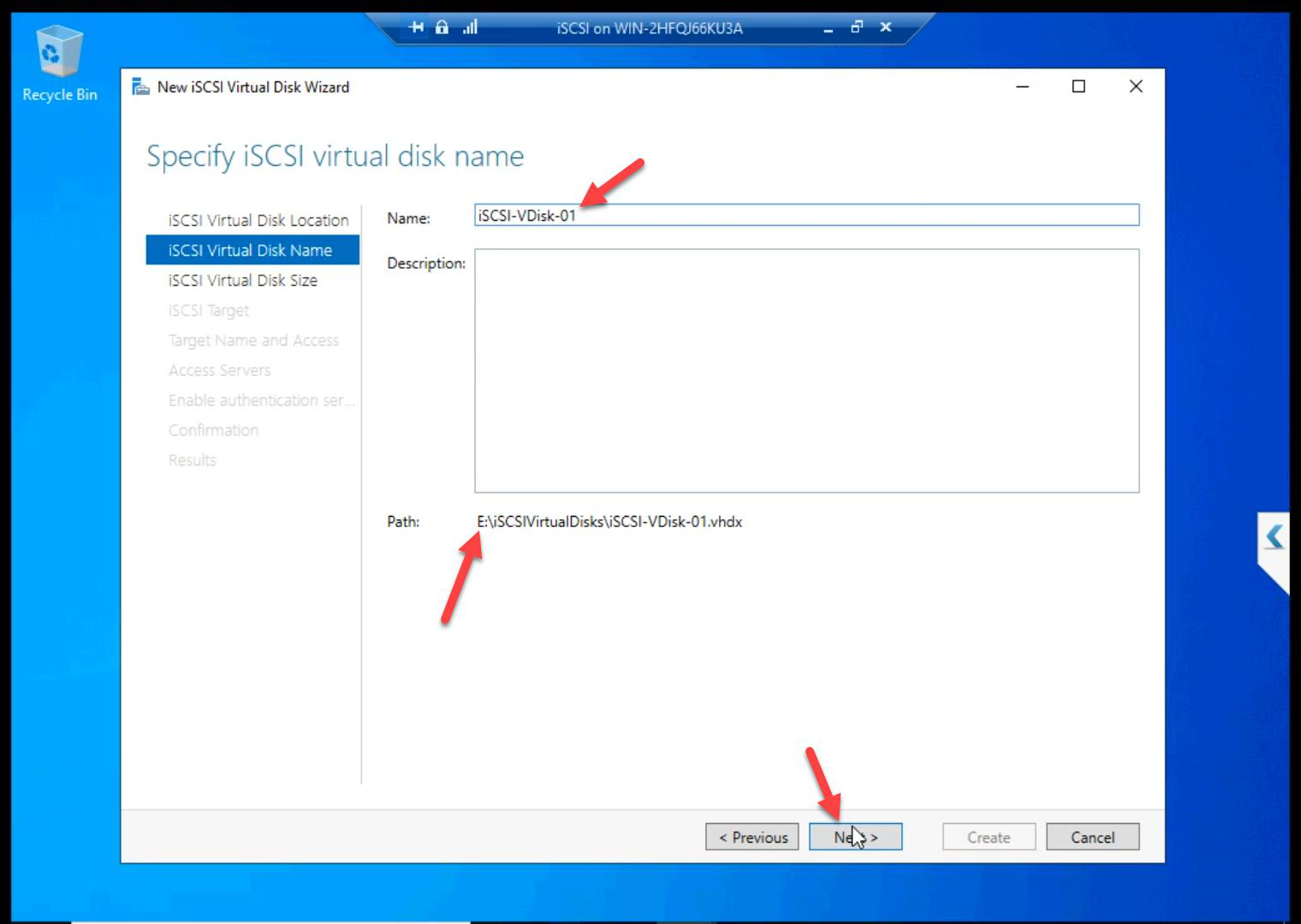
ClusterData.Name: ClusterData.
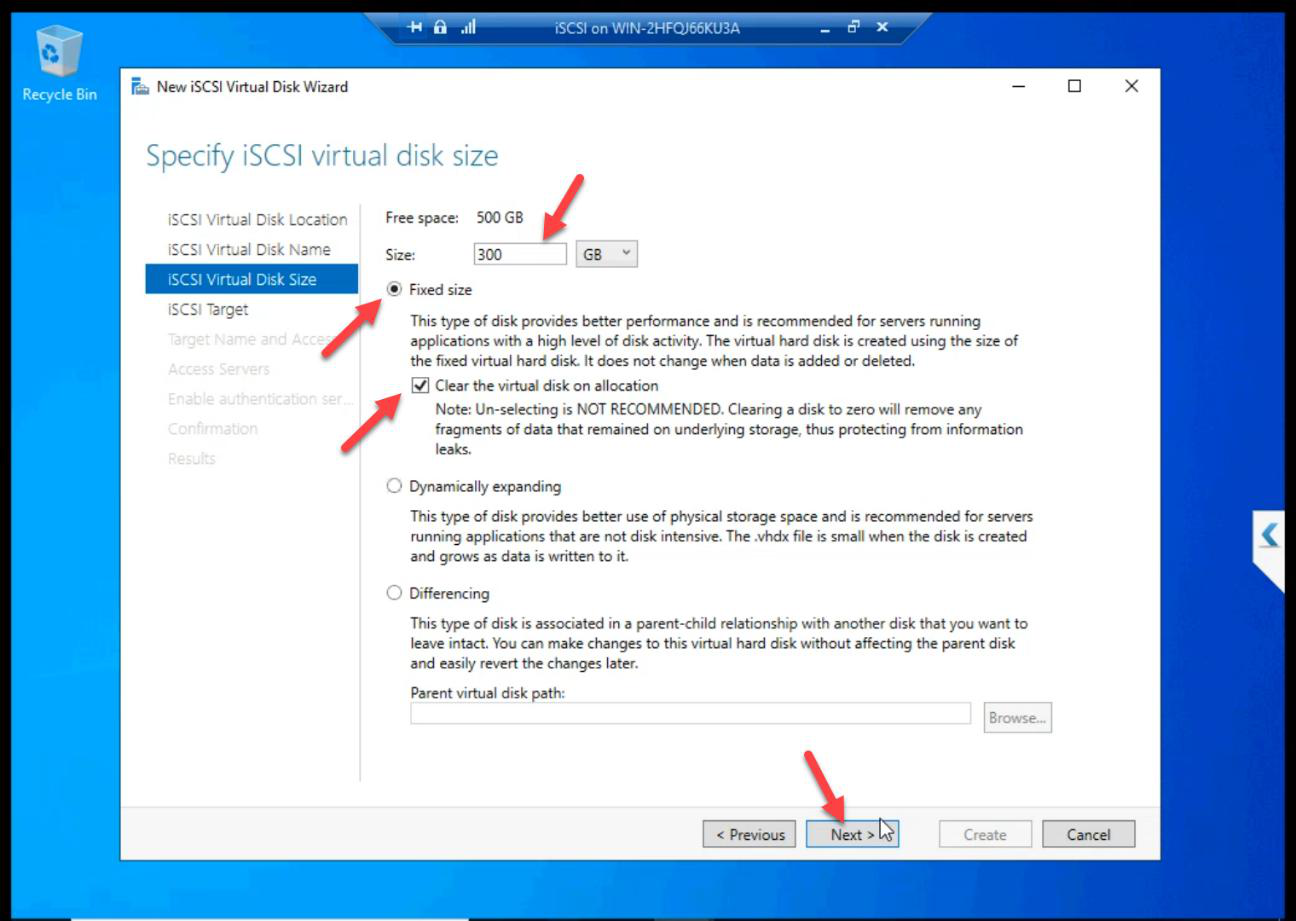
Size: 300 GB Fixed. Lab convention here uses 300 GB; production sizes to workload. Always Fixed for shared storage.
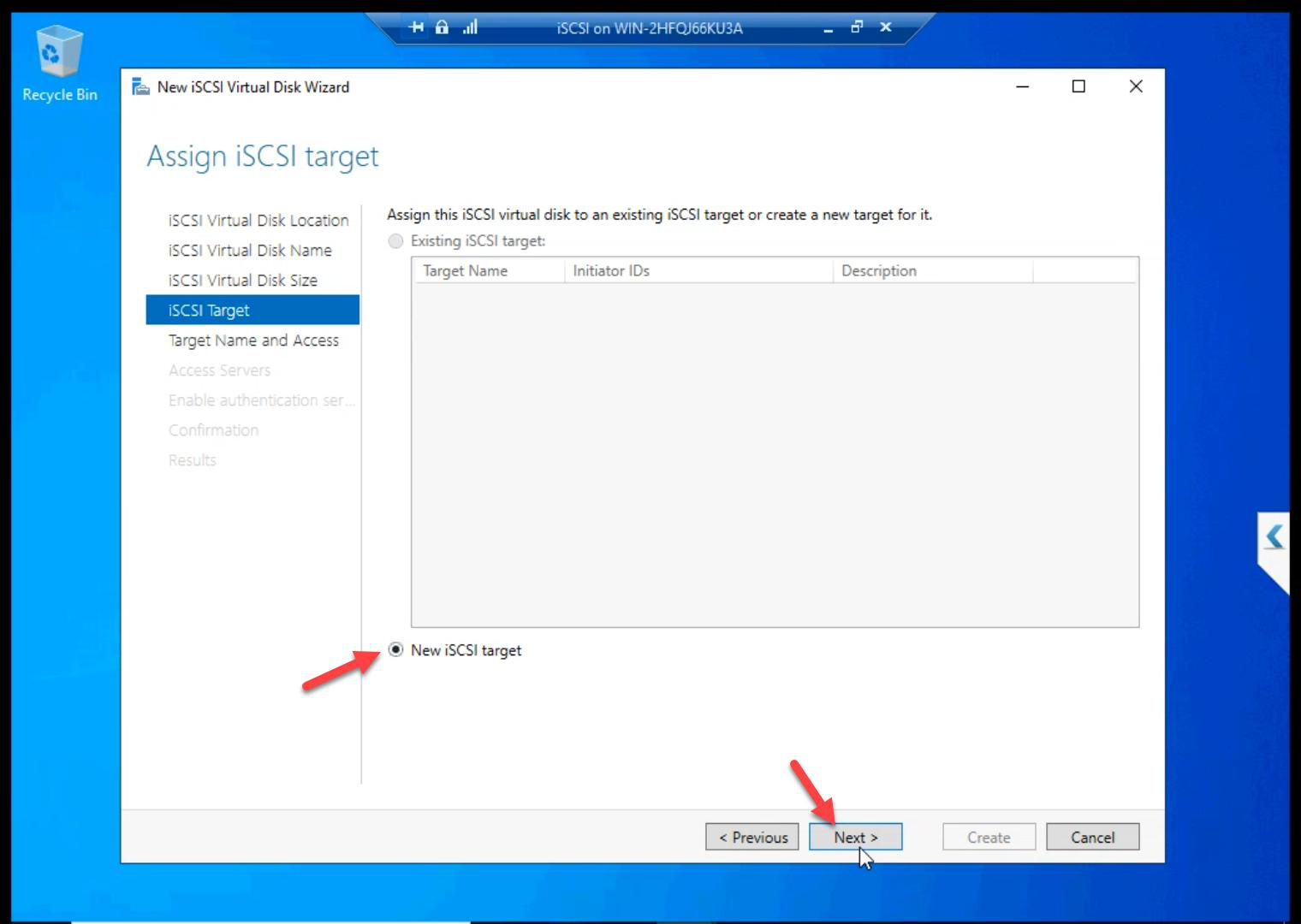
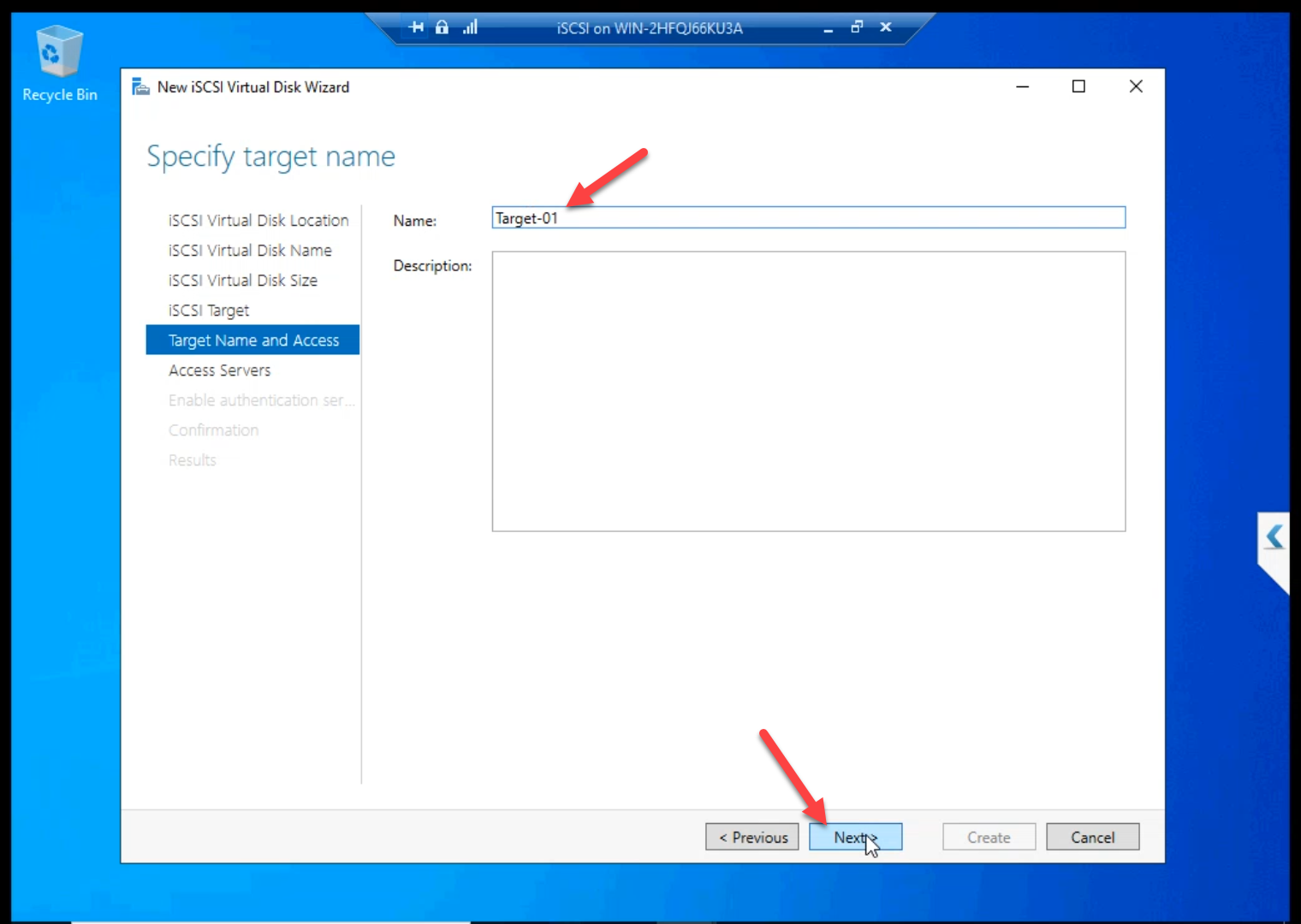
Target-01.New iSCSI Target. Name: Target-01.
Initiator ACL
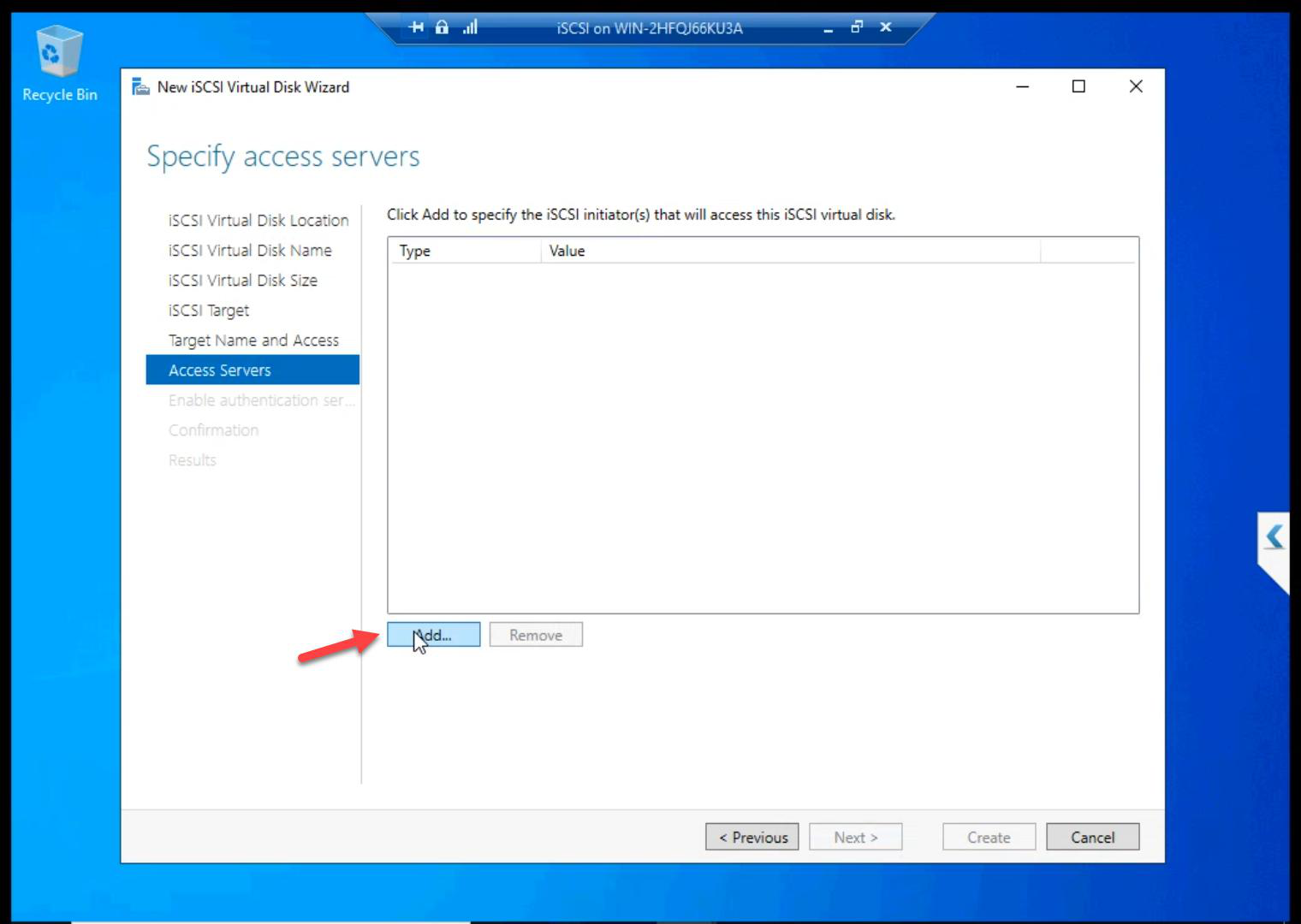
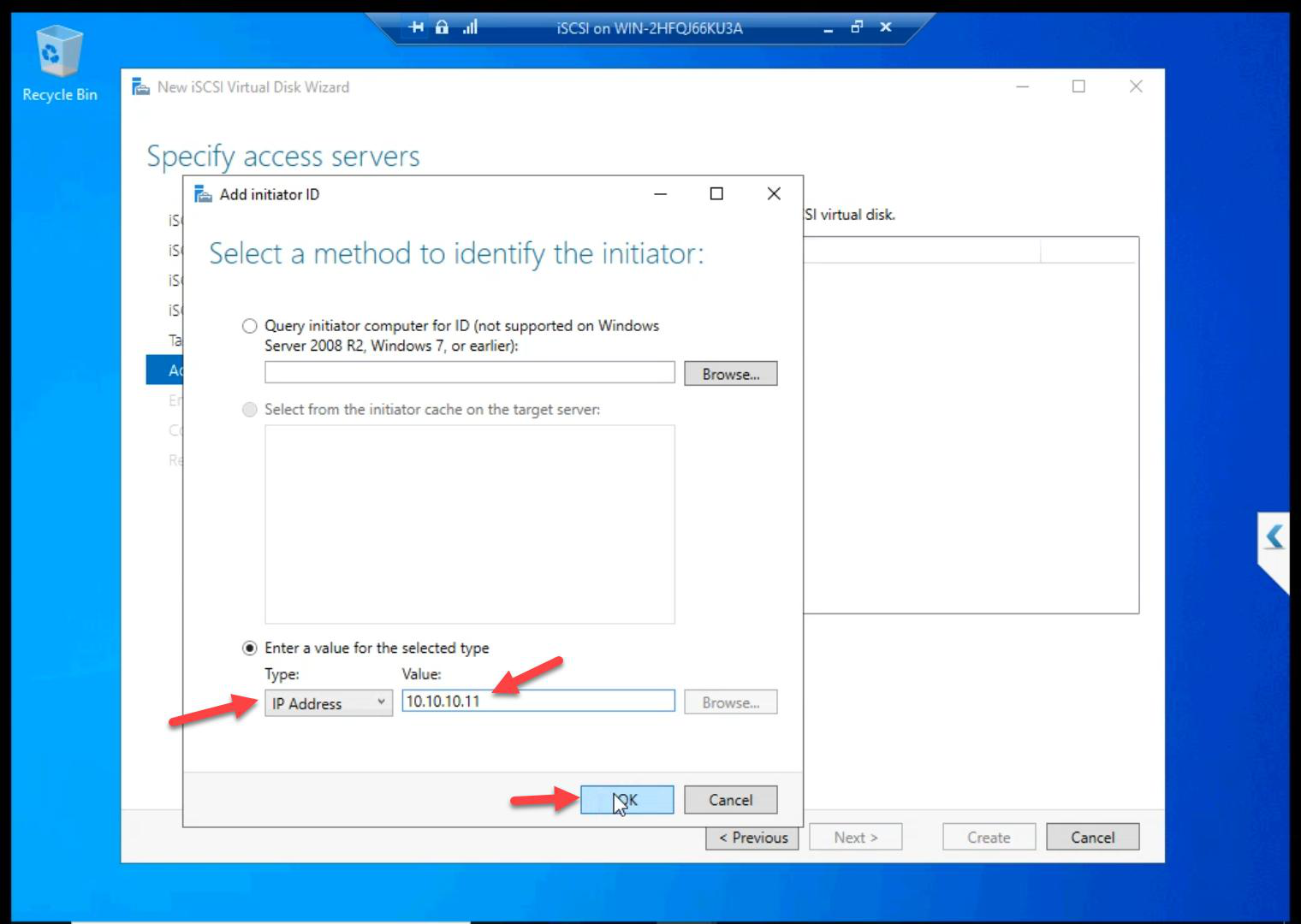
10.10.10.11 (NODE-01 storage NIC).Add Initiator > IP Address > 10.10.10.11 (NODE-01).
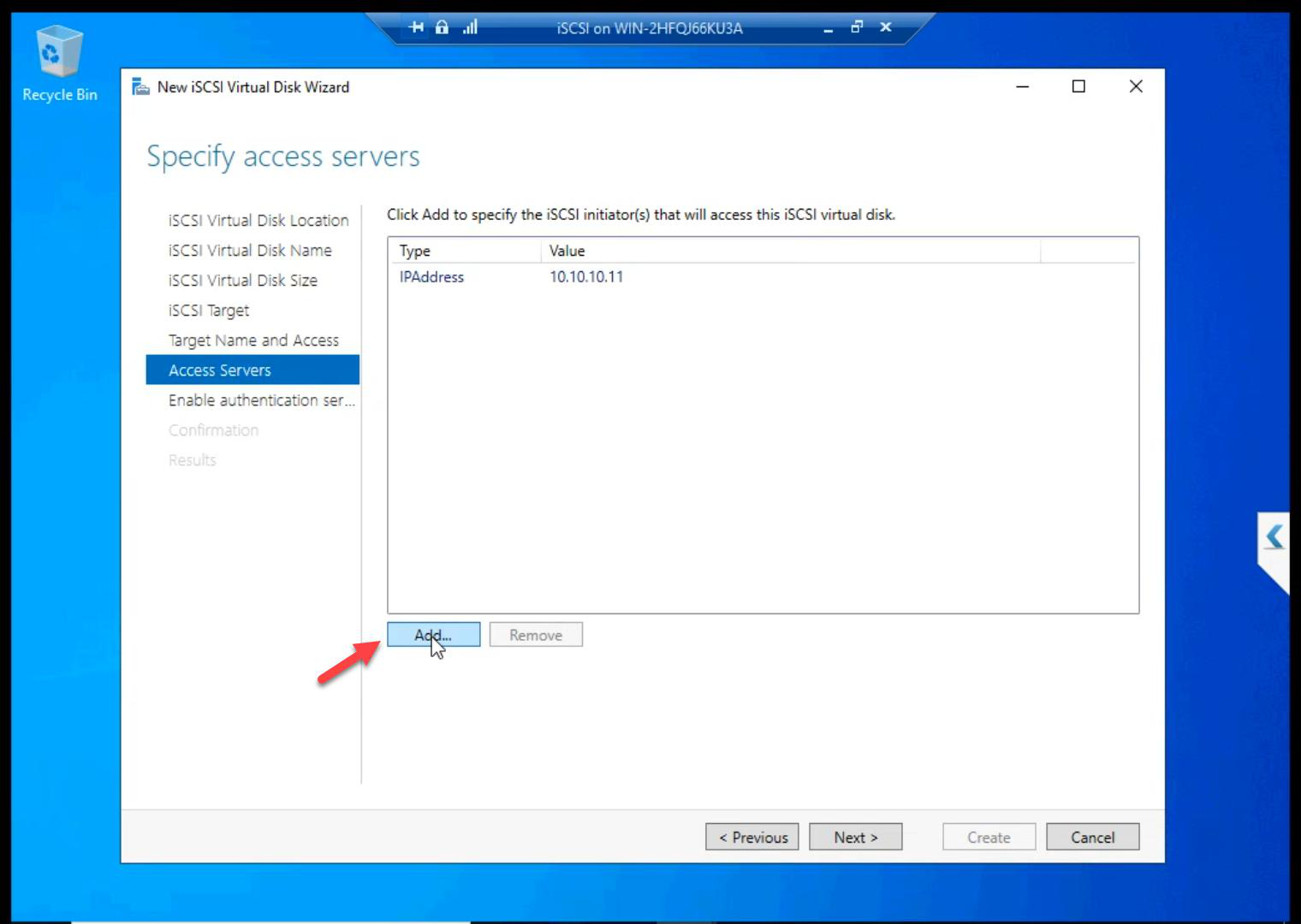
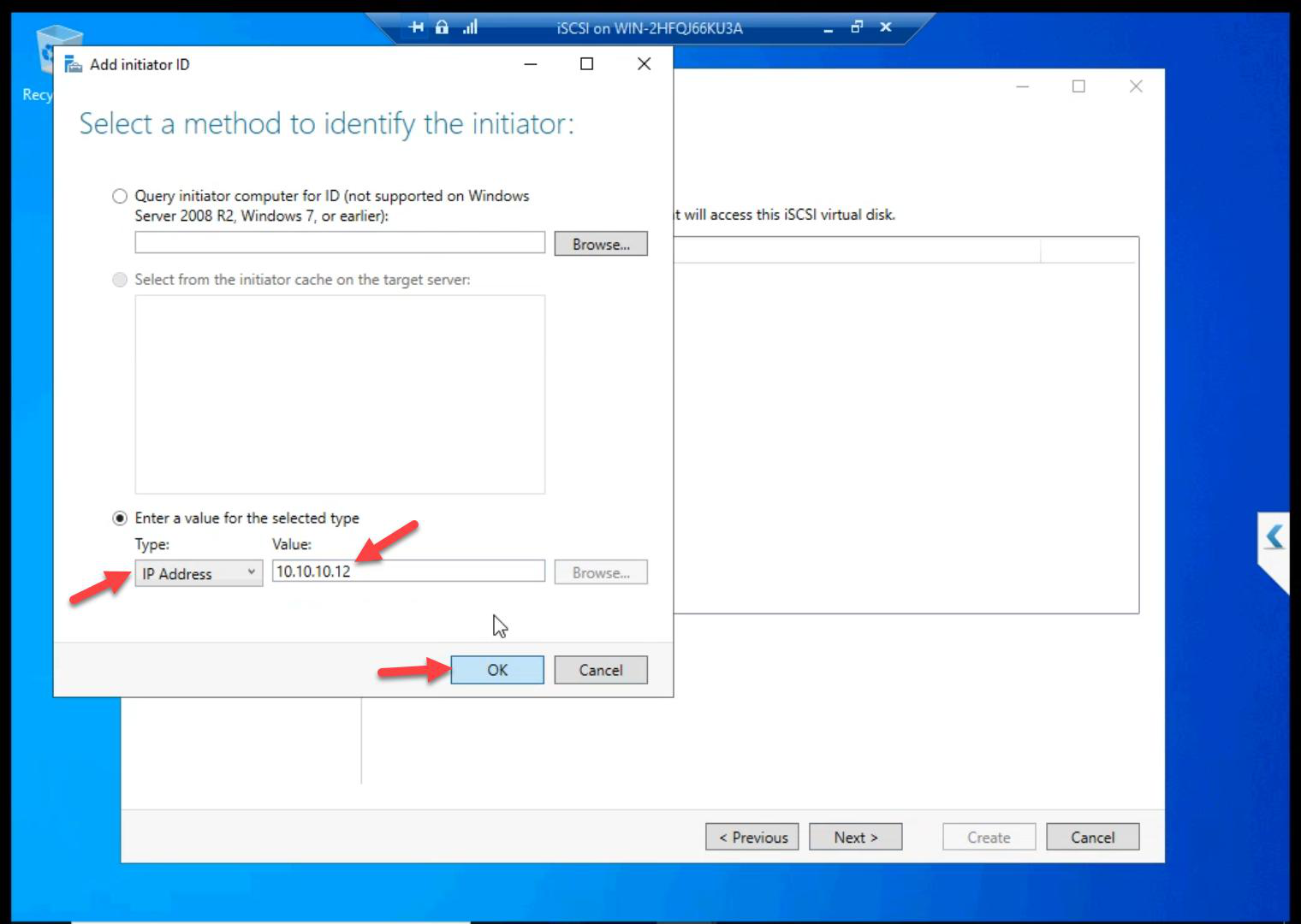
10.10.10.12 (NODE-02 storage NIC).Add again > 10.10.10.12 (NODE-02).
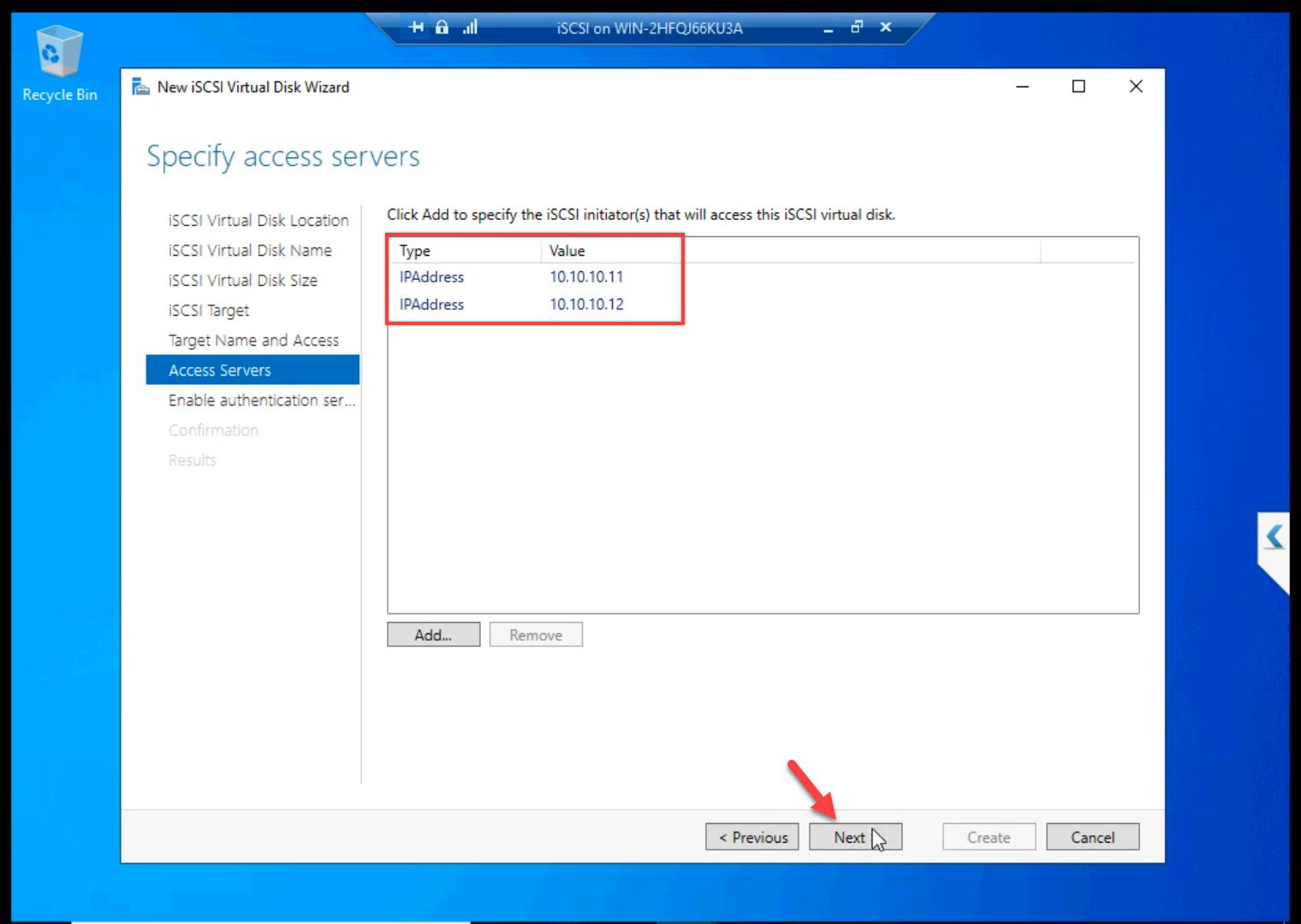
Both nodes whitelisted.
CHAP authentication
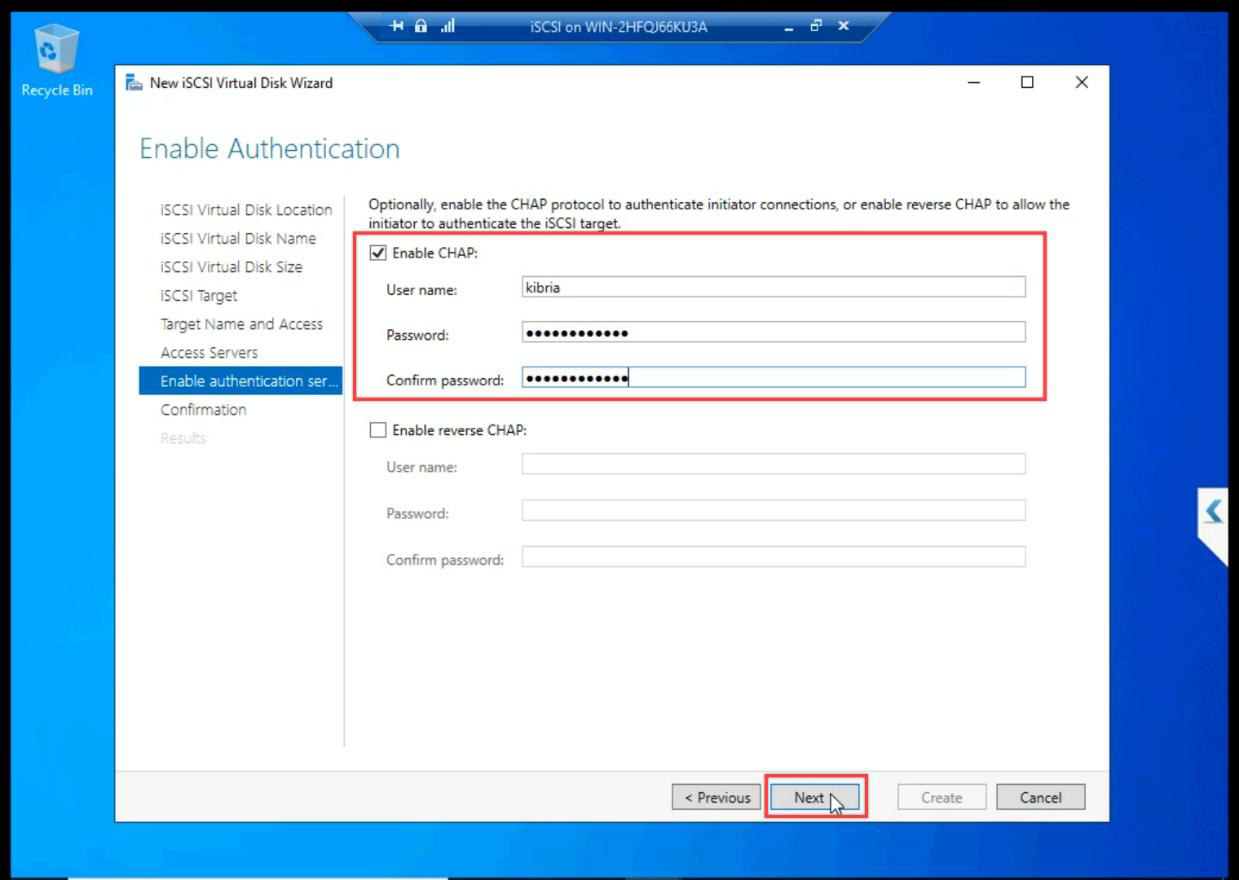
This series enables CHAP for the lab — better practice than disabling. Pick a username and a shared secret. Document the password — you need it on the initiator side in Part 8 to log in.
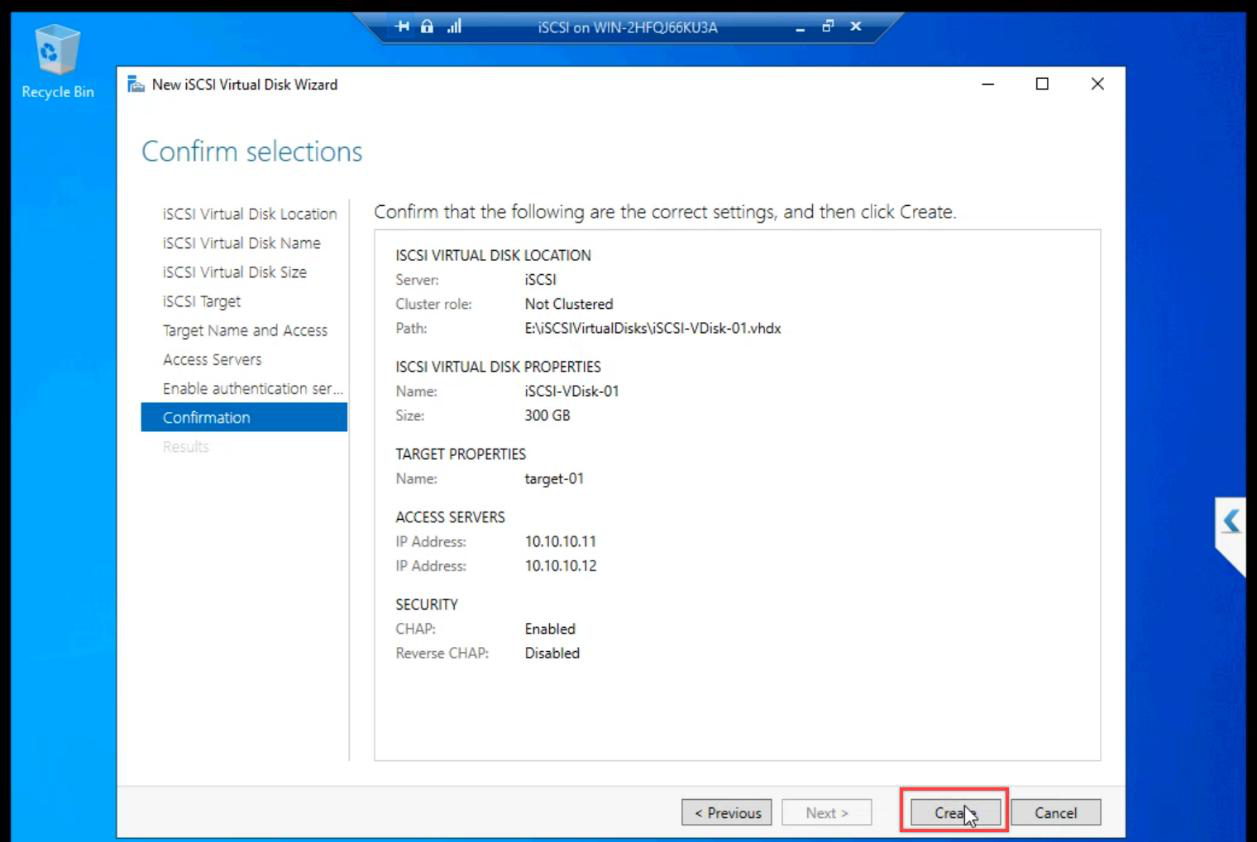
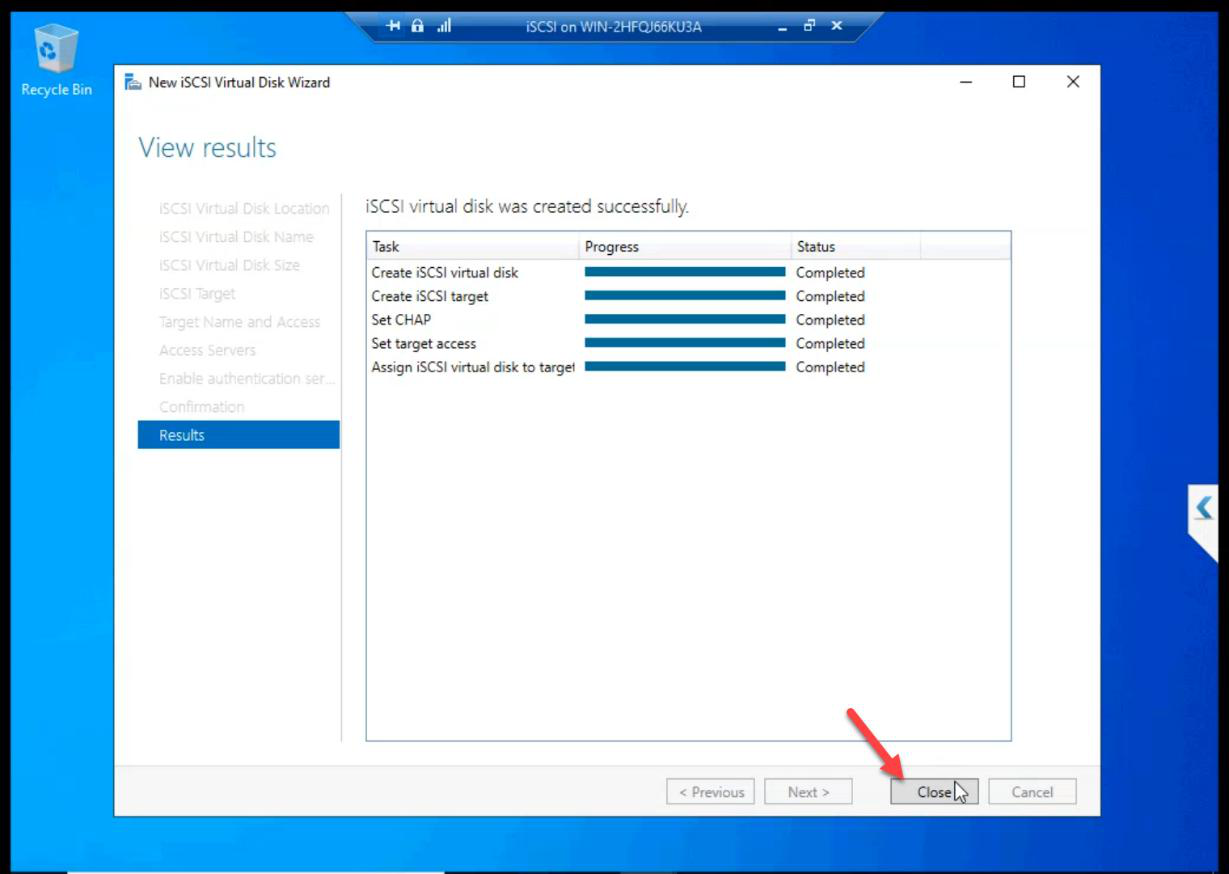
Review and Create.
Step 4 — create the Quorum LUN (2 GB) on the SAME target
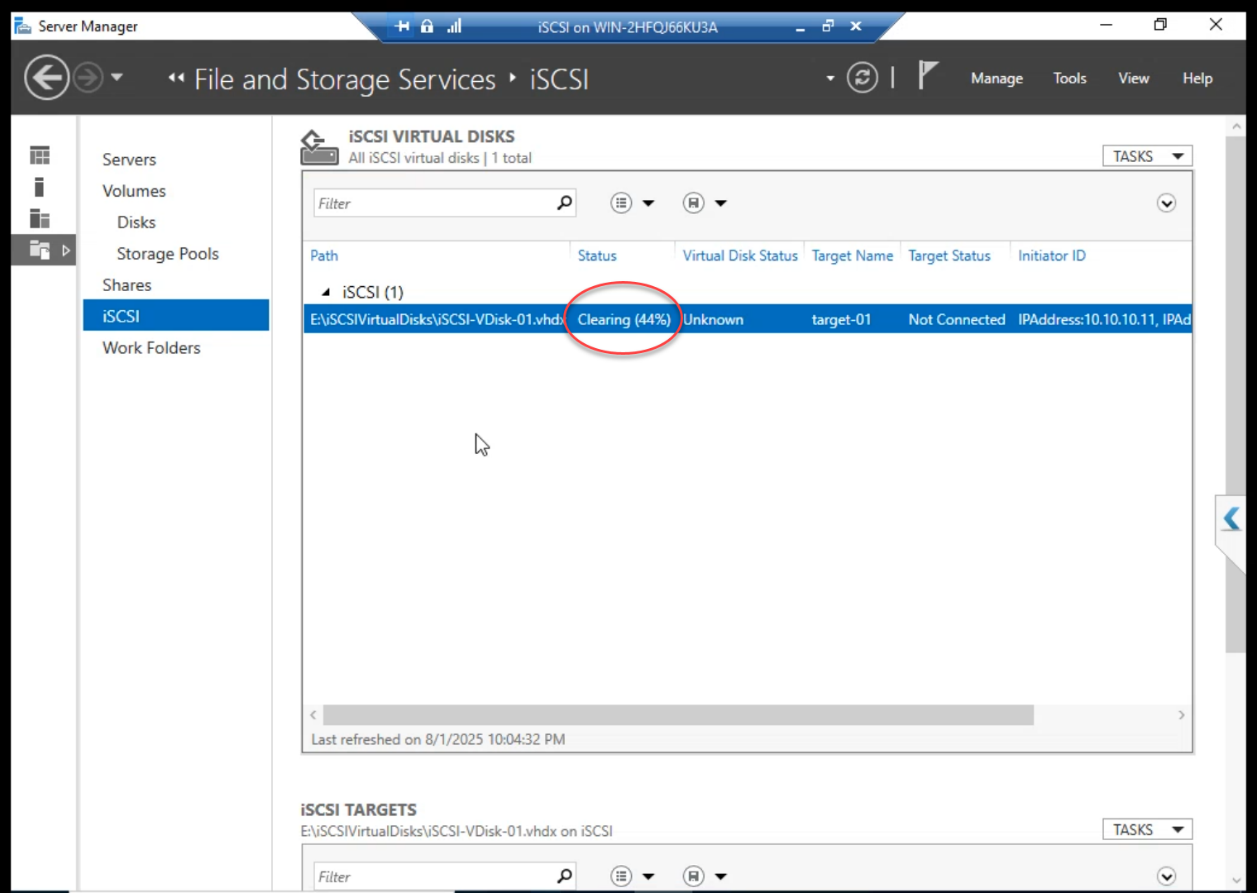
While the 300 GB Data file is “Cleaning” (Fixed pre-allocation), build the Quorum.
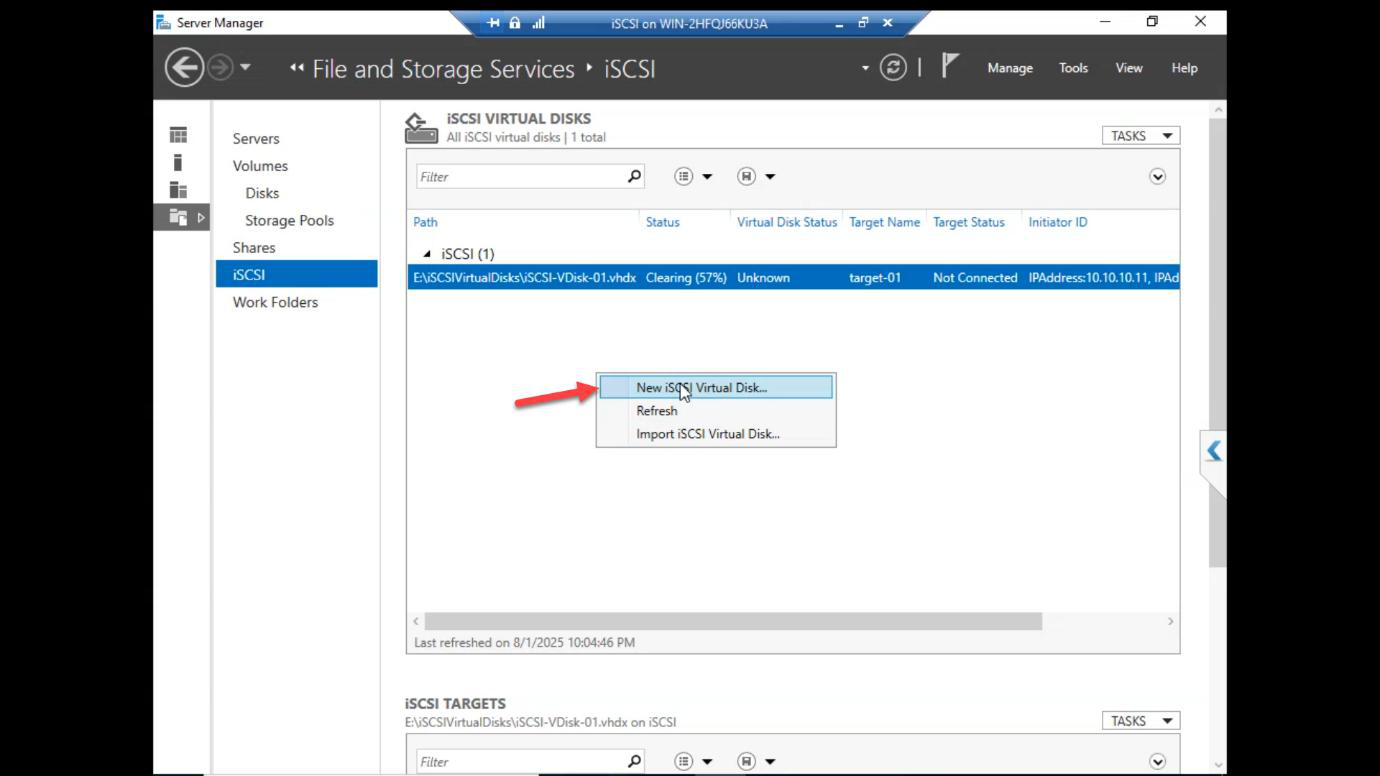
Right-click in the iSCSI Virtual Disks pane > New iSCSI VDisk.
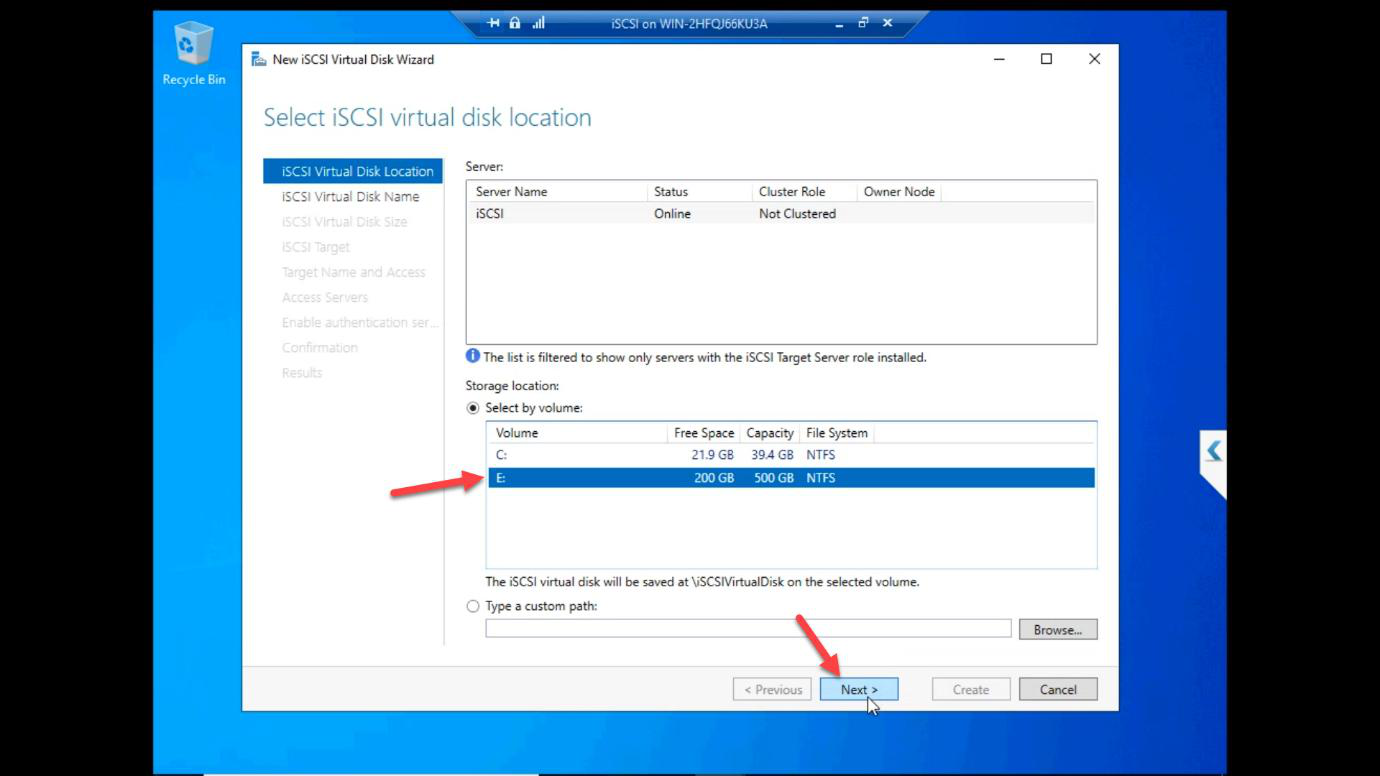
E: drive again.Location: E: drive again.
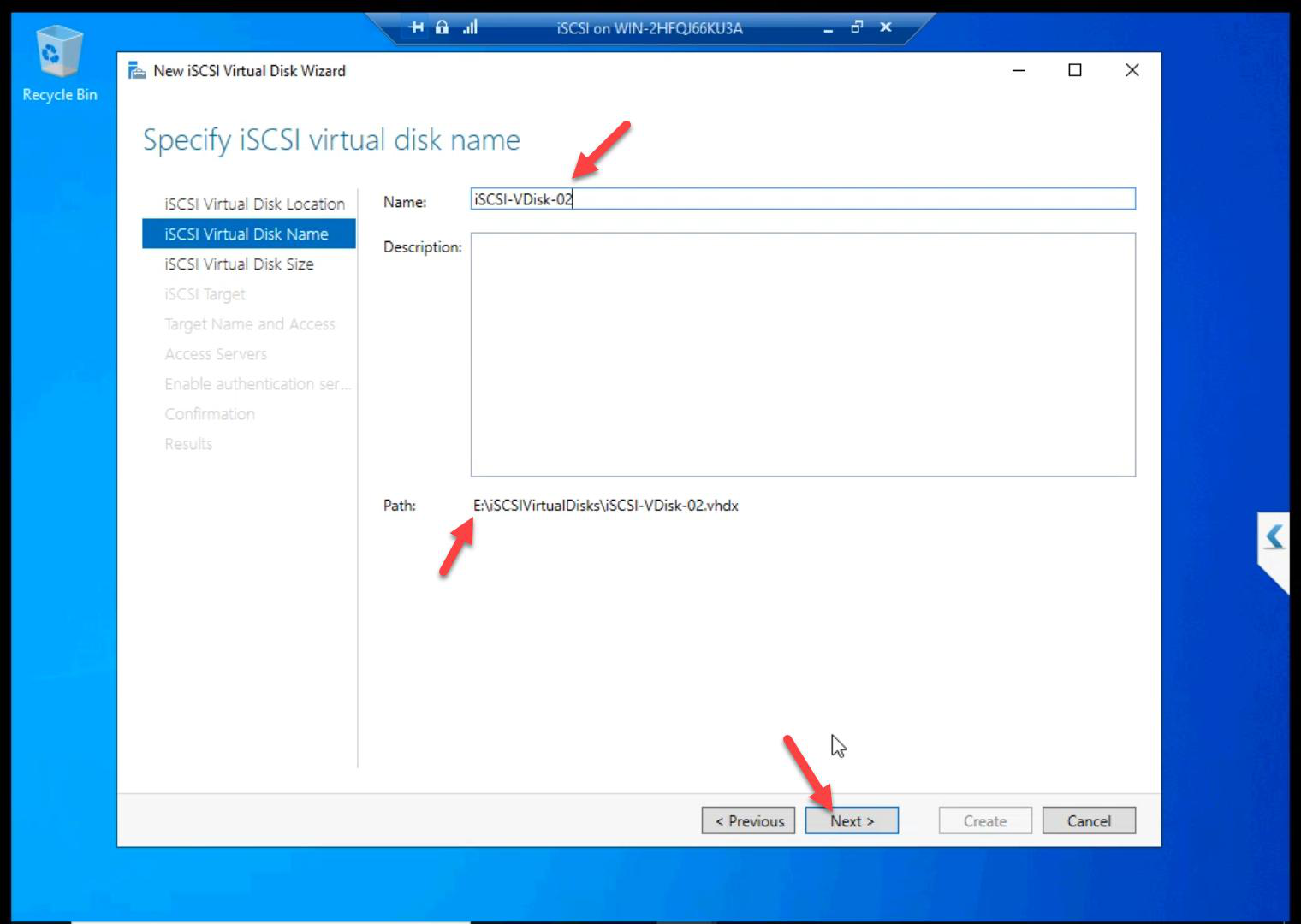
ClusterQuorum.Name: ClusterQuorum.
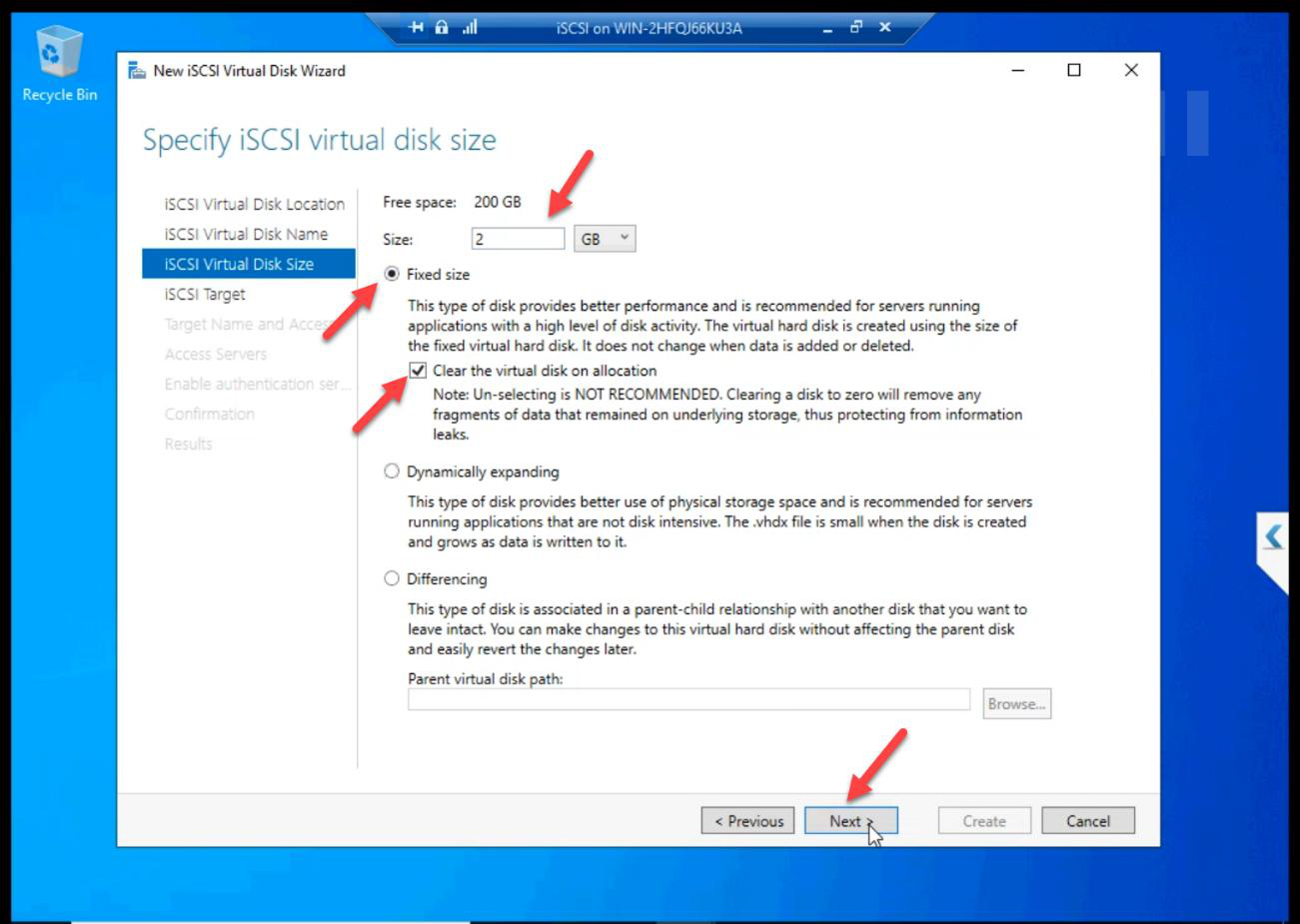
Size: 2 GB Fixed. Tiny.
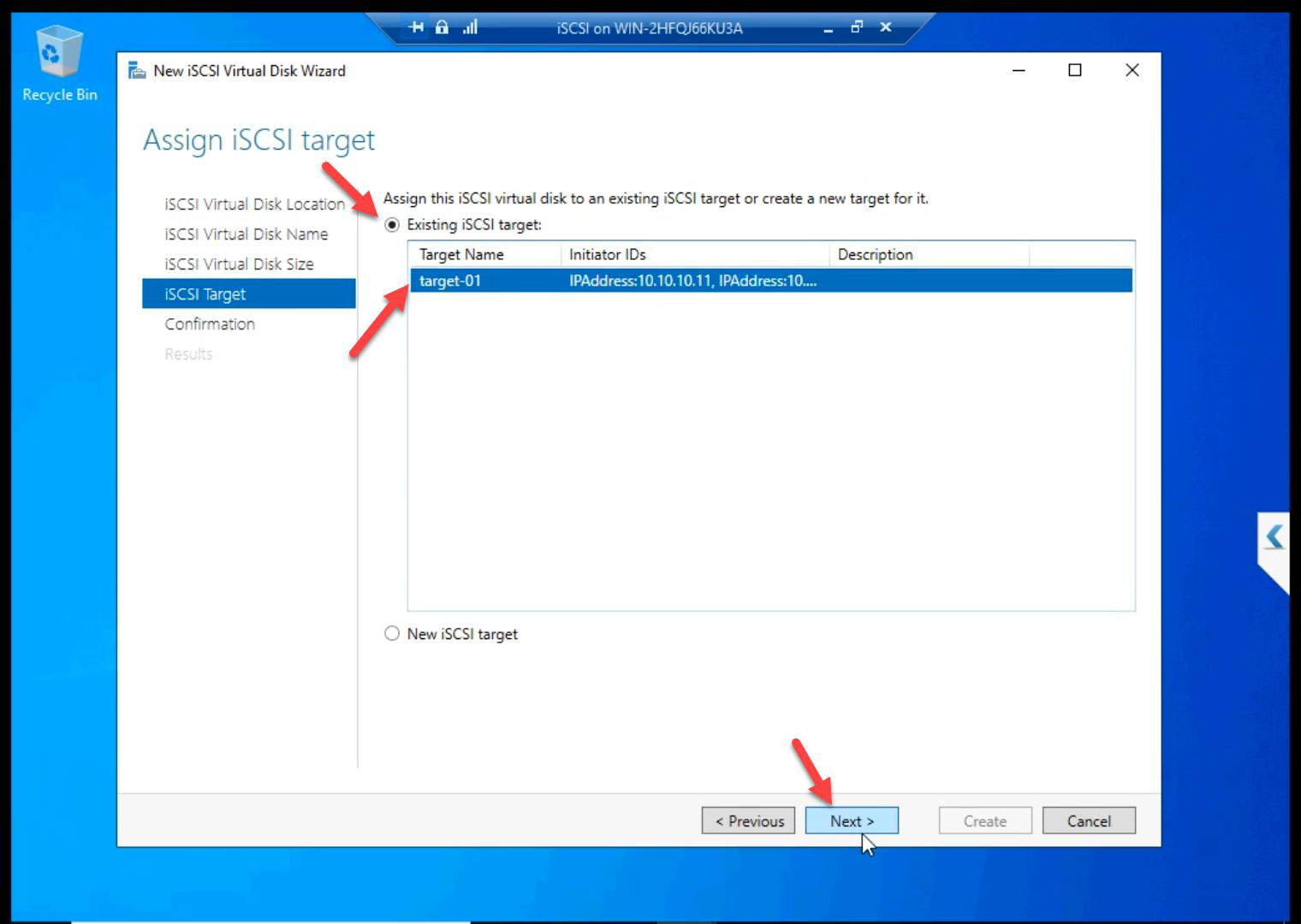
Target-01. Critical: do NOT create a new target. Both disks must present together.Critical: Existing iSCSI Target > Target-01. Both disks on the same target so they present together to both nodes.
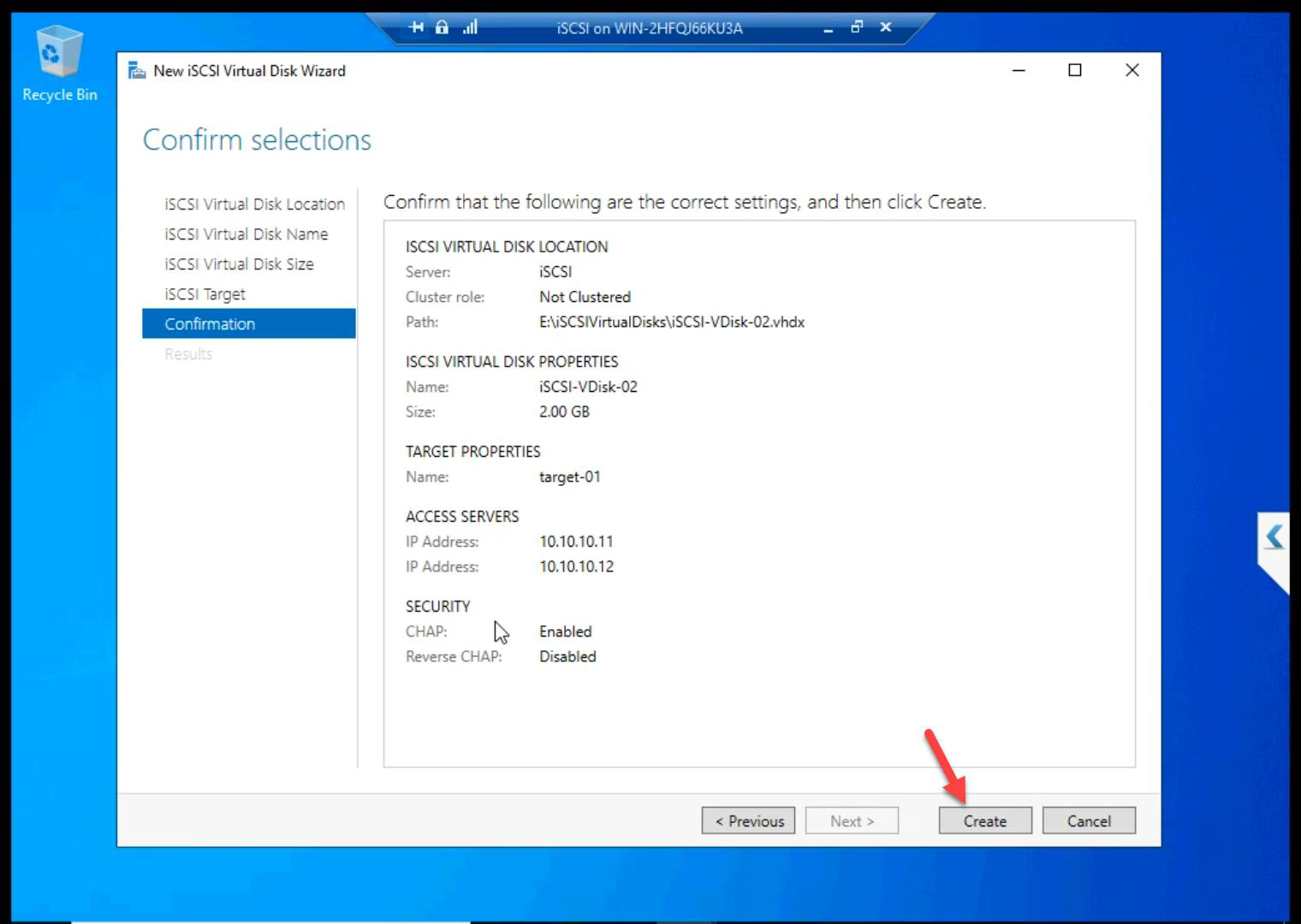
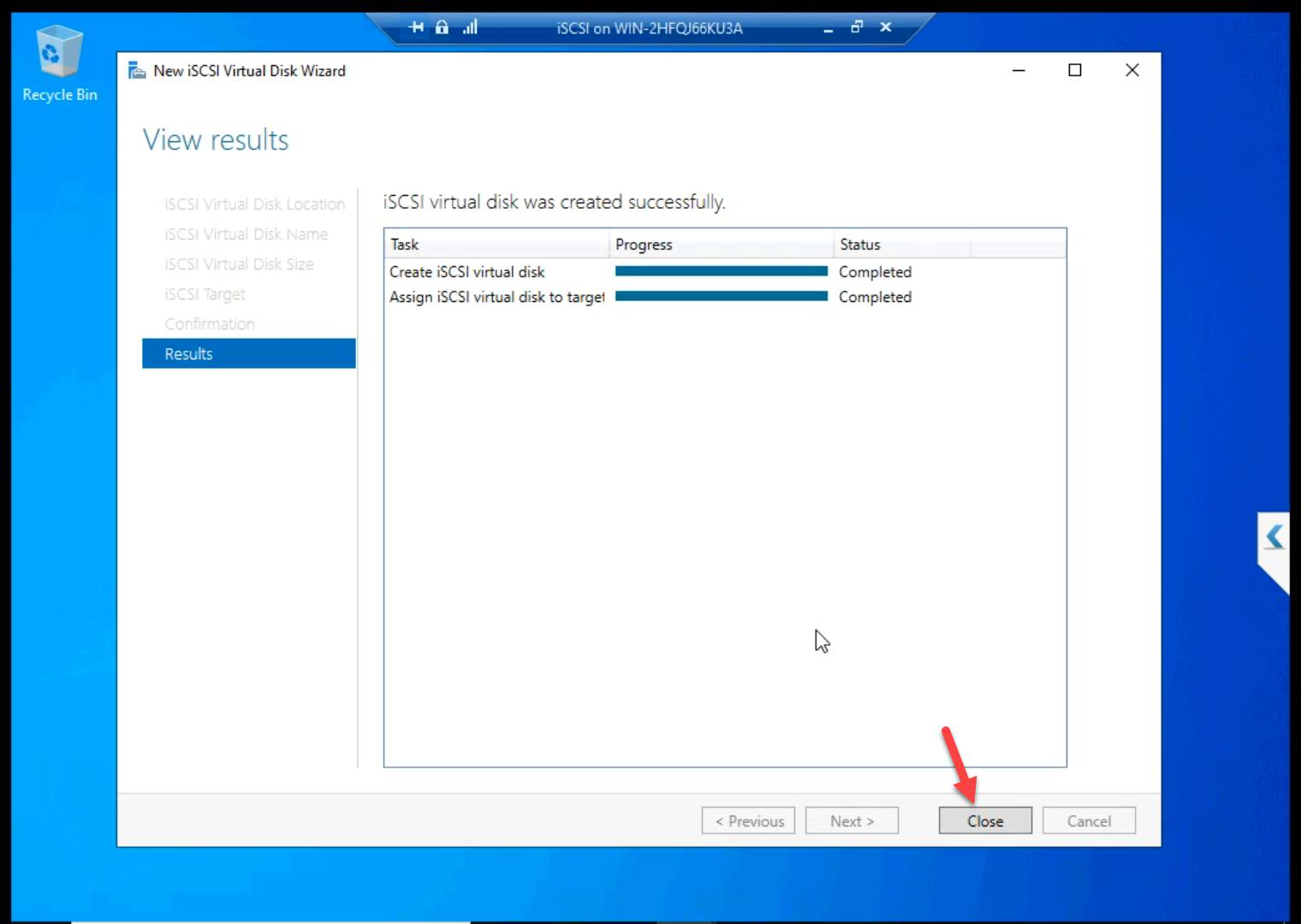
Created.
Step 5 — verify
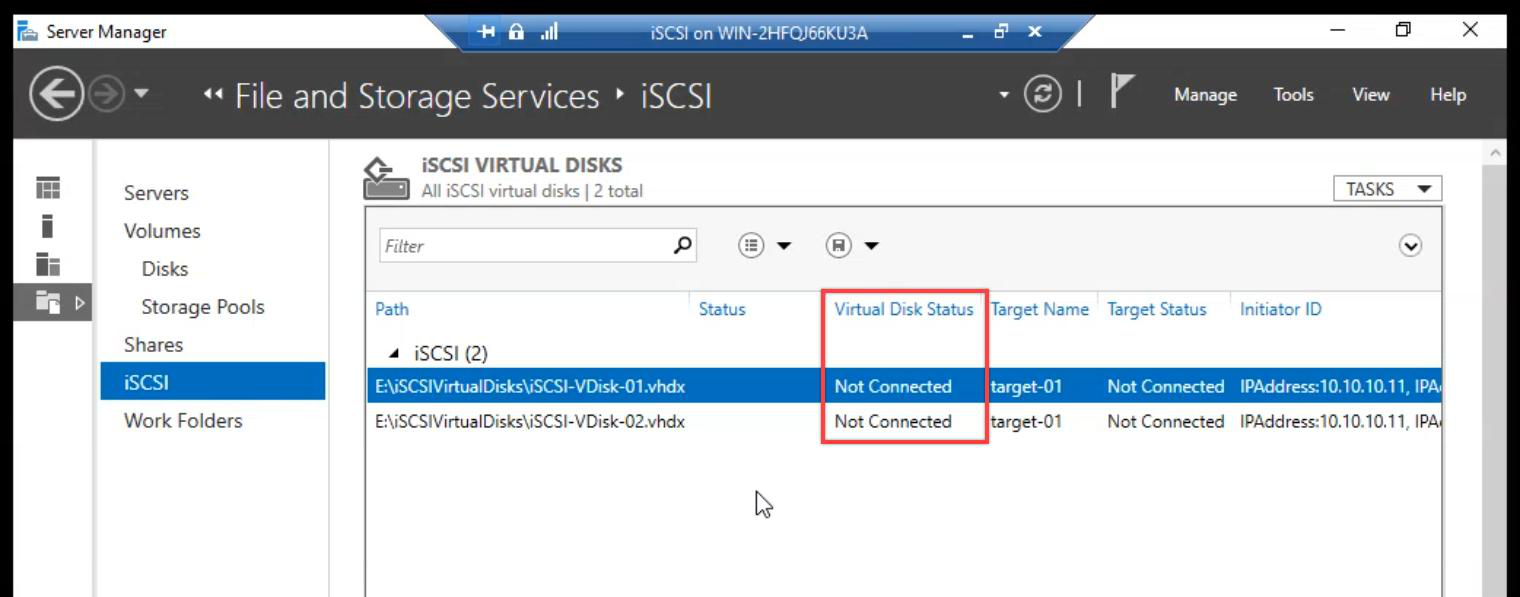
Both LUNs exist. Status: Not Connected. Expected — initiators connect from the nodes in Part 8.
Things that bite people in this part
Forgot the network binding (Step 2)
Most common skip. iSCSI listens on all NICs by default. Without binding to Storage NIC only, storage traffic competes with everything else on the public wire.
Two targets instead of one
If you create Quorum on a separate target, the cluster sees Data and Quorum as two unrelated storage groups. Both disks must be on Target-01.
CHAP password lost
If nobody documents the CHAP secret, you can’t initiate from the nodes. Reset on the SAN side (regenerate the secret) and re-enter on the initiators. Annoying. Document it.
Wrong drive selected
If you accidentally pick C: instead of E: as the LUN location, the LUN files end up on the OS disk. Bad — OS disk might be small and slow. Always E: (the 500 GB disk).
Cleaning takes 30+ min for 300 GB
Fixed pre-allocates the entire file. On slow host disk, 300 GB takes serious time. Plan accordingly.
What’s next
SAN side built. Part 8 jumps to NODE-01 and NODE-02 to configure the iSCSI Initiators — discover the target, log in with CHAP, mount the LUNs. See the full series at Hyper-V Failover Clustering pathway.