
Node-03 prepared in Part 9. Now we formally add it to the Windows Failover Cluster as a voting member. Short post — the Add Node wizard does most of the work. The key step is saying YES to the revalidation prompt. Skip that and your cluster falls out of Microsoft-supported status.
Why a 3-node cluster?
2-node clusters work but have one weakness: any single node loss puts you back at 1 node. If a second failure happens during the recovery window, you’re down. 3 nodes give you N+1 redundancy — one node down still leaves 2 to vote on quorum and serve workload.
3-node also gives better quorum behaviour: with Node Majority, you can lose any single node and still have 2/3 votes — majority preserved. With 2 nodes + witness, the witness IS the tiebreaker; lose the witness AND a node simultaneously and quorum is gone.
Step 1 — launch Add Node
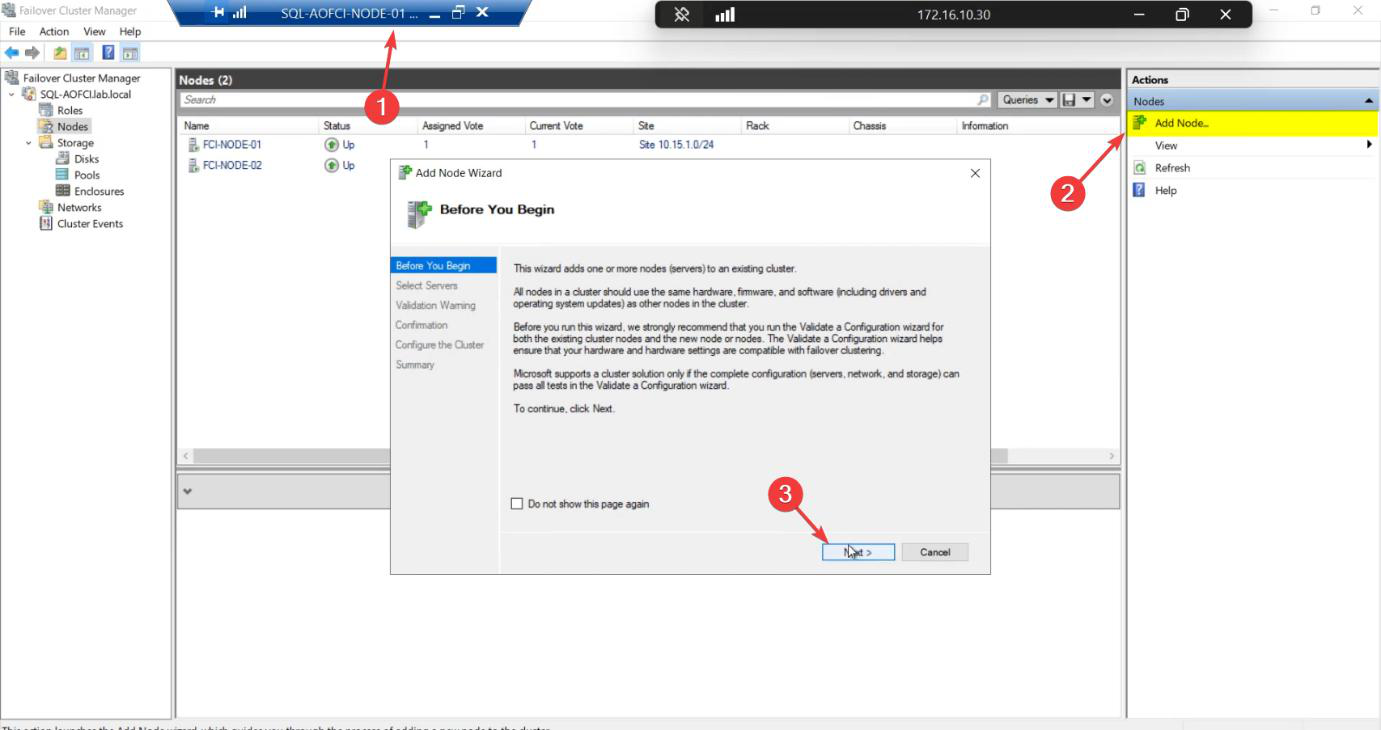
From any existing cluster member (Node-01 or Node-02). FCM > Action pane > Add Node.
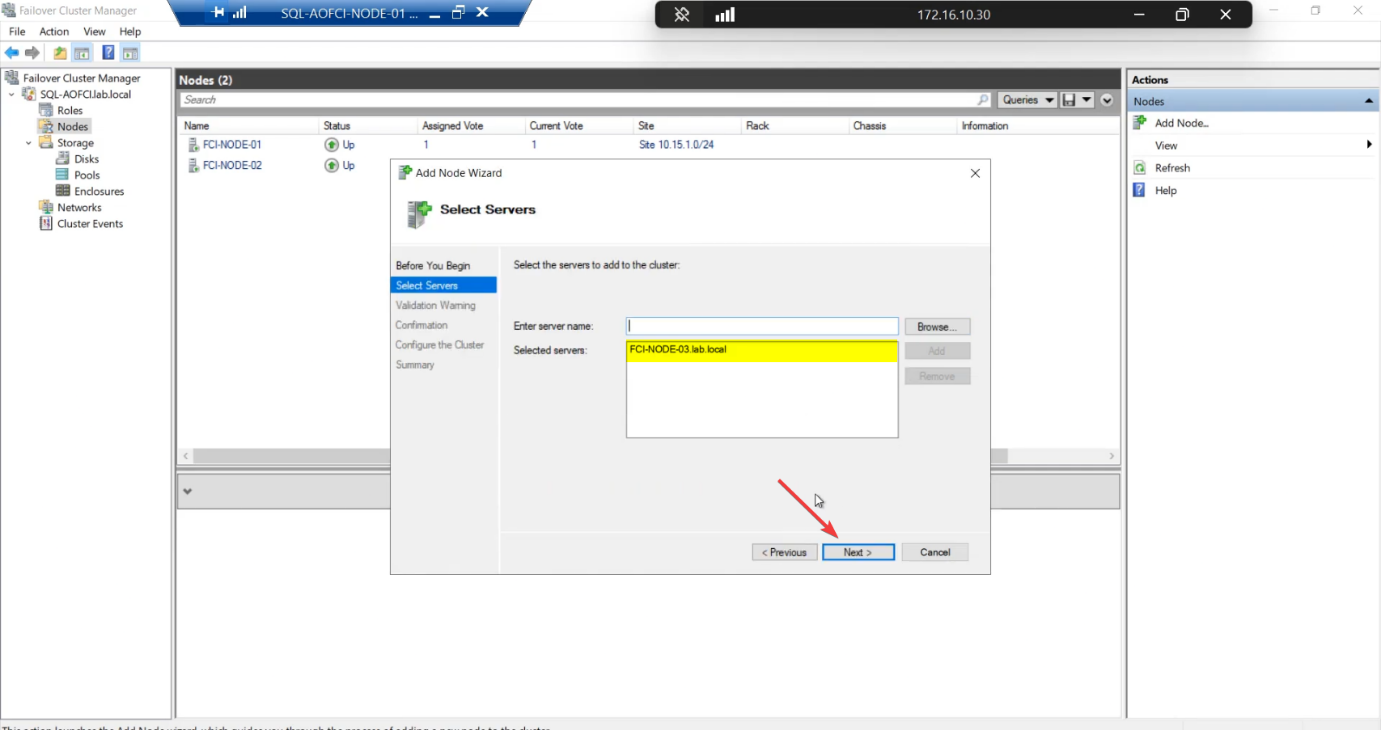
Node-03 > Add > Next. Wizard validates name resolution against AD.Select Servers: enter Node-03 > Add > Next. The wizard validates the name resolves and the node has Failover Clustering installed.
Step 2 — revalidate (this is the load-bearing step)
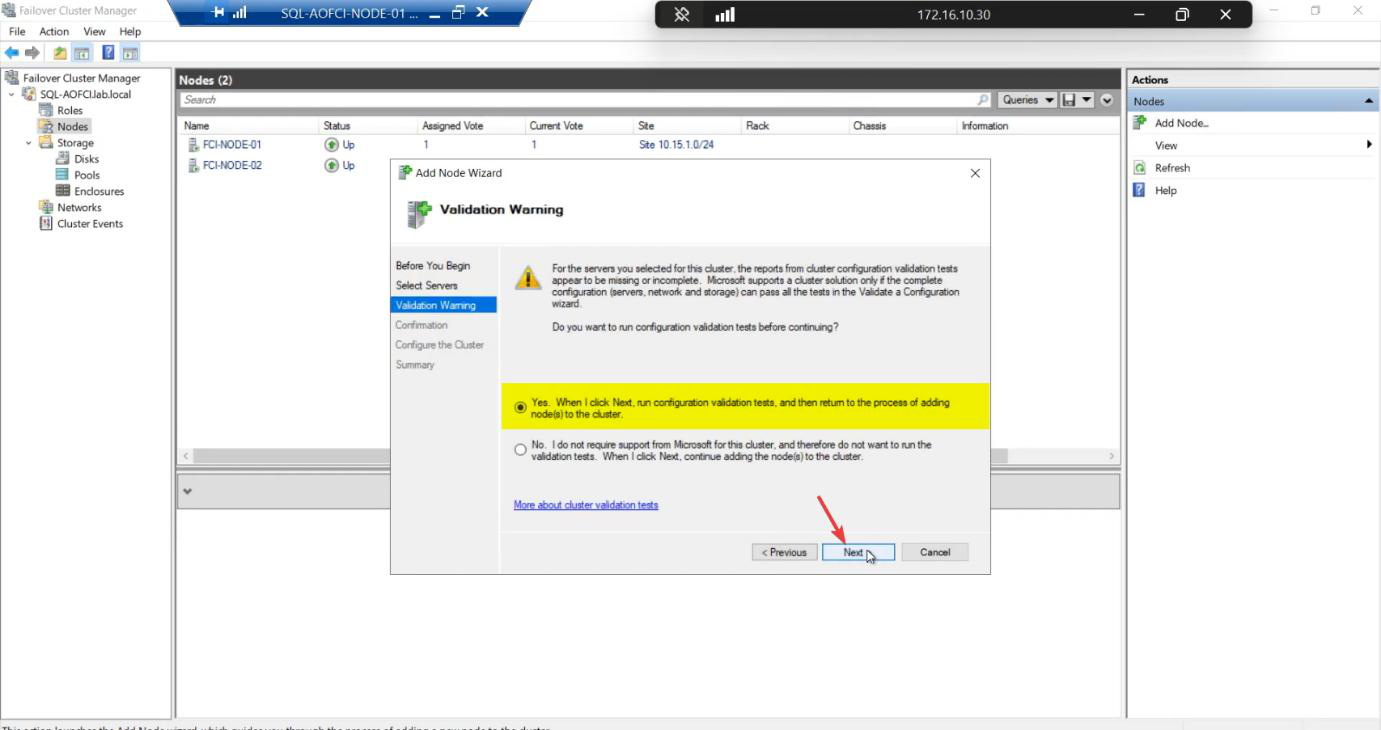
Windows prompts: “Run validation tests before adding the node?”
Always answer YES. Even though the cluster was validated when N1+N2 were created, adding N3 changes the configuration. The new validation tests:
- Storage path from N3 to the SAN works
- Heartbeat NIC on N3 can reach N1 and N2
- OS version + patch level on N3 matches the cluster
- Required permissions and services on N3
Skip this step and your cluster is officially unsupported by Microsoft. If you ever open a support case, the first thing they ask: “has the cluster passed validation since the last config change?”
Step 3 — run validation
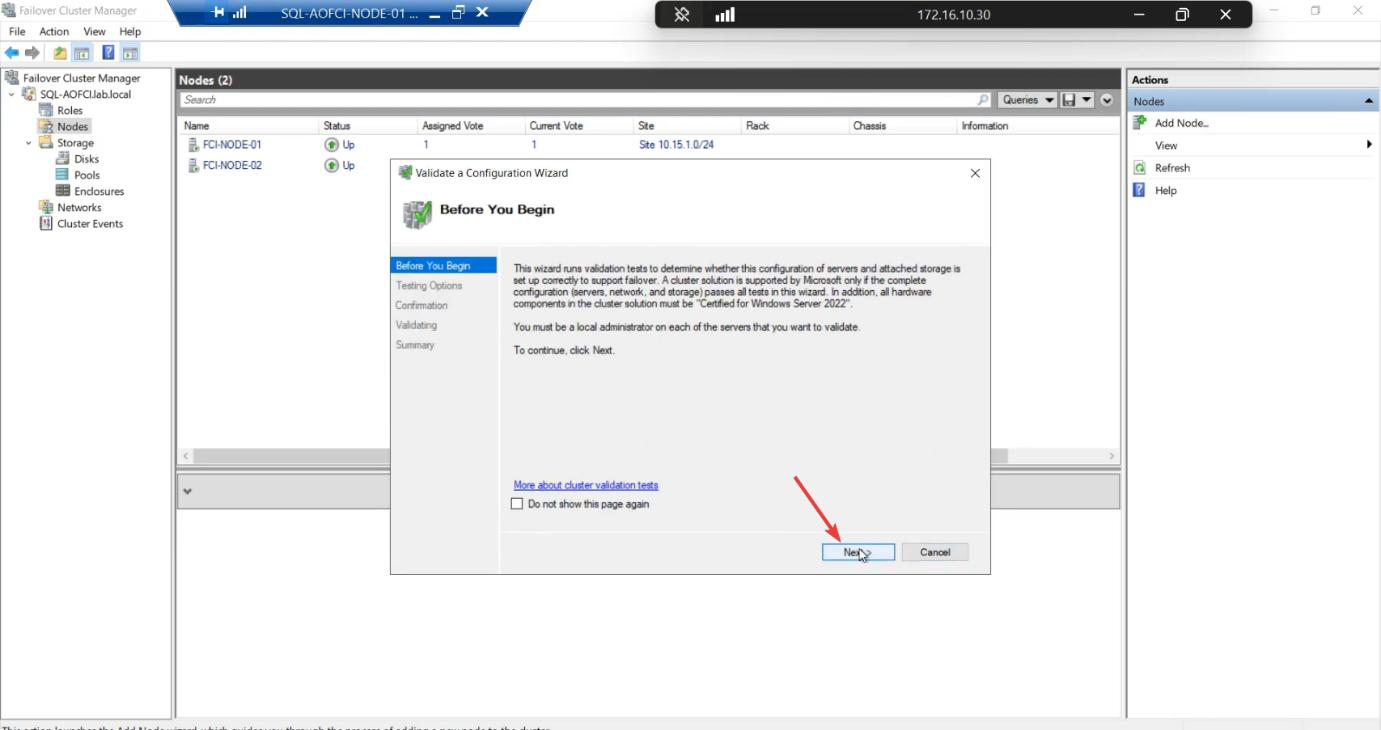
Run all tests. Same recommendation as Part 5.
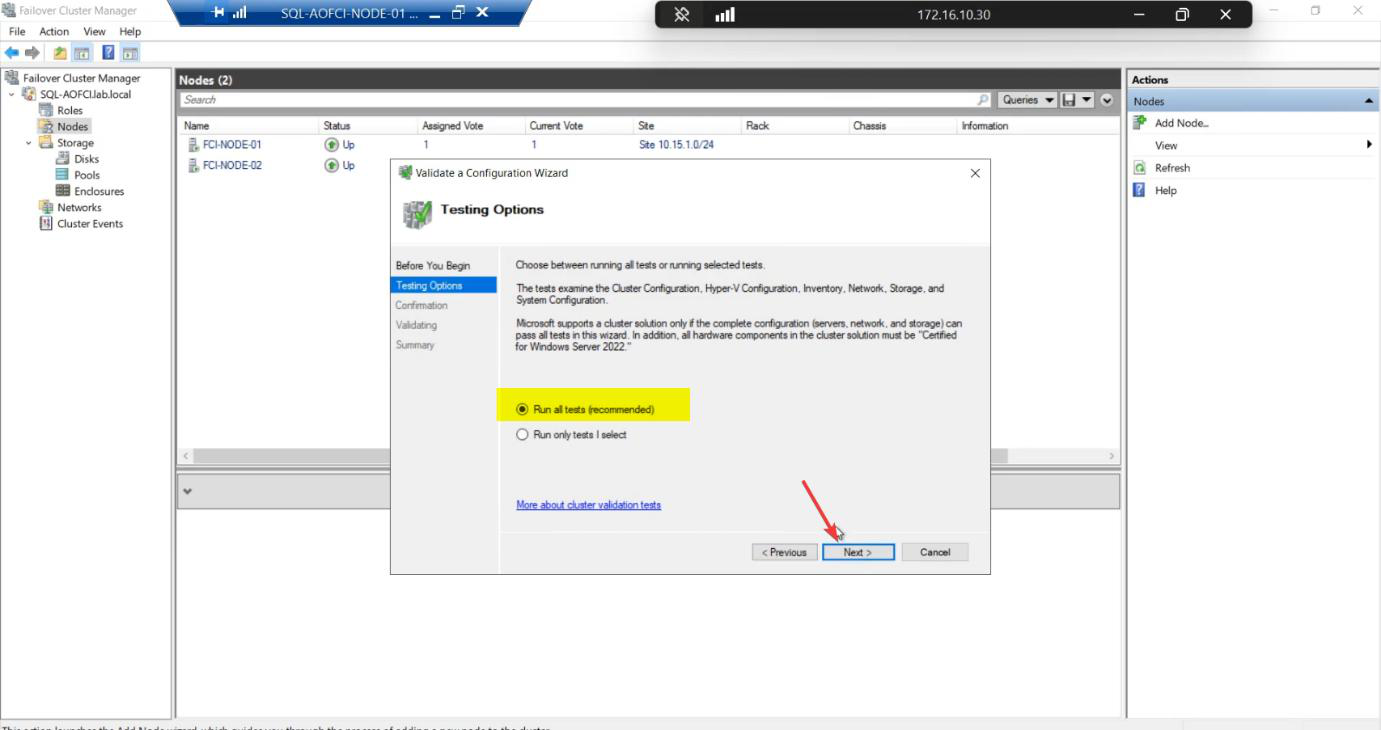
Confirm. Start.
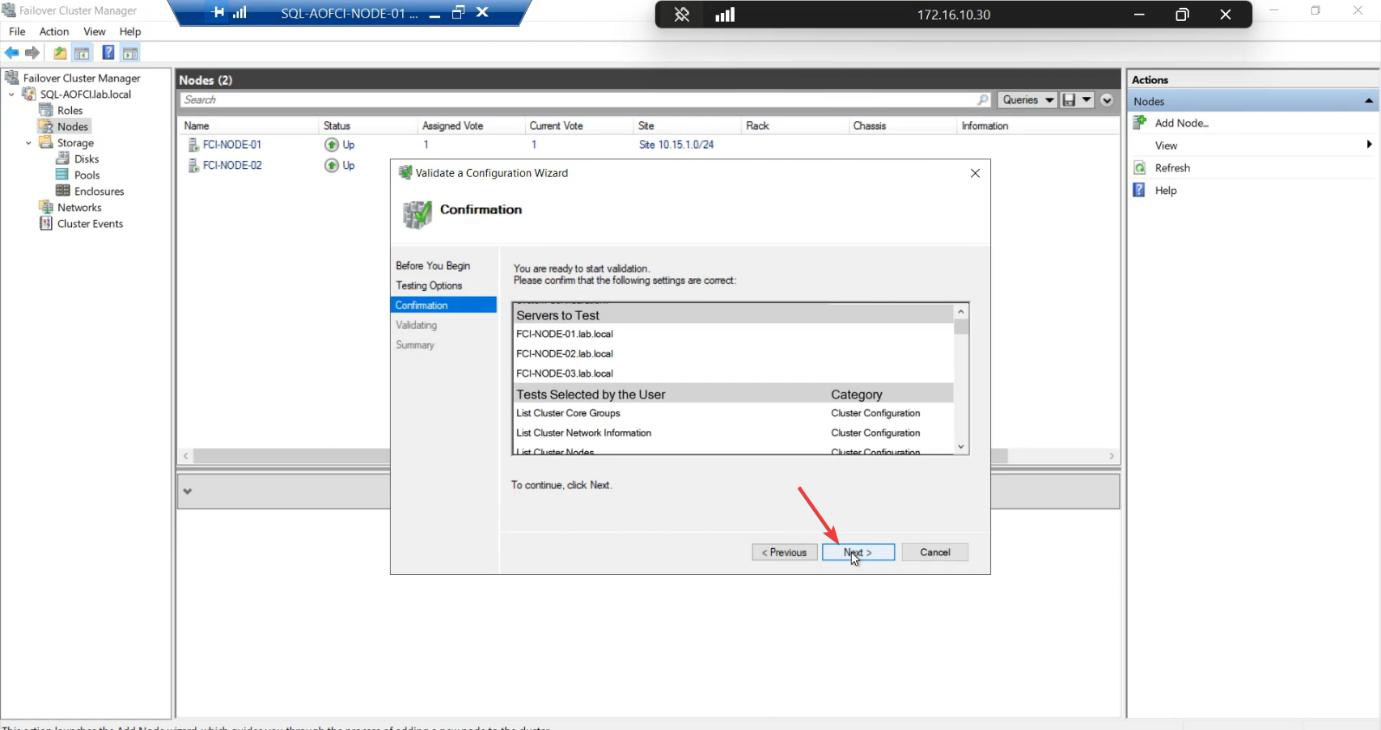
~5-10 min. Tests run real IO and ICMP across all three nodes.
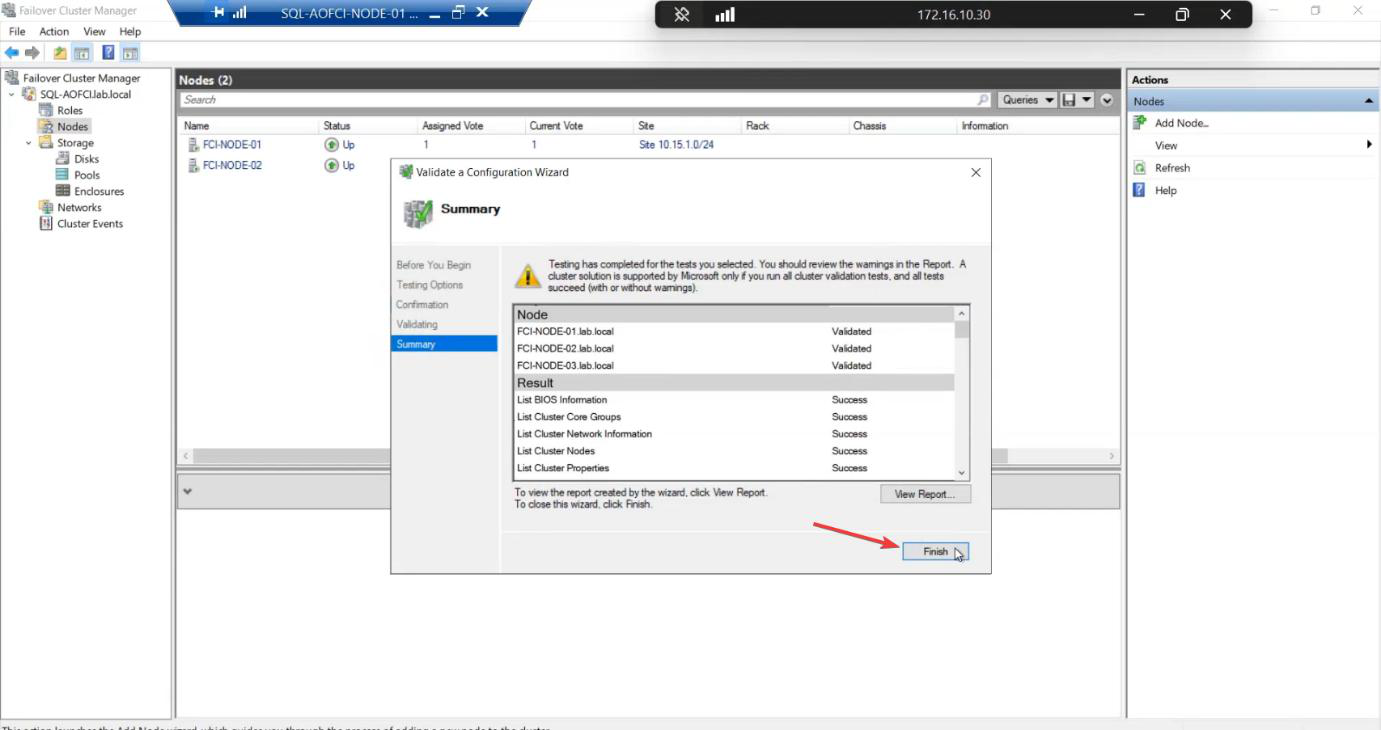
Report. All green expected. Warnings usually about heartbeat redundancy (single NIC) — acceptable in lab. Failures STOP the add.
Step 4 — finalise the add
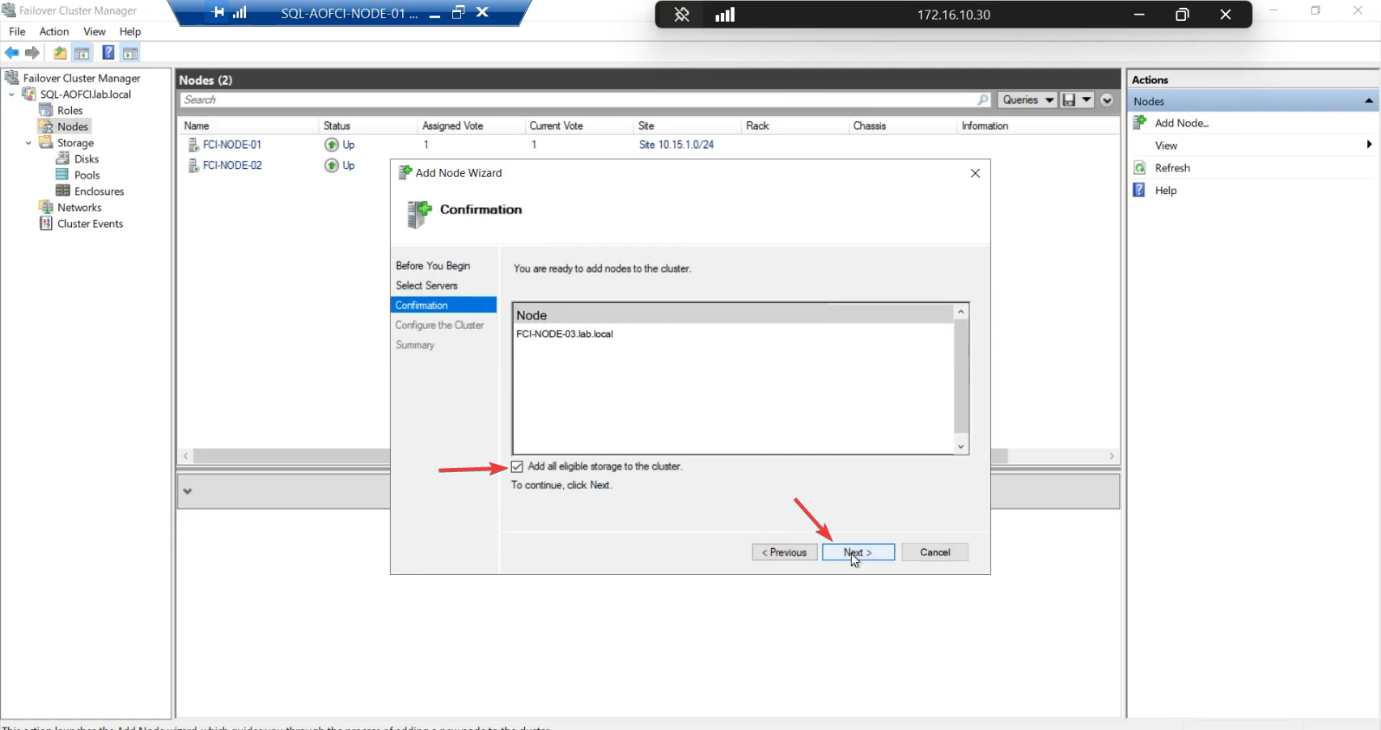
Add Node confirmation. Tick Add all eligible storage — storage is already in the cluster, this just confirms N3 access.
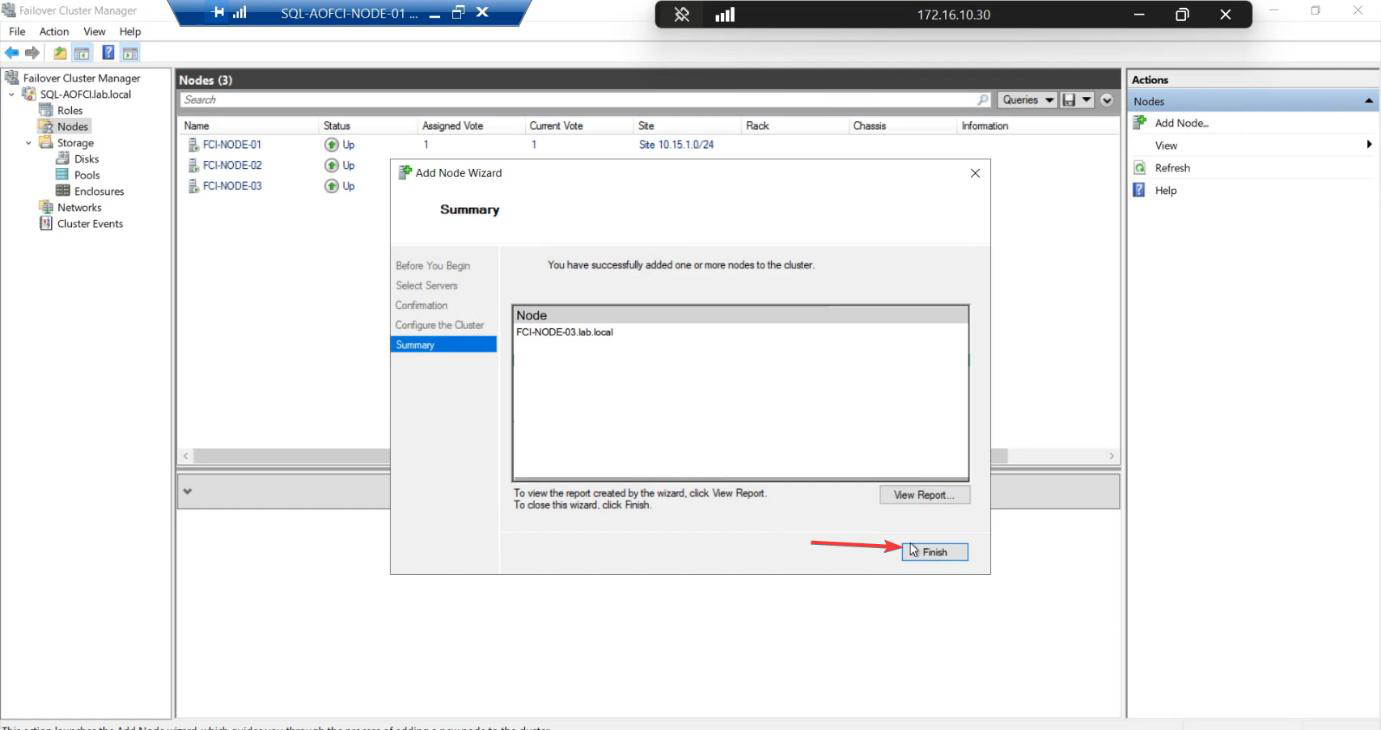
Finish. Node-03 is now a voting member of the Windows Failover Cluster.
Step 5 — verify the 3-node cluster
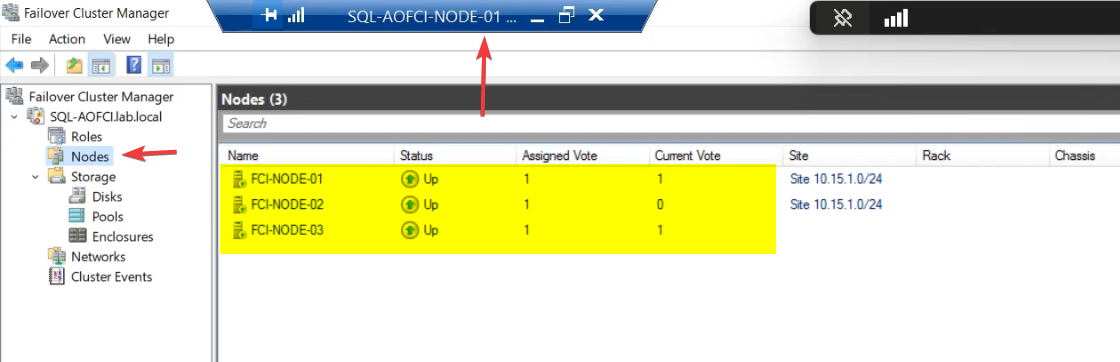
FCM > Nodes: Node-01 Up • Node-02 Up • Node-03 Up.
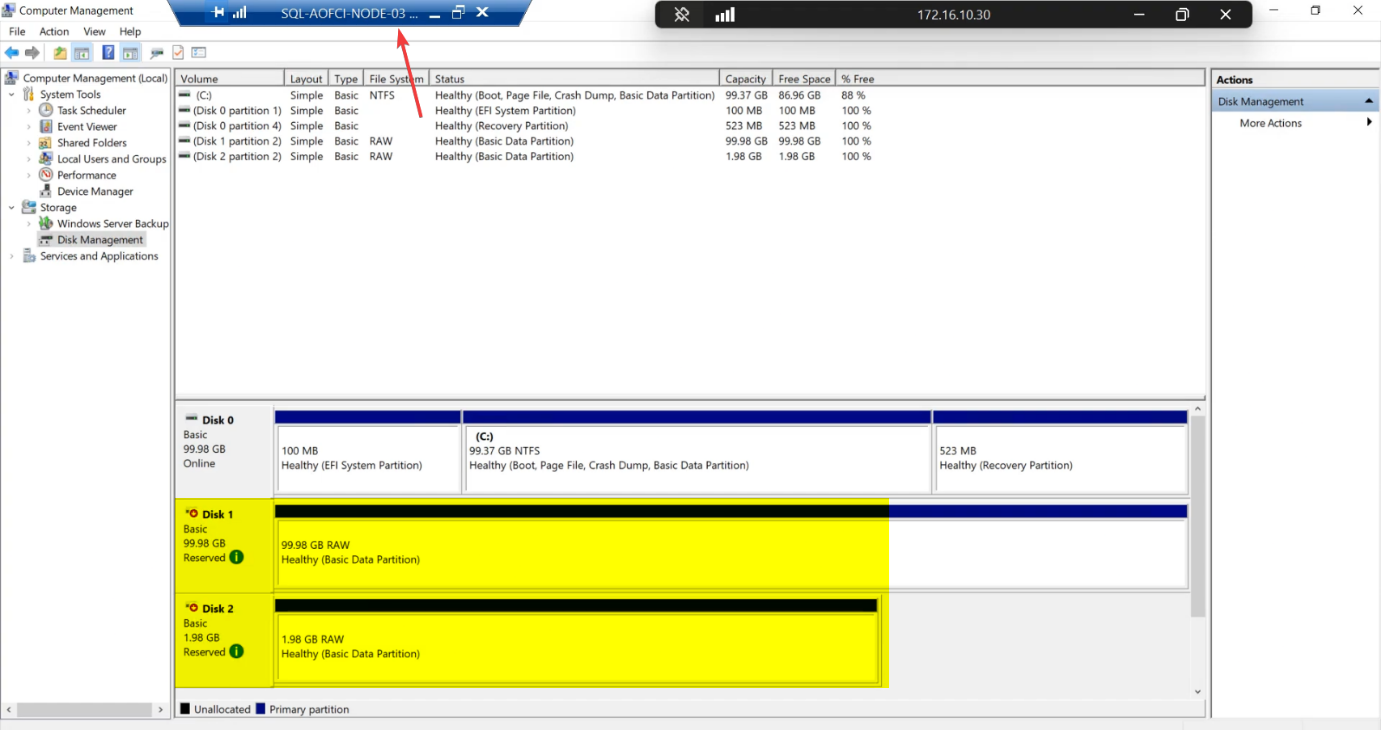
diskmgmt.msc on Node-02 (or Node-03): cluster disks show Reserved status. The SCSI Reservation held by Node-01 (current owner) correctly prevents the other nodes from touching the data. This is healthy — not a problem.Disk Management on Node-02 (or Node-03): cluster disks show Reserved status. This is correct — Node-01 currently owns the SQL role and holds the SCSI persistent reservation on the disks. Node-02 and Node-03 see the disks but can’t touch them. Cluster Service moves the reservation when failover happens.
What changed and what didn’t
Changed:
- Cluster has 3 voting members instead of 2.
- Quorum config may need re-review (Configure Cluster Quorum Settings — Node Majority alone is now an option since you have an odd-numbered node count).
- Cluster can lose any single node without quorum loss.
Did NOT change:
- SQL Server is still running on Node-01.
- SQL can still only failover to Node-02 (Node-03 has no SQL binaries yet).
- Client connection strings unchanged.
Quorum reconsideration (optional)
With 3 voting nodes, you have an odd quorum count and the disk witness becomes optional. Two viable quorum modes now:
- Node Majority + Disk Witness (current): 4 votes total (3 nodes + 1 witness). Tolerates 2 failures.
- Node Majority only: 3 votes. Tolerates 1 failure. Simpler.
For most 3-node setups, keeping the disk witness is safer — better failure tolerance. Configure Cluster Quorum Settings if you want to change.
Things that bite people in this part
OS / patch mismatch
If Node-03’s OS or patch level differs from N1/N2, validation fails. Patch all nodes to the same level before adding.
Storage validation timeout
Storage tests can take a long time on busy SANs — the validation runs real IO. If your SAN is heavily loaded by other workloads, validation may time out. Schedule add-node operations for low-activity windows.
Validation passed but Add still fails
Rare. Usually means the cluster service on N3 isn’t running, or the node hostname doesn’t resolve from N1. Restart the cluster service on N3, fix DNS, retry.
Re-running validation later
You can rerun validation any time without disrupting the cluster: Test-Cluster -Node N1, N2, N3 -Include Network, Storage. Useful before patching, after VMware migrations, etc.
What’s next
Node-03 is in the Windows cluster. Now SQL Server needs to know about it. Part 11 runs the SQL Server installer in “Add Node to a SQL Server failover cluster” mode against Node-03 (same operation as Part 7 was for Node-02). After that, SQL can failover to Node-03 too. See the full series at SQL Server Clustering pathway.