
Eight parts of work get tested in 30 seconds. We create some baseline data on the active node, kill the active node hard, watch the cluster move SQL to the other node, and verify the data is still there + writeable. Always test failover BEFORE you need it. Finding it broken at 03:00 is the worst possible discovery.
Phase 1 — create baseline data on Node-01
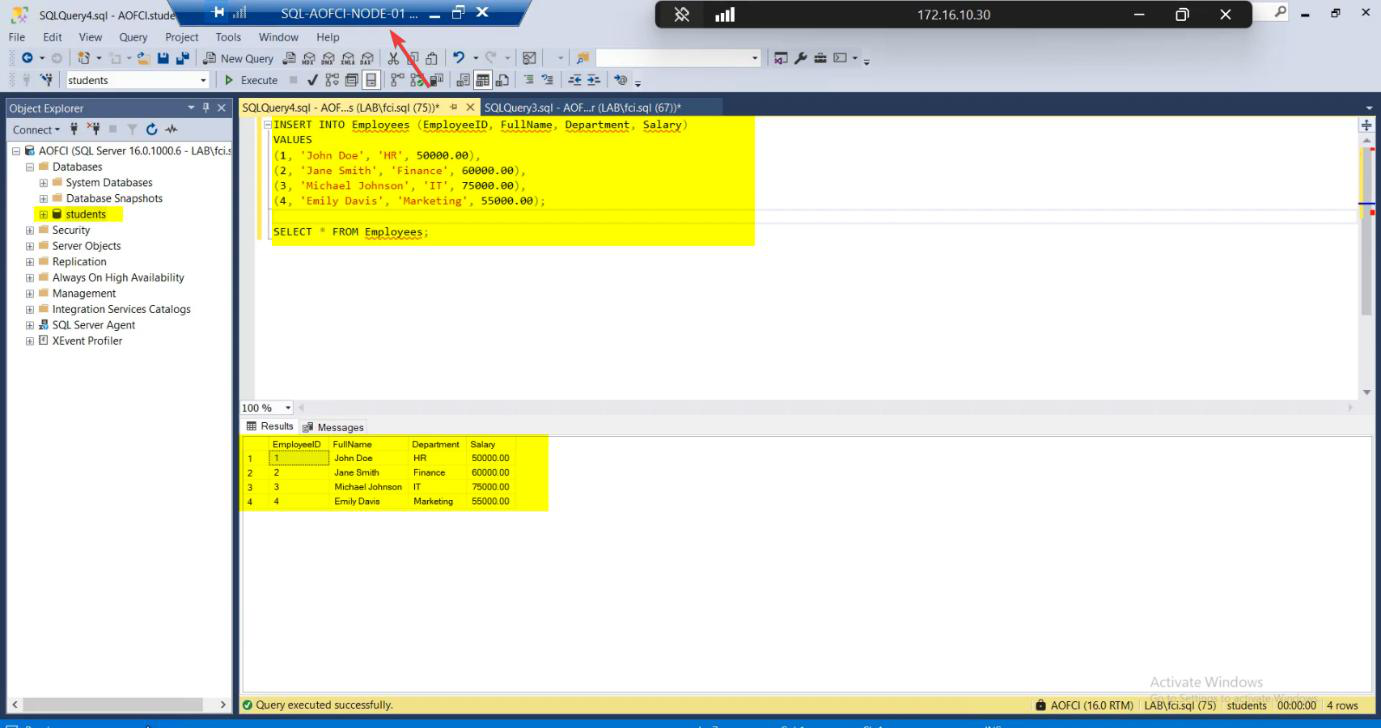
Node-01 is currently the active node. Open SSMS, connect to AOFCI:
CREATE DATABASE Students;
GO
USE Students;
GO
CREATE TABLE Employees (
    EmpID INT IDENTITY(1,1) PRIMARY KEY,
    Name NVARCHAR(100),
    Department NVARCHAR(50),
    HireDate DATE
);
GO
INSERT INTO Employees (Name, Department, HireDate) VALUES
    ('jdoe', 'Engineering', '2024-01-15'),
    ('Alice Smith', 'Marketing', '2024-03-22'),
    ('Bob Wilson', 'Sales', '2024-05-08');
GO
SELECT * FROM Employees;
Three rows. This is what we expect to see after failover.
Phase 2 — verify the starting state
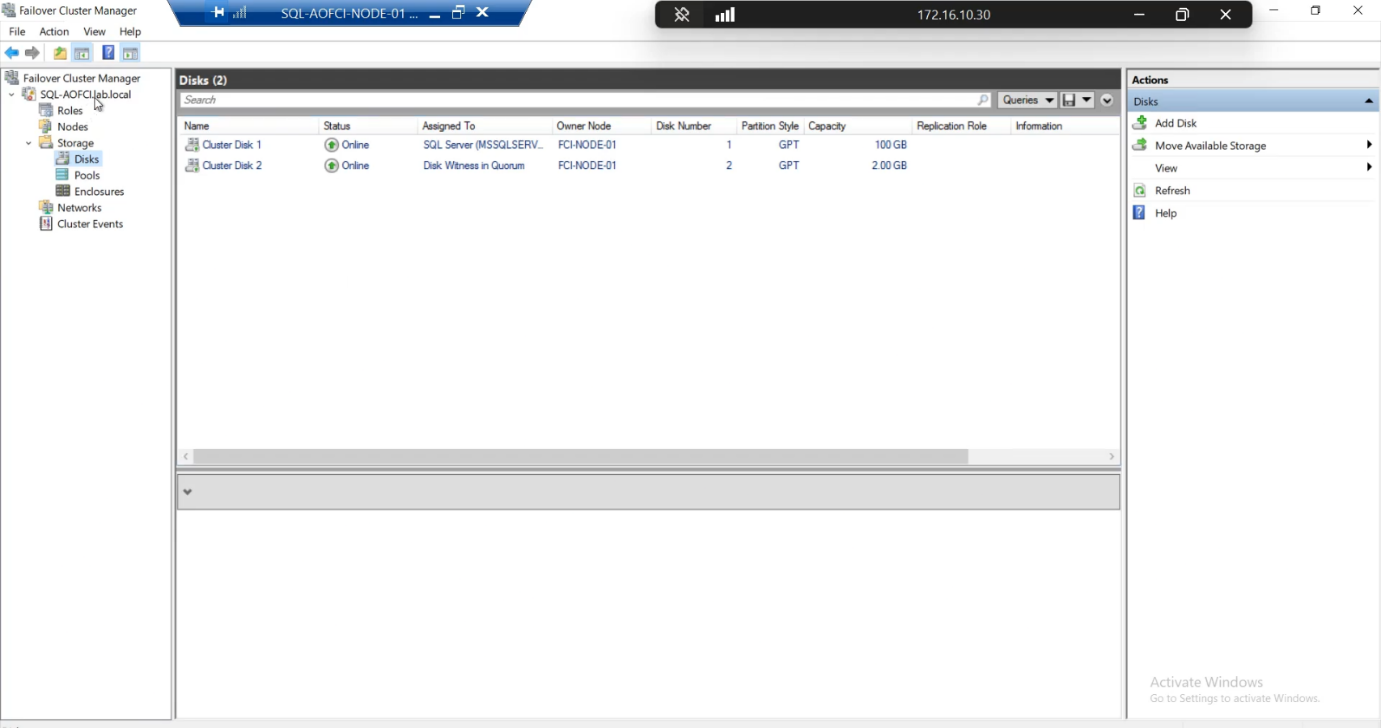
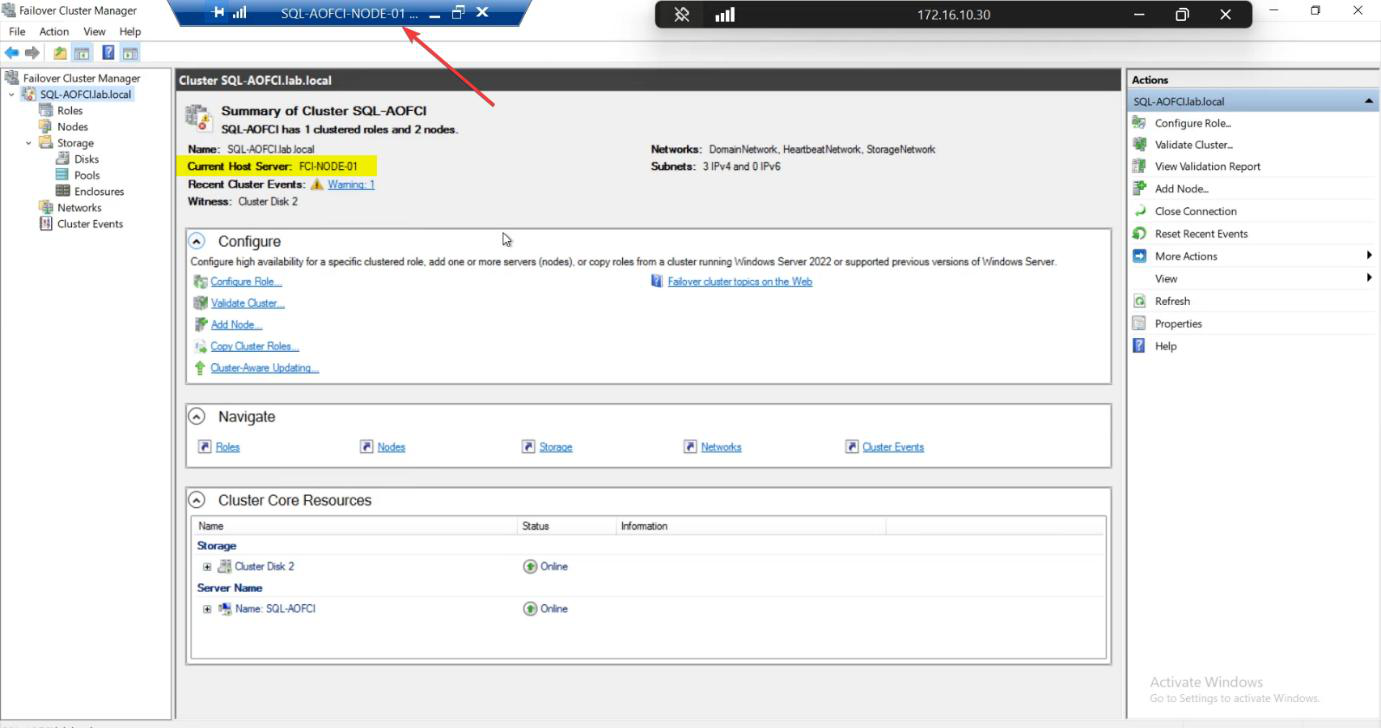
Roles: SQL Server (MSSQLSERVER) owned by Node-01.
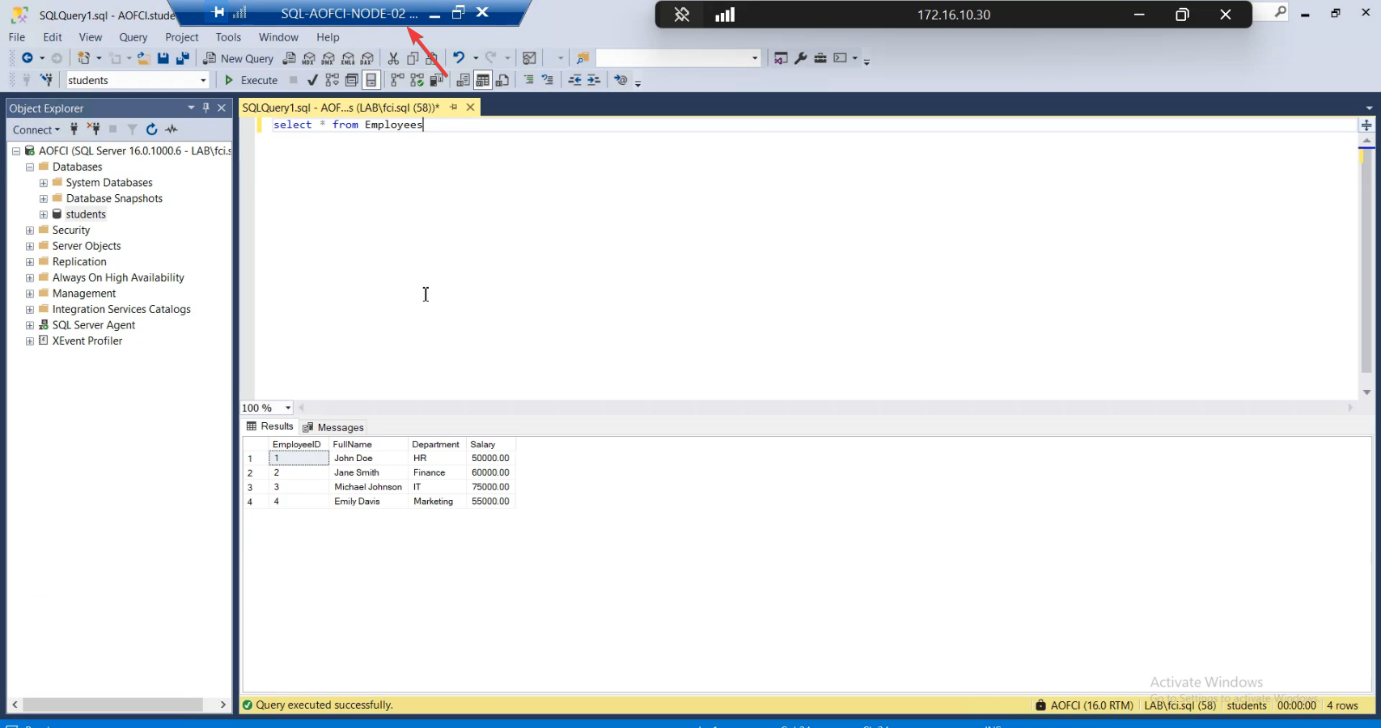
AOFCI. Query the table. Same data. (You’re hitting the SQL service over the network from N2 to N1 here.)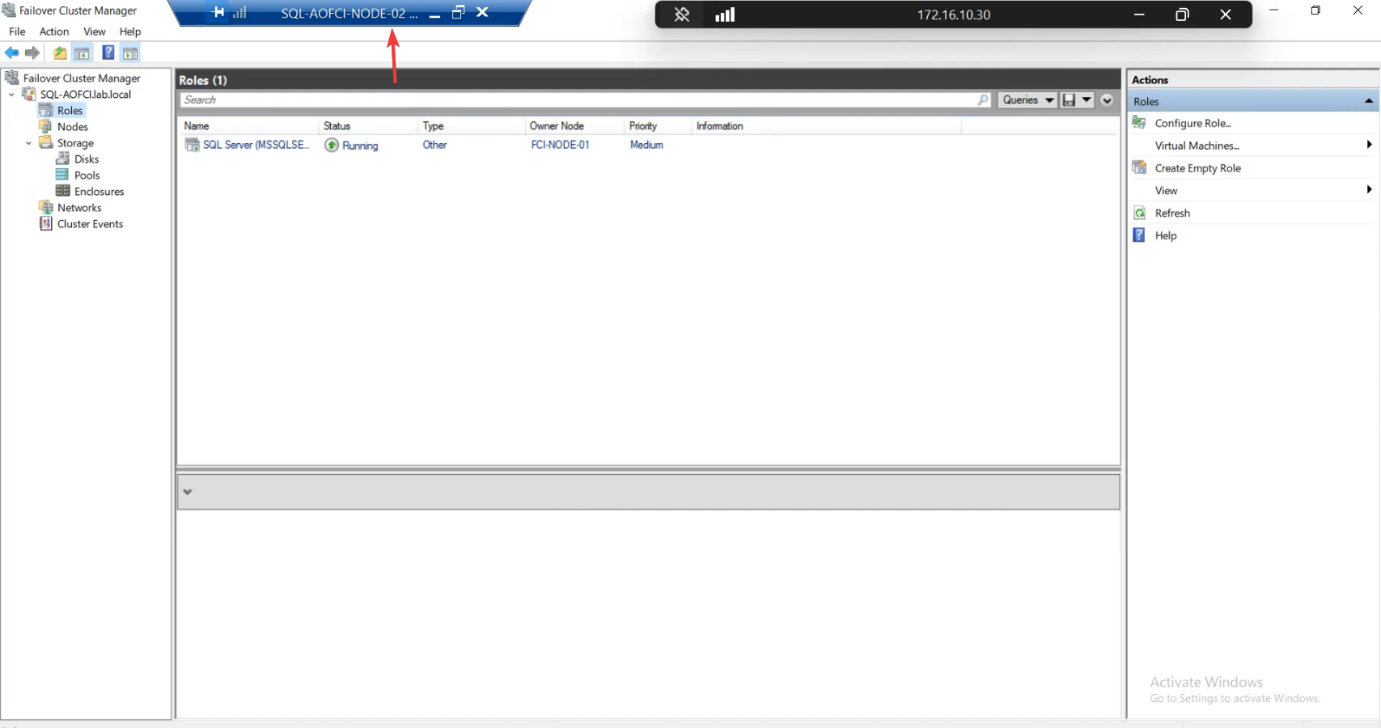
Cross-check from Node-02: open SSMS, connect to AOFCI, query Employees. Same three rows. (You’re hitting the SQL service on Node-01 over the network from Node-02 here — that proves the AOFCI virtual name resolves correctly.)
Phase 3 — kill Node-01

Sign in to Node-01. Start > Power > Shut Down.
For a more brutal test, instead power off the VM hard from the hypervisor — this simulates a real crash without graceful shutdown. The cluster behaviour is the same, but the heartbeat loss detection is faster (no graceful drain).
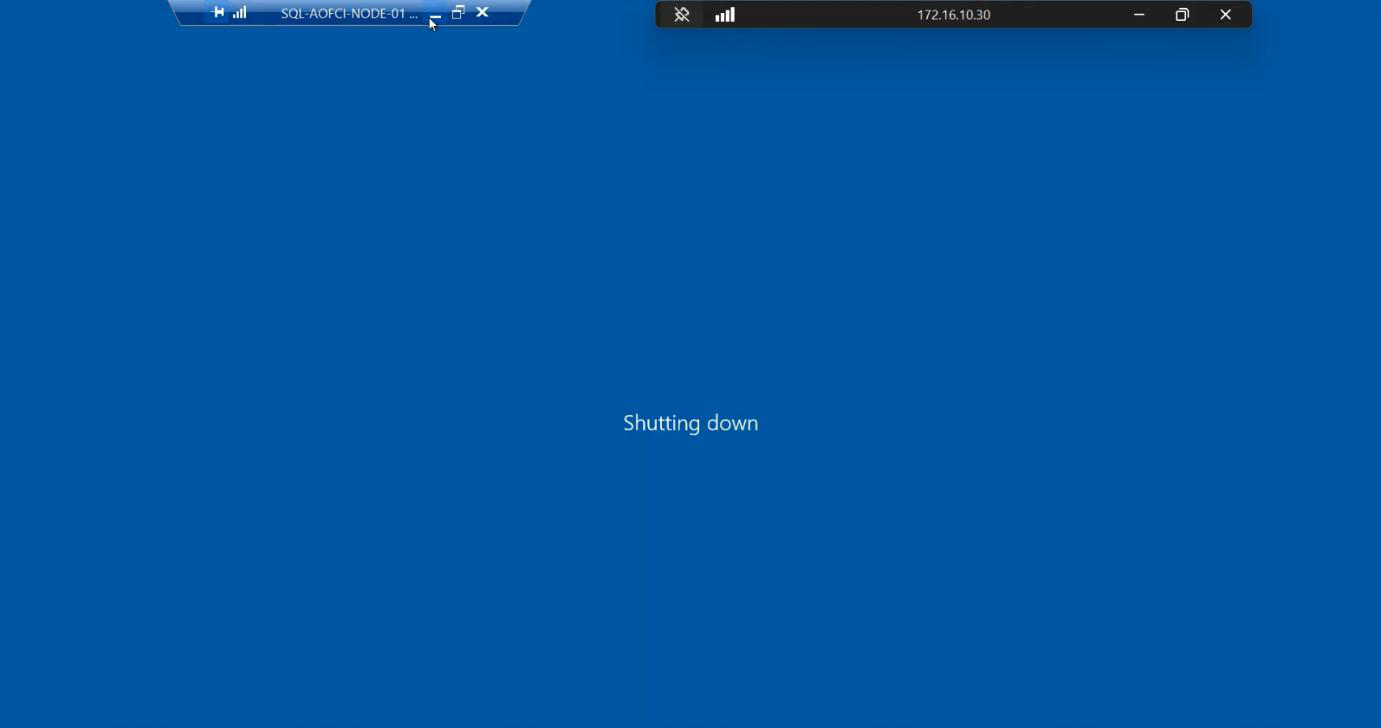
Node-01 going offline.
Phase 4 — observe failover on Node-02
Quickly switch to Node-02. Open Failover Cluster Manager. Watch the Roles pane.
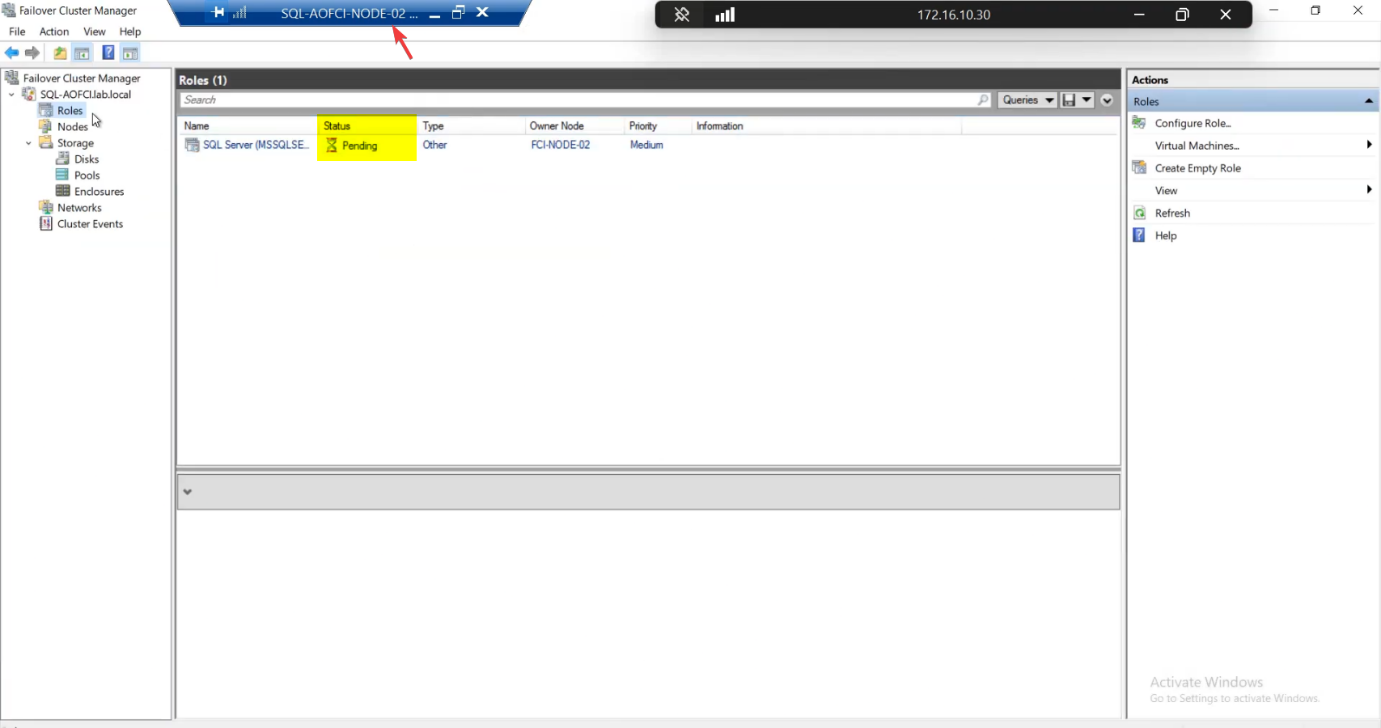
Within ~10-30 seconds:
- Cluster detects Node-01 heartbeat loss (~5 sec)
- Quorum vote confirms Node-01 is gone
- Cluster forcibly takes ownership of the SAN disks (~10 sec)
- SQL Server service starts on Node-02 (~10-30 sec)
- AOFCI virtual IP and DNS get associated with Node-02
Roles status: briefly Pending, then Running. Owner Node: Node-02.
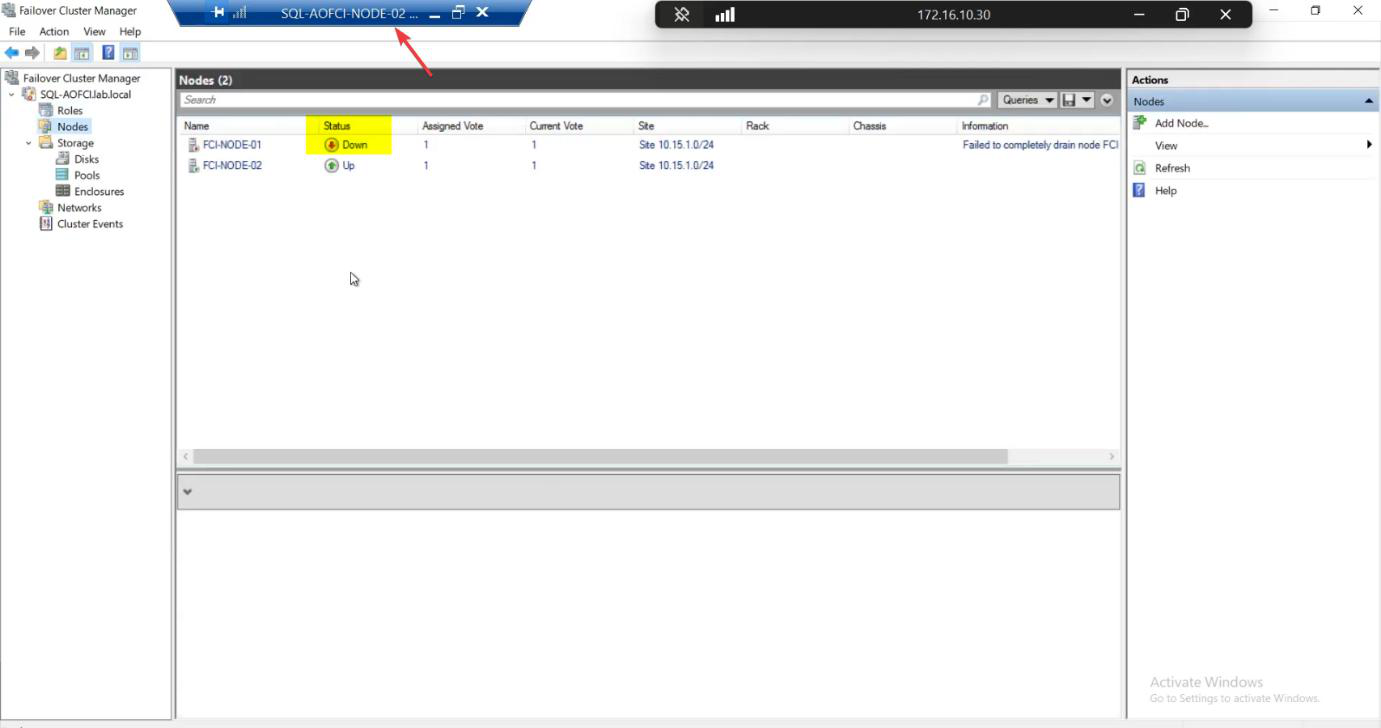
Nodes pane: Node-01 Down (red icon).
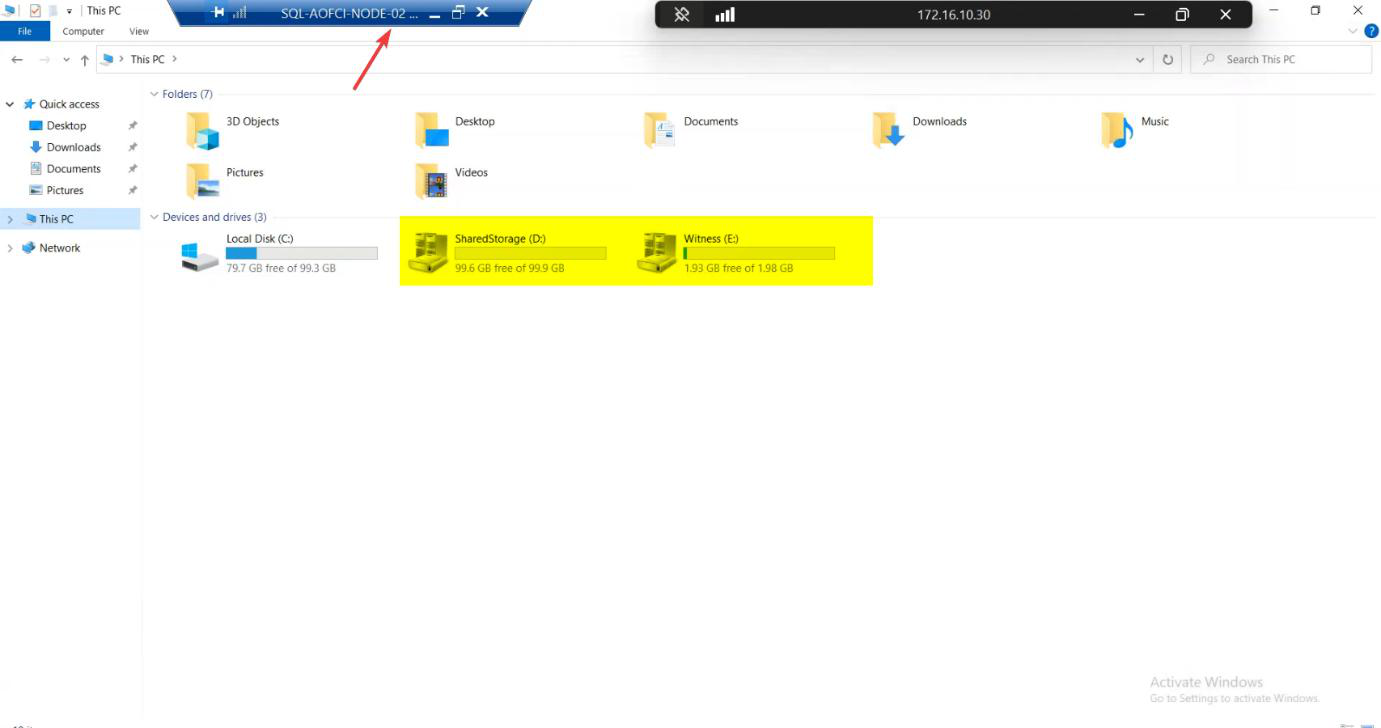
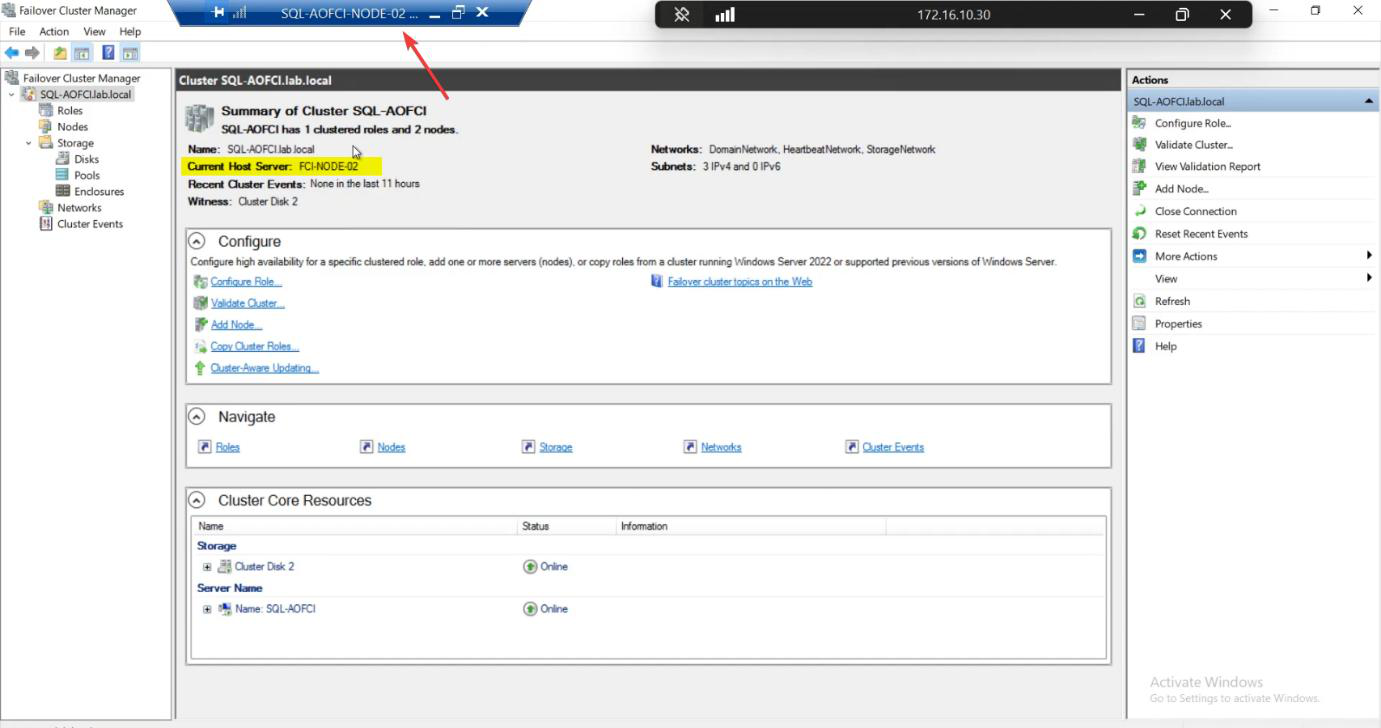
File Explorer on Node-02 shows the data drive mounted — the SAN LUNs that Node-01 owned 30 seconds ago are now Node-02’s.
Phase 5 — verify data availability + writability
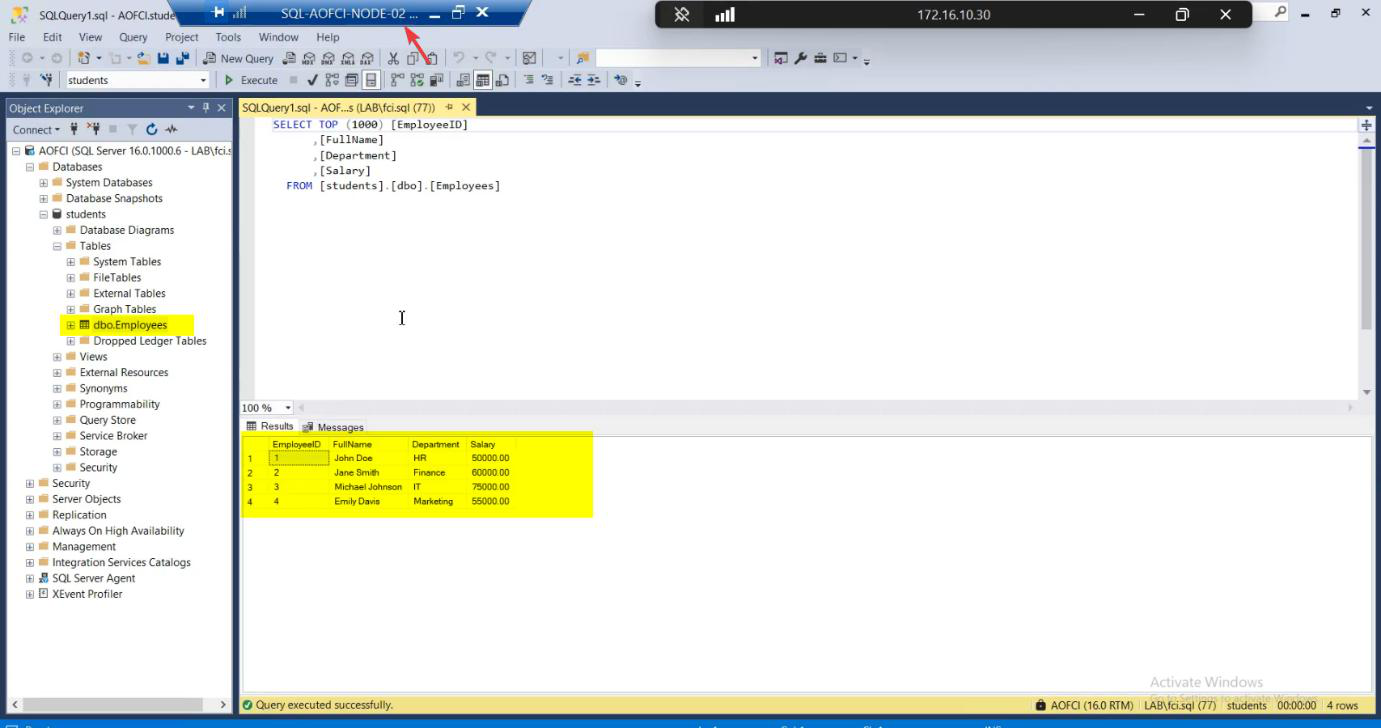
SELECT * FROM Employees. All baseline rows present.Open SSMS on Node-02. Connect to AOFCI (same name — that’s the whole point). SELECT * FROM Students.dbo.Employees; — all three rows present. Read works.
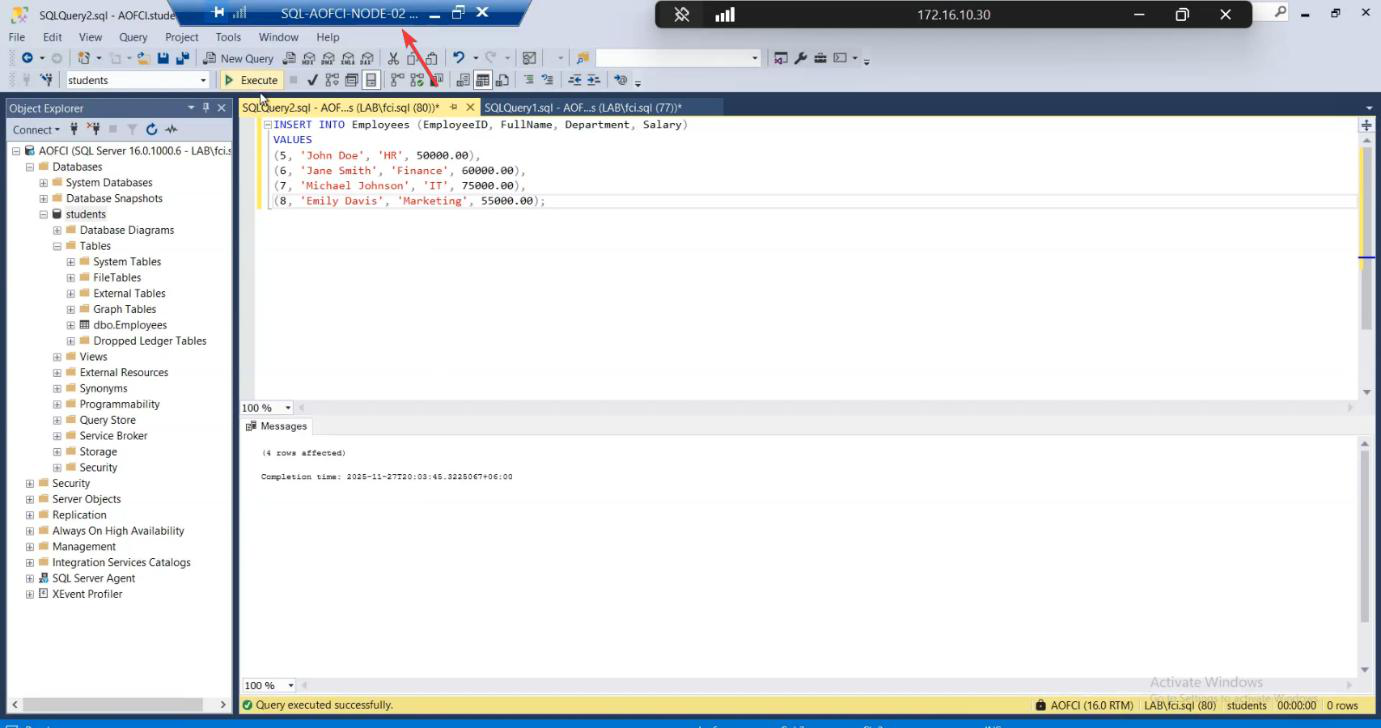
INSERT INTO Employees ....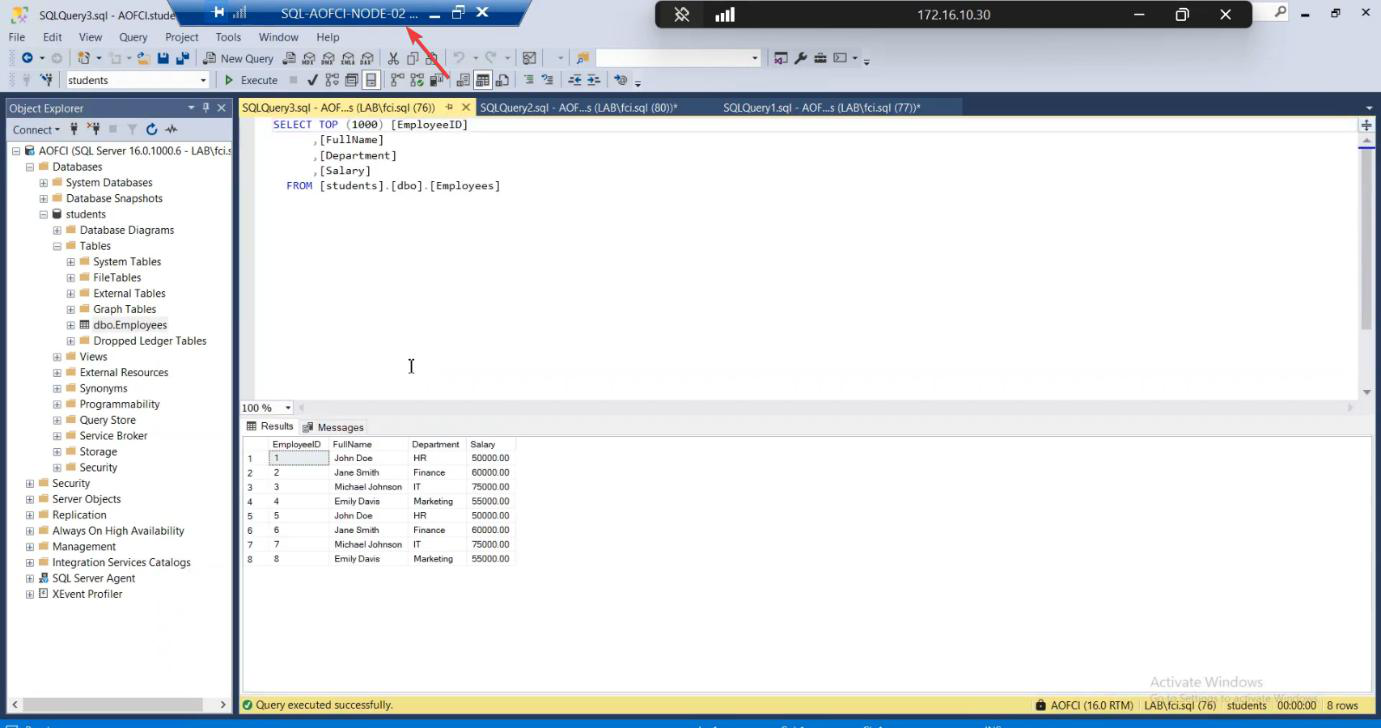
Now write test: INSERT INTO Employees (Name, Department, HireDate) VALUES ('Failover Test', 'IT', '2026-05-10'); — 1 row affected. Write works.
SQL is fully operational on Node-02 even though Node-01 is dead. This is the entire promise of FCI being delivered.
Phase 6 — recover Node-01
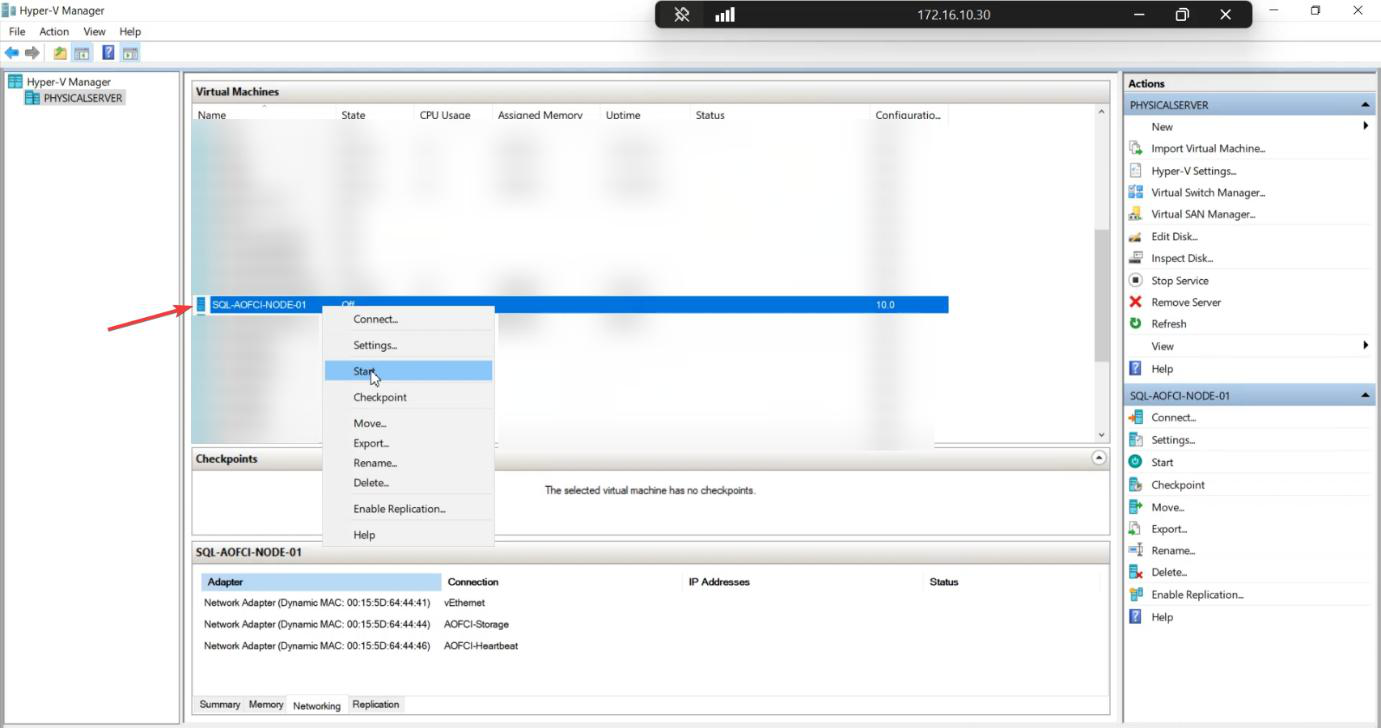
Power on Node-01. Wait for boot.
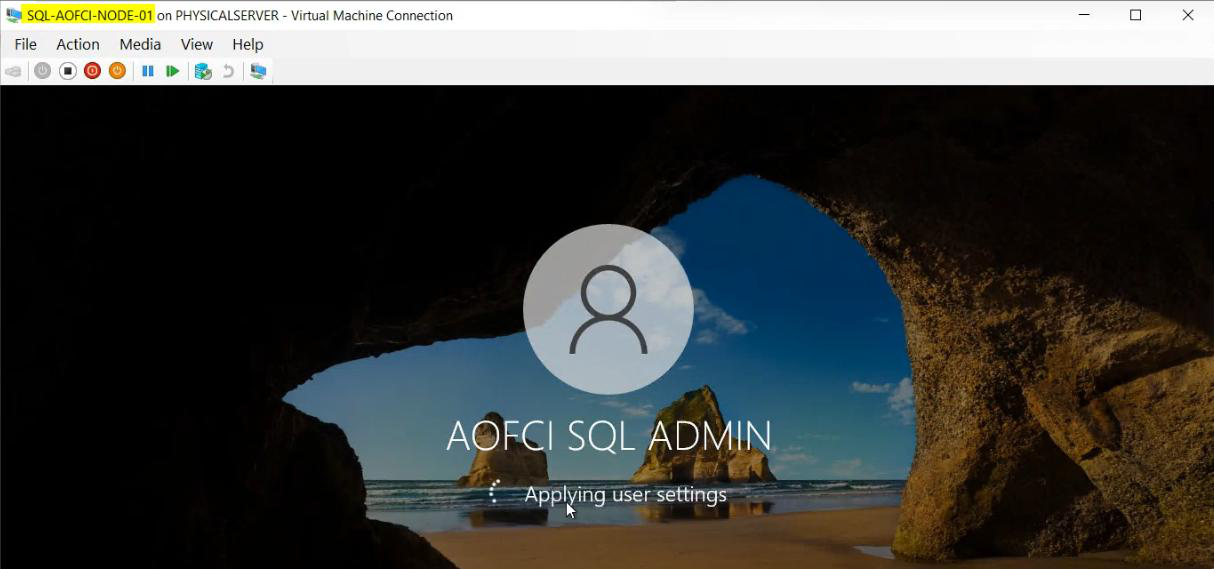
Node-01 rejoins the domain. Cluster service starts on it automatically.
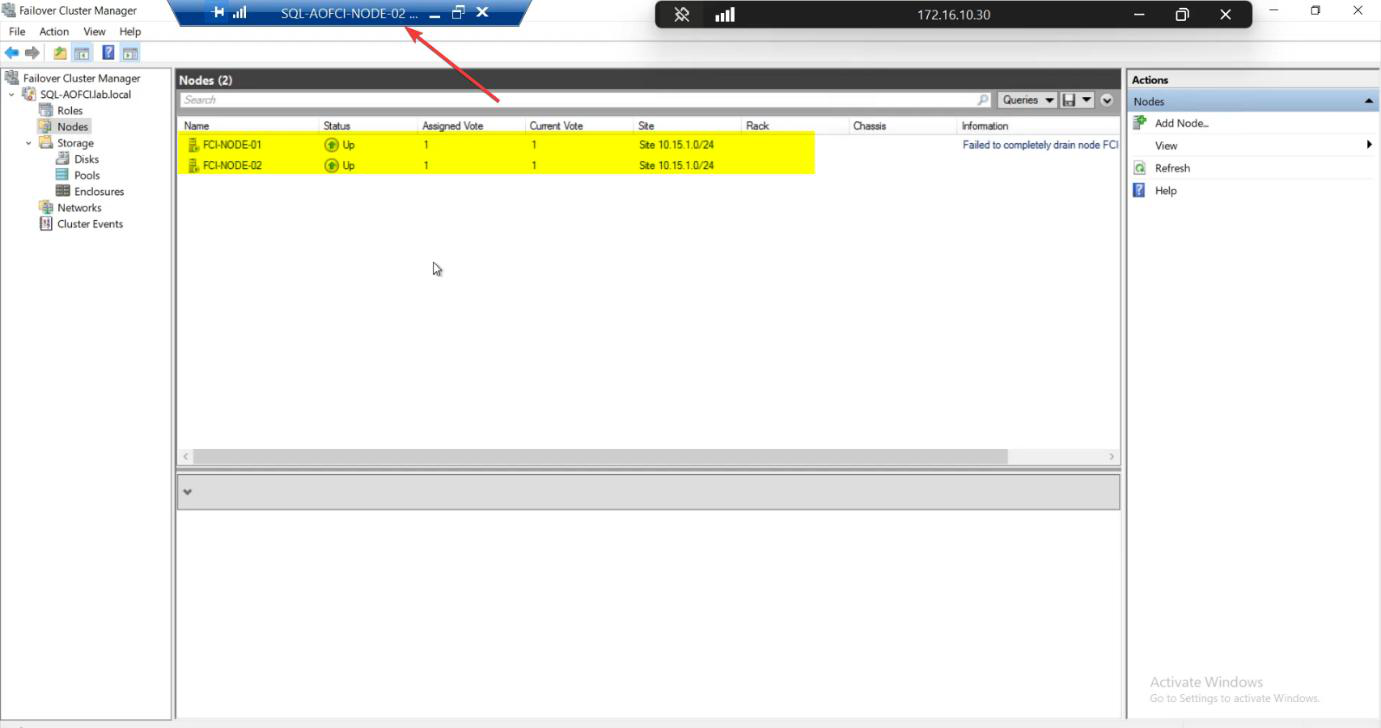
FCM Nodes: both Up. Cluster healthy with redundancy restored.
Phase 7 — failback (or don’t)
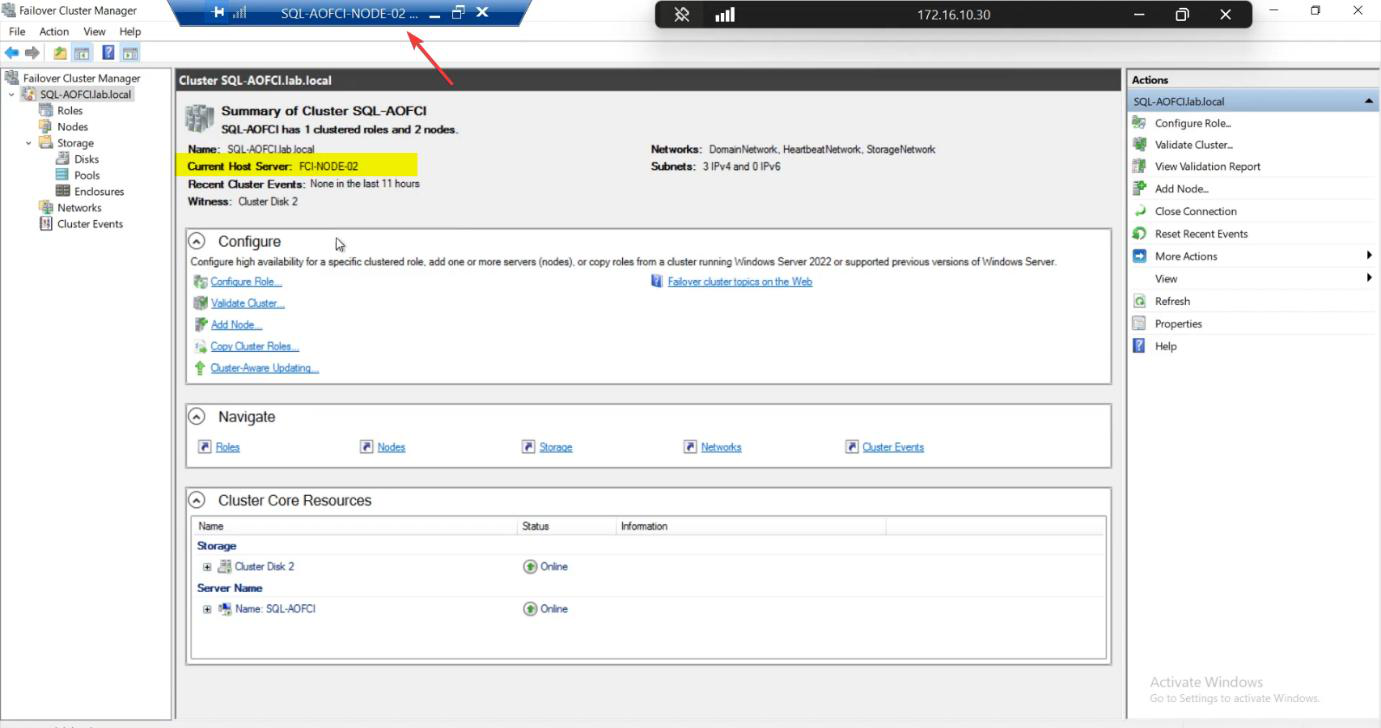
Roles: still owned by Node-02, even after Node-01 came back.
Default behaviour: no auto-failback. Windows Cluster intentionally avoids flapping — admin verifies the recovered node is genuinely healthy before moving production traffic back. Imagine if N1 was crashing in a loop — auto-failback would trigger an outage every 5 minutes as SQL bounced between nodes.
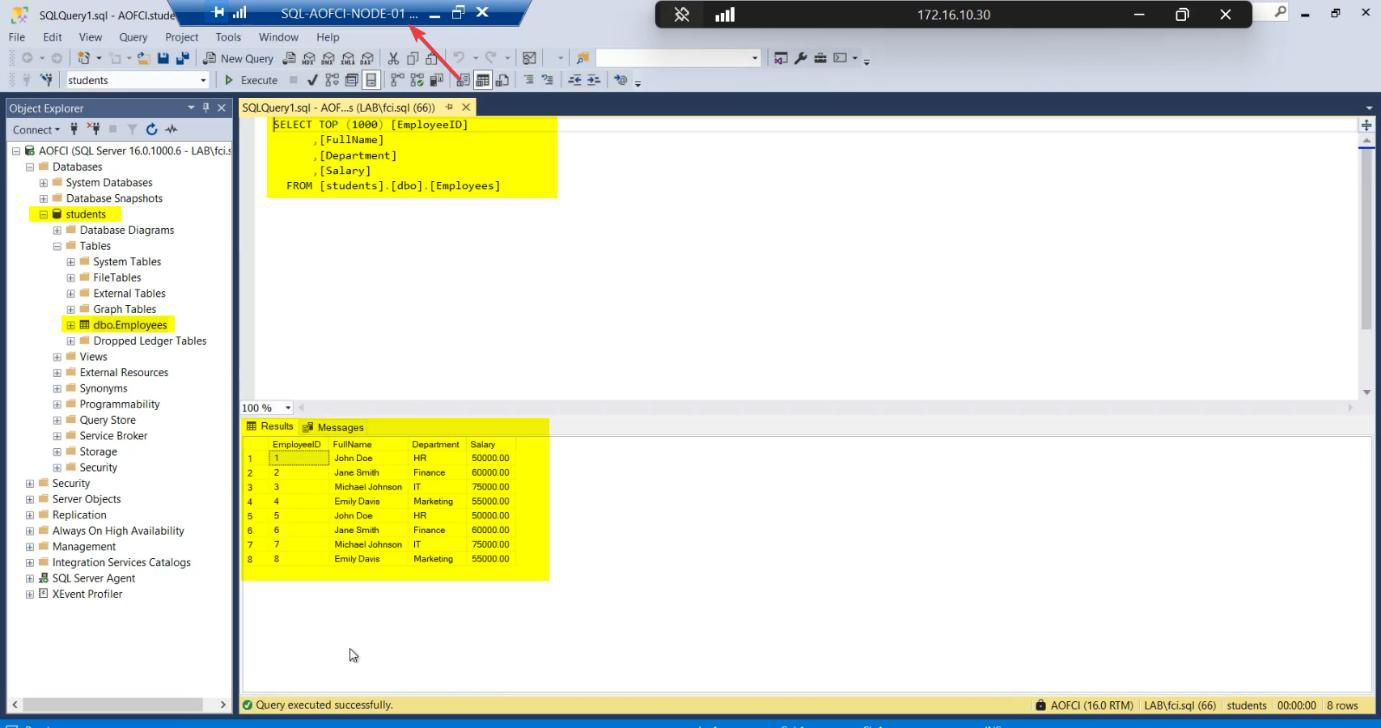
Verification on Node-01: SSMS > AOFCI > SELECT — the “Failover Test” row inserted while N1 was down is visible. Sync is perfect because Node-02’s writes went to the same shared storage that Node-01 now sees again.
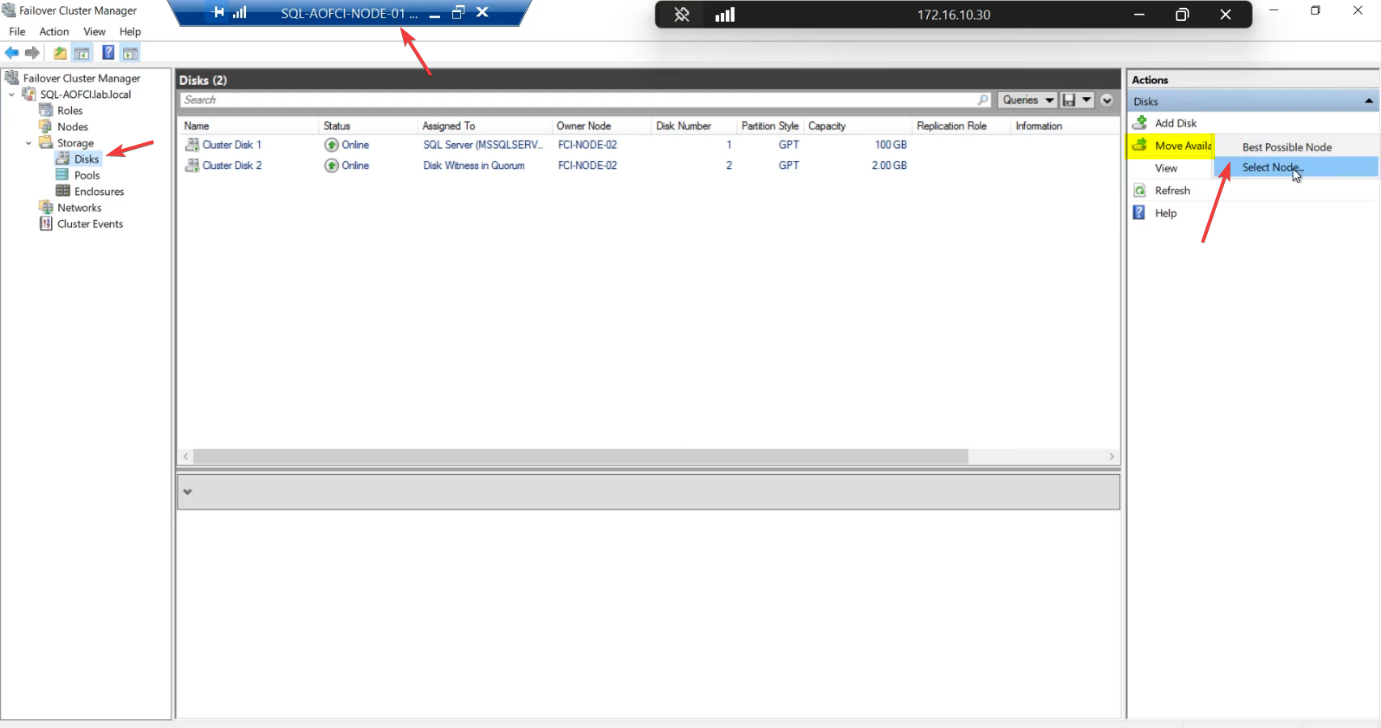
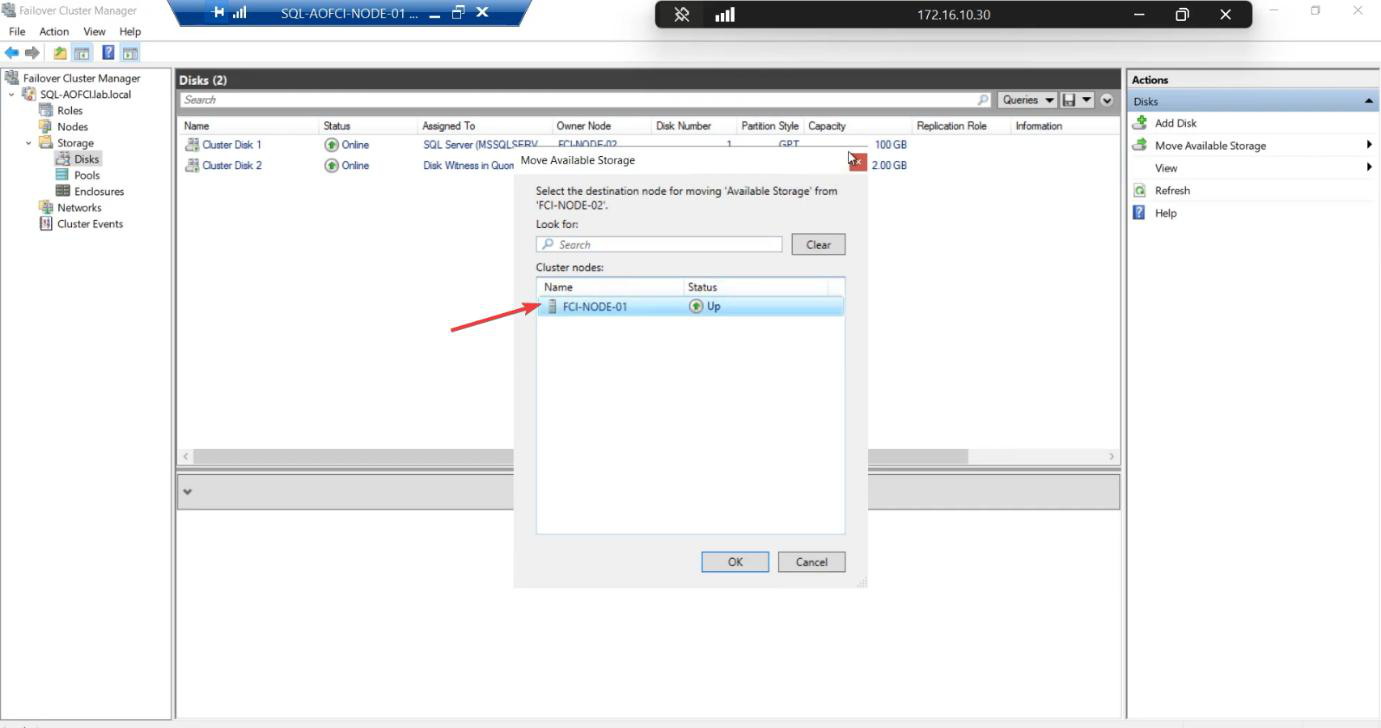
Optional manual failback: right-click the SQL role > Move > Select Node > Node-01 > OK. Cluster moves SQL back in 30-60 seconds. Or leave it on Node-02 — both nodes are equal.
RTO measurement
Recovery Time Objective — how long is the outage during failover? Typical components:
- Heartbeat loss detection: ~5 seconds (configurable)
- Quorum vote + disk reservation steal: ~10 seconds
- SQL service start on new node: ~10-30 seconds (depends on database recovery)
- DNS TTL for AOFCI: 60 seconds default (clients with cached DNS may briefly hit dead IP)
Total: 30-90 seconds typical for FCI failover. Tune for production SLA — e.g., shorten DNS TTL to 5 seconds if your application can’t tolerate 60-second blips.
Things that bite people in this part
SQL takes forever to come up on the failover node
If your databases have lots of unrecovered transactions (large in-flight workload at crash time), SQL spends time rolling forward / rolling back during recovery. Big databases = longer failover RTO. Mitigation: smaller transactions, more frequent checkpoints.
Failover happens but clients don’t reconnect
Most modern client libraries auto-retry on connection loss. Older drivers (e.g., really old ODBC) may need manual retry. Test with your actual application before declaring victory.
DNS cached
Clients with cached DNS may keep trying to reach the old IP for the duration of the TTL. Fix: shorten DNS TTL (60s default) or use a load-balanced VIP.
Auto-failback enabled by accident
FCM > Roles > right-click > Properties > Failover tab > “Allow failback”. If ticked, the cluster will move SQL back to its preferred owner immediately. Combined with a flapping node, this causes repeated outages. Default off — keep it that way unless you have a specific reason.
Test only graceful shutdown, not power-off
Graceful shutdown lets the cluster drain the role first — failover is faster and cleaner. Power-off simulates a real crash and tests the heartbeat-loss path. Test both. Production crashes don’t come with graceful shutdown.
Storage failure not tested
Killing a compute node tests compute failover. It does NOT test storage failure (SAN going down). Test that separately: simulate iSCSI Target VM going down and observe cluster behaviour. (Spoiler: cluster goes red, SQL stops; FCI doesn’t protect against shared-storage failure — that’s a different HA tier.)
What’s next
Two-node FCI proven to work. But what about scaling up? Part 9 prepares Node-03 (network config, OS prep, joining the cluster). See the full series at SQL Server Clustering pathway.